


Yet another - Retake Button Missing - WITH PICS!
I read a bunch of threads on the retake button, but still can't solve this one. I included pics to help everyone out. Thanks so much in advance!!
PROBLEM:
Retake button is not displaying.
SCTRUCTURE:
SCORM Course
No points are reported to LMS until the final congrats screen.
PICTURES:
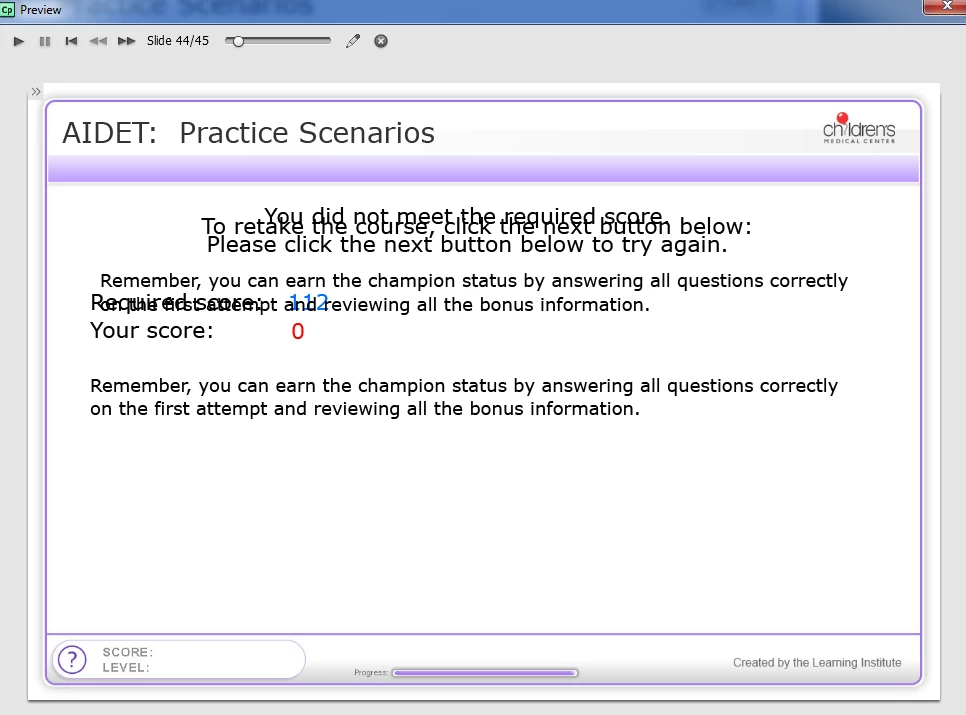
CBT - Quiz Review slide with missing Retake Button (ignore overlapping text. i use a script to determine which phrase to display).
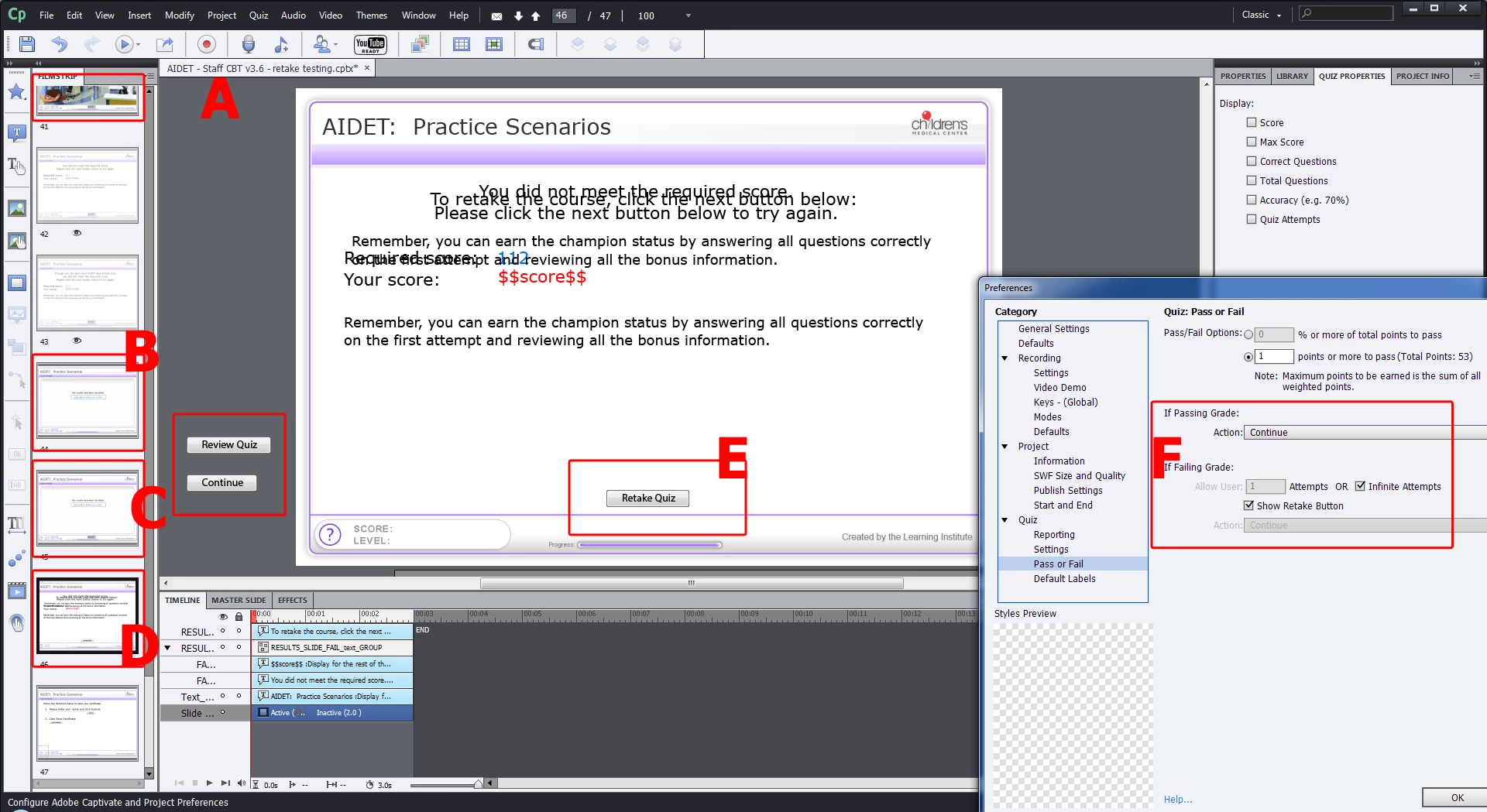
A) At the end of the quiz, it sends them to 1 of 3 slides, based on my Score variable value:
B) 143 - You are a CHAMPION! slide. On this slide, they click a clickbox that sends 2 points to LMS, marking them passed with perfect score. CBT ends, marking them passed in LMS.
C) 112 - 128 - You are a MASTER! slide. On this slide they click a clickbox that sends 1 point to LMS, marking them passed. User has choice to advance to Quiz Results Slide, if they want to retake the quiz to try to earn a CHAMPION score. If not CBT ends, marking them passed in LMS.
(Notice how results are only reported to the LMS at the end of the MASTER or CHAMPION branching.)
D) 0 - 111 Quiz Results Slide, where they should see a retake button.
E) Retake button Quiz Results Slide in slideshow
F) Retake button is enabled in settings, with infinite chances.
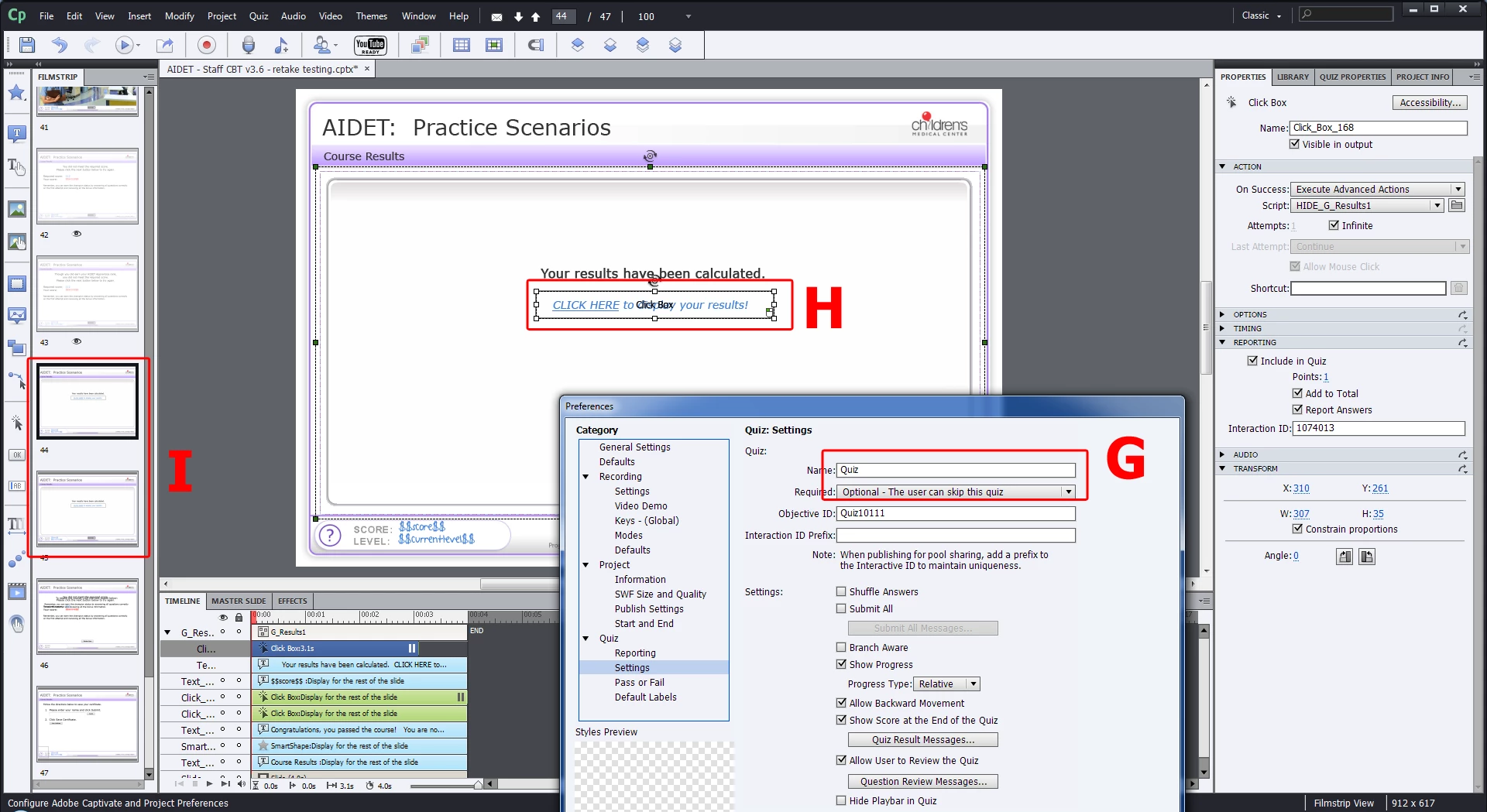
G) Quiz set to optional.
H) This is an example of the You are a MASTER! slide. They have to click the click box to see their Master score. Clicking the click box sends 1 pt to the LMS, marking them as passed.
I) If someone does not score high enough (using our custom Score variable), they skip the MASTER and CHAMPION slides that have the click box that reports to the LMS. They go straight to the View Quiz Results Slide with the Retake button.
 AdChoices