Inspiring
June 20, 2023
해결됨

How to create a trigger to swap a Neutral mouth drawing on the puppet?

  • June 20, 2023
  • 1 답변
  • 518 조회

So I downloaded a sample of mouth drawings to use on a puppet test, and it comes with a neutral drawing of a mouth.


Now, what if I want to create a trigger to go from the neutral to a smile, or a sad, or whatever mouth I want to show just for a short amounth of time base on a trigger?


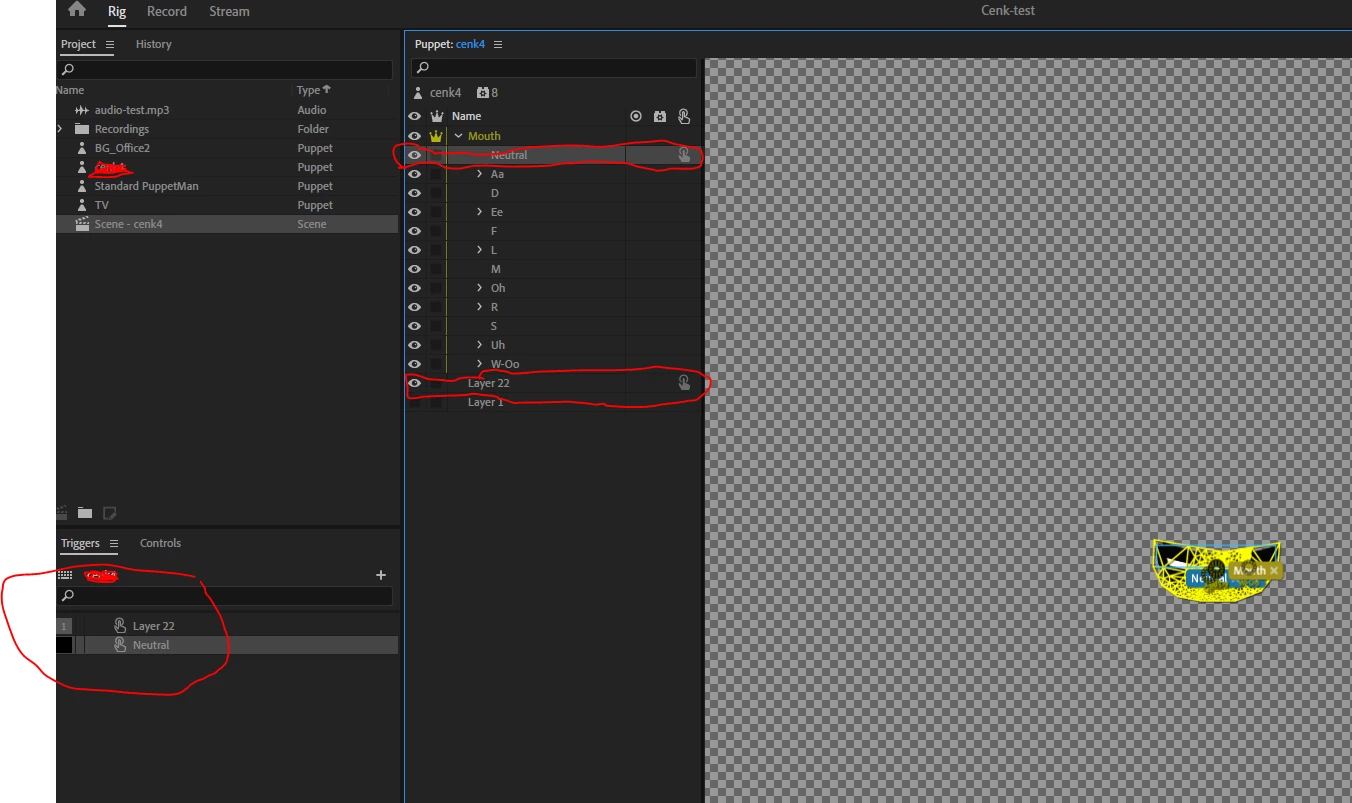
I created a layer below the set of mouth drawings and added a trigger to the added layer, but it only shows on top of the rest of mouth drawings.    How can I do the actual swap to replace the neutral mouth drawings for the added layer when I hit the trigger? 
이 주제는 답변이 닫혔습니다.
최고의 답변: elindo586

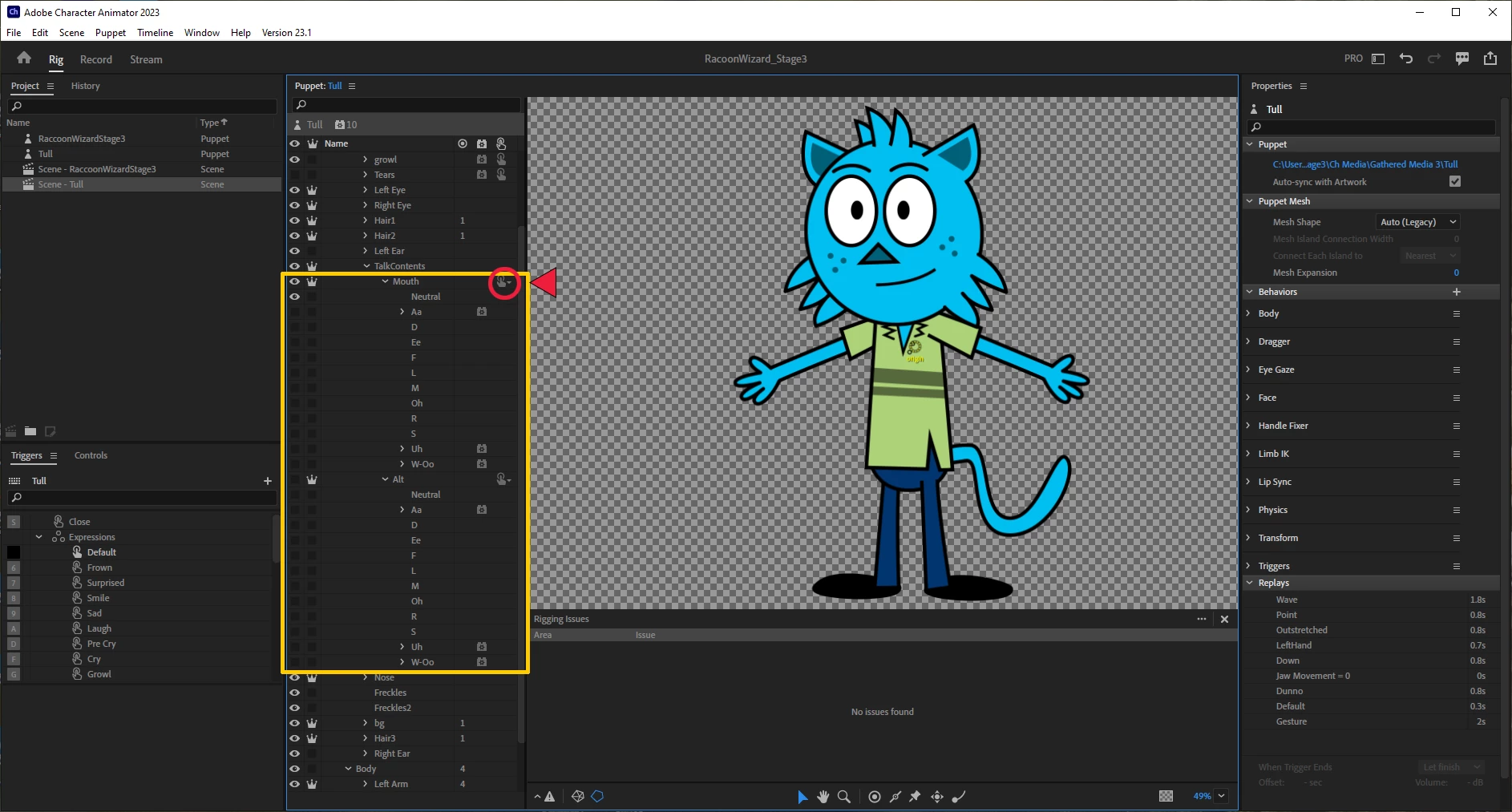
A good example to look at is the Tull puppet. In these screenshots, I'm focusing on how the mouth sets are set up. Notice that there is a main group for bouth mouth sets (Mouth and Alt) and those sets contain all of the different visemes for the two mouths. Each mouth contains Neutral, Smile and all of the necessary visemes. If all you want is a static smile that responds to your facial expression, you can stop here - you don't need an alternate mouth set. If you still need an alternate set, then continue.

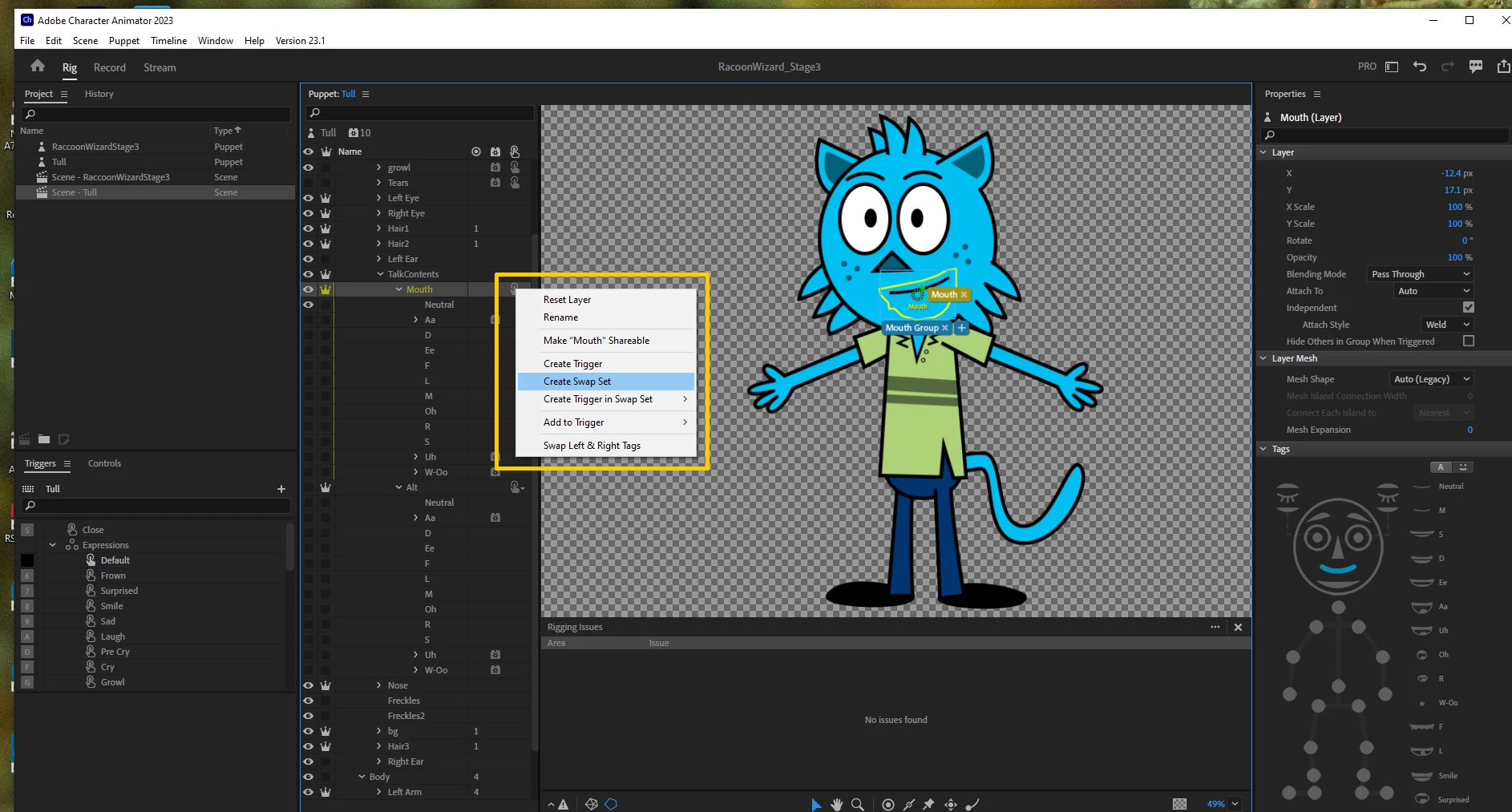
In the "Talk Contents layer, right click on the third column (where the red circle is) to open up the menu that lets you create a swap set. Click on Create Swap set. 

This creates a swap set containing both "Mouth" and "Alt." From there, go to the triggers menu and click on the alt set to attatch a trigger key and "latch" it so that it stays in that position until you release the latch. That's it! 


I got it...


I needed to create all the expresions under a single parent folder, then create a swap trigger from that parent folder, and asign the trigger numbers to whatever expresion I want to work with at a given time.

1 답변

TheOriginalGC
Community Expert
Community Expert
June 20, 2023

"Neutral" is one of the basic static mouth shapes that CH responds to, in addition to "smile" and "surprise." It's the "resting" state of any mouth group and responds to your facial expressions automatically. To create a swap set, you'll need to create another layer for your basic mouth (let's call it "basic") with neutral and all of the other shapes within it. Place the "basic" layer group in Mouth. Now do the same for your smiling mouth set. Select Mouth and create your swap set. CH will create a swap set featuring the two layer groups you have created.

elindo586작성자
Inspiring
June 20, 2023

How can I exactly create the swap?


I see there are options to add to triggers, and add a trigger.....    In this case I added triggers to each one, but they don't seem to be working on the "Record" mode...  and I do have the triggers activated for, but it only shows the "neutral" layer.


TheOriginalGC
Community Expert
Community Expert
June 20, 2023

A good example to look at is the Tull puppet. In these screenshots, I'm focusing on how the mouth sets are set up. Notice that there is a main group for bouth mouth sets (Mouth and Alt) and those sets contain all of the different visemes for the two mouths. Each mouth contains Neutral, Smile and all of the necessary visemes. If all you want is a static smile that responds to your facial expression, you can stop here - you don't need an alternate mouth set. If you still need an alternate set, then continue.

In the "Talk Contents layer, right click on the third column (where the red circle is) to open up the menu that lets you create a swap set. Click on Create Swap set. 

This creates a swap set containing both "Mouth" and "Alt." From there, go to the triggers menu and click on the alt set to attatch a trigger key and "latch" it so that it stays in that position until you release the latch. That's it!