Inspiring
February 2, 2024
해결됨

How to remove CC Files shortcut from Navigation pane (NOT in favorites)

  • February 2, 2024
  • 4 답변들
  • 2455 조회

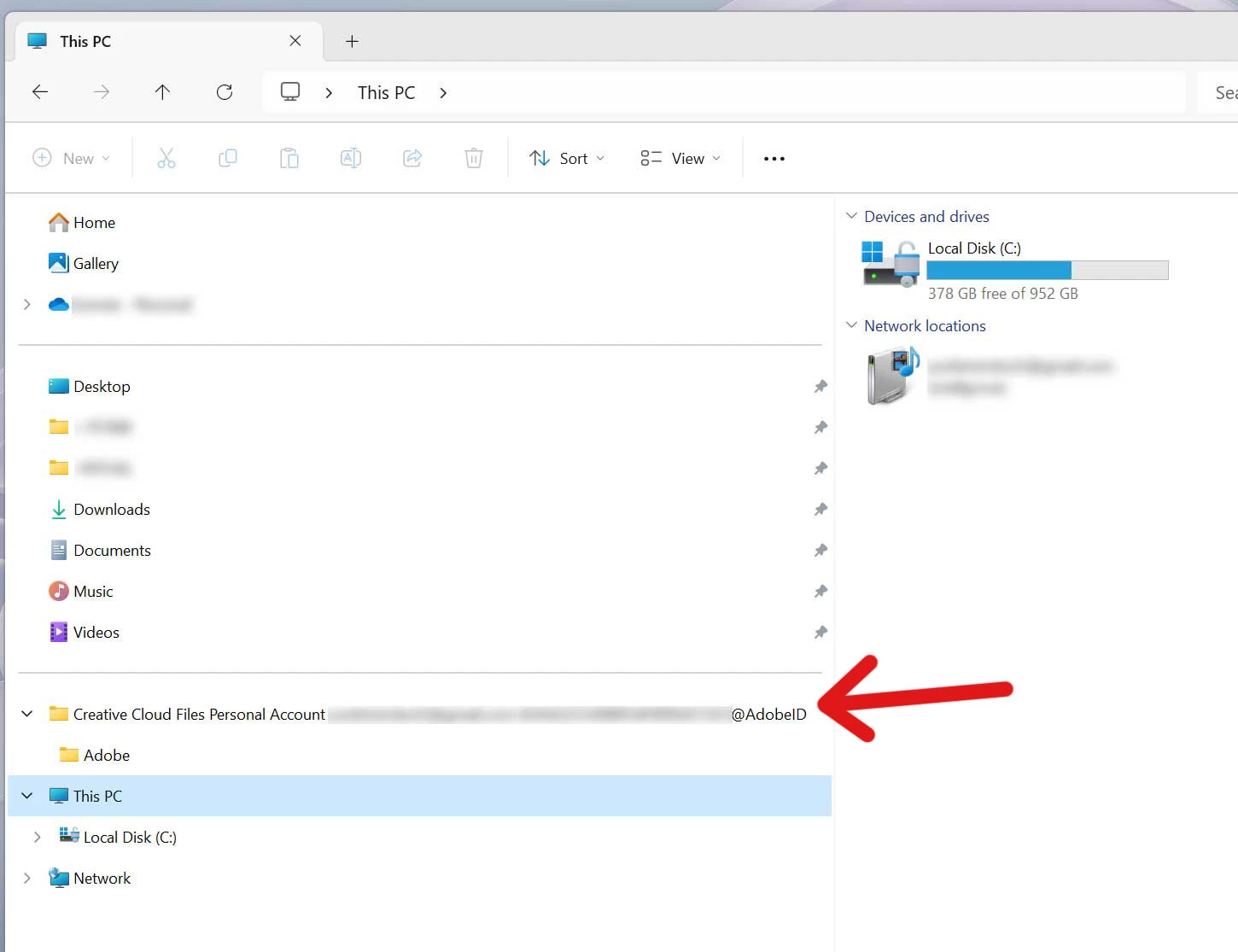
A CC "personal files" folder with a ridiculously long filename has shown up in my navigation pane.  It's NOT in favorites-- see screenshot below. (I found a workaround that Adobe posted that would edit the registry, but it had to do with the favorites section, not this, so it didn't work.)


I also tried pausing CC Cloud sync, deleting the personal files folder from C:Users, and then restarting, but that didn't get rid of the shortcut either. 


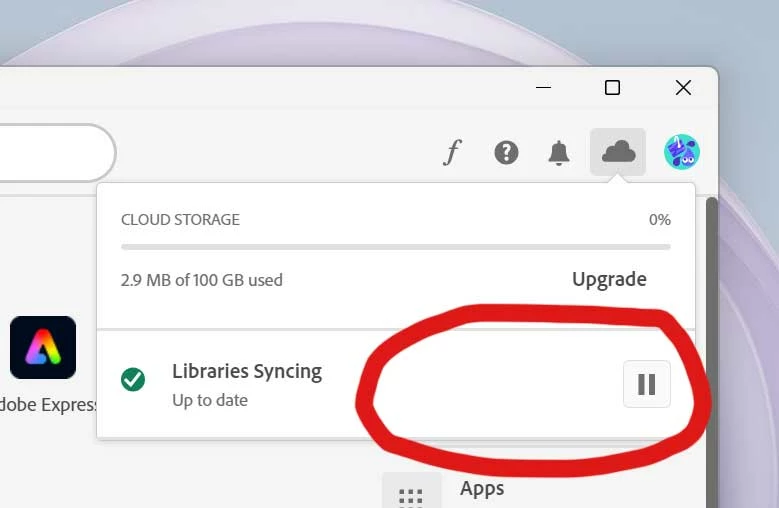
I also thought of going to Creative Cloud Desktop and messing with the prefrences in "cloud activity", but the preferences option (gear icon) is missing. (See 2nd screenshot.) 


How do I get rid of this? 


이 주제는 답변이 닫혔습니다.
최고의 답변: ezequiasvianax

Tive o mesmo problema e segui os passos do vídeo.


https://www.youtube.com/watch?v=cDbcGS5vqB8


Deu certo.

4 답변

Participant
April 14, 2024

Is there any reason Adobe have not addressed this defect yet, the YT clip really is the quick easy solution. The shortcut does not even work or do anything, so I have no idea how this got past the software testing team. Here's to hopeing this gets fixed before more people waste time trying to declutter. Cheers.

ezequiasvianax
Inspiring
February 11, 2024

Tive o mesmo problema e segui os passos do vídeo.


https://www.youtube.com/watch?v=cDbcGS5vqB8


Deu certo.

kglad
Community Expert
Community Expert
February 11, 2024

@ezequiasvianax 


that's the regedit solution.

kglad
Community Expert
Community Expert
February 13, 2024

I don't know. watch the youtube video and see if that answers your question.


i dud watch. it's the same as the posted solution. ie, edit \HKEY_CURRENT_USER\SOFTWARE\Microsoft\Windows\CurrentVersion\Explorer\Desktop\NameSpace\

Participant
February 5, 2024

Having the same problem, please keep this up

kglad
Community Expert
Community Expert
February 6, 2024

@Ronald2530901018lj 


did you edit the registry?

kglad
Community Expert
Community Expert
February 3, 2024
yelm작성자
Inspiring
February 3, 2024

I already tried that. It didn't work. That registry edit is only for the favorites part of the navigaiton pane (the folders listed at the top), not for the other section down below.  

kglad
Community Expert
Community Expert
February 3, 2024

maybe when syncing ends followed by a cc desktop app update, will fix that.