Exit
  • Global community
    • Language:
      • Deutsch
      • English
      • Español
      • Français
      • Português
  • 日本語コミュニティ
  • 한국 커뮤니티
2

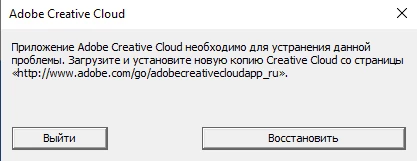
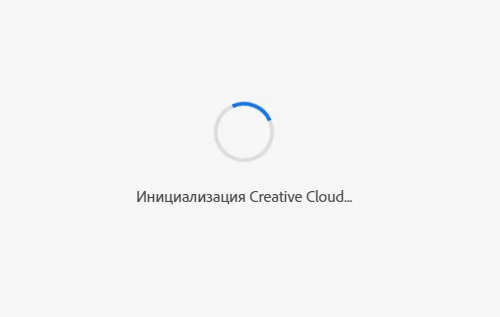
Бесконечная инициализация Creative Cloud.
New Here ,
Sep 10, 2023 Sep 10, 2023

DANTE30144011hdig_0-1694360619704.png

Доброго времени суток!
Восстанавливал. Полностью удалял. Устанавливал раз 15. 
С помощью утилиты - AdobeCreativeCloudCleanerTool чистил.
Так же с Creative Cloud Uninstaller. 
Ничего не изменилось.
Затем ещё так бывает 
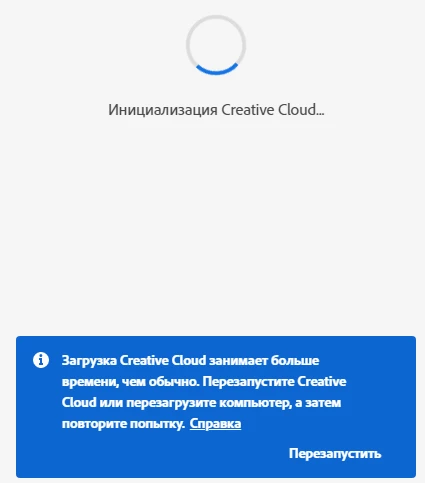
DANTE30144011hdig_1-1694360787603.png


И так

DANTE30144011hdig_2-1694360814131.png


Восстановление не помогает. Чистка реестра не помогает. Удаление Всех файлов связанных с Adobe не помогает. OOBE.old делал. Winmgmt в порядке. 


TOPICS
File sync
5.2K
Translate
Report
Community guidelines
Be kind and respectful, give credit to the original source of content, and search for duplicates before posting. Learn more
community guidelines
Community Expert ,
Sep 10, 2023 Sep 10, 2023

Please go to Adobe Customer Service (Make sure to sign in to your Adobe account first and allow popups and cookies on your browser. You may not be able to see the chat window if using a VPN.):
https://helpx.adobe.com/contact.html?rghtup=autoOpen will automatically open the chat window.
Type "Agent" in the chat box to bypass the chatbot and be connected to a person.

or Twitter:
https://twitter.com/AdobeCare

Translate
Report
Community guidelines
Be kind and respectful, give credit to the original source of content, and search for duplicates before posting. Learn more
community guidelines
New Here ,
Sep 29, 2023 Sep 29, 2023

Проверь не блокирует ли доступ брандмауэр от винды на сервер adobe, а так же не прописfна блокировка C:\Windows\System32\drivers\etc    в файле hosts

Translate
Report
Community guidelines
Be kind and respectful, give credit to the original source of content, and search for duplicates before posting. Learn more
community guidelines
Adobe Employee ,
Sep 29, 2023 Sep 29, 2023

Hi @Shell456,


We're sorry to hear about this. Please try the steps mentioned in this article and let us know if that helps resolve the issue.


Regards,

Tarun

Translate
Report
Community guidelines
Be kind and respectful, give credit to the original source of content, and search for duplicates before posting. Learn more
community guidelines
New Here ,
Feb 11, 2025 Feb 11, 2025

Здравствуйте, вы в итоге смогли решить проблему? Если да; то как?

Translate
Report
Community guidelines
Be kind and respectful, give credit to the original source of content, and search for duplicates before posting. Learn more
community guidelines
Community Expert ,
Feb 11, 2025 Feb 11, 2025
LATEST

@diff_5522 


reset the cc desktop app by making sure it's in the foreground, then press:

Win: Ctrl + Alt + R
Mac: Cmd + Opt + R


if that fails, repair per https://helpx.adobe.com/download-install/kb/creative-cloud-install-stuck.html


if that fails and you have windows, open your control panel > add/remove programs > cc desktop app > repair

if that fails, uninstall using the correct uninstaller from https://helpx.adobe.com/creative-cloud/help/uninstall-creative-cloud-desktop-app.html#sa_src=web-mes... and then reinstall using*


if that fails, do a clean cc install carefully following each applicable step:

uninstall every cc app including preferences per https://helpx.adobe.com/creative-cloud/help/uninstall-remove-app.html

then uninstall the cc desktop app, again using the correct uninstaller per https://helpx.adobe.com/creative-cloud/help/uninstall-creative-cloud-desktop-app.html#sa_src=web-mes...

clean your computer of cc files per http://www.adobe.com/support/contact/cscleanertool.html

check for, and if available, update your os

if windows is your os, repair all ms visual c++ versions that can be repaired (use google if you don't know how to do this)

if windows is your os update your ms visual c++, if it can be updated (use google if you don't know how to do this)

restart your computer (don't skip this)

reinstall the cc desktop app using the "alternative download links" at the bottom of the page at https://helpx.adobe.com/download-install/kb/creative-cloud-desktop-app-download.html

use the desktop app to install your cc programs/trials>

if that fails, you probably have a corrupt user account. google your os and how to create a new one.

Translate
Report
Community guidelines
Be kind and respectful, give credit to the original source of content, and search for duplicates before posting. Learn more
community guidelines