Participant
May 7, 2023
Question

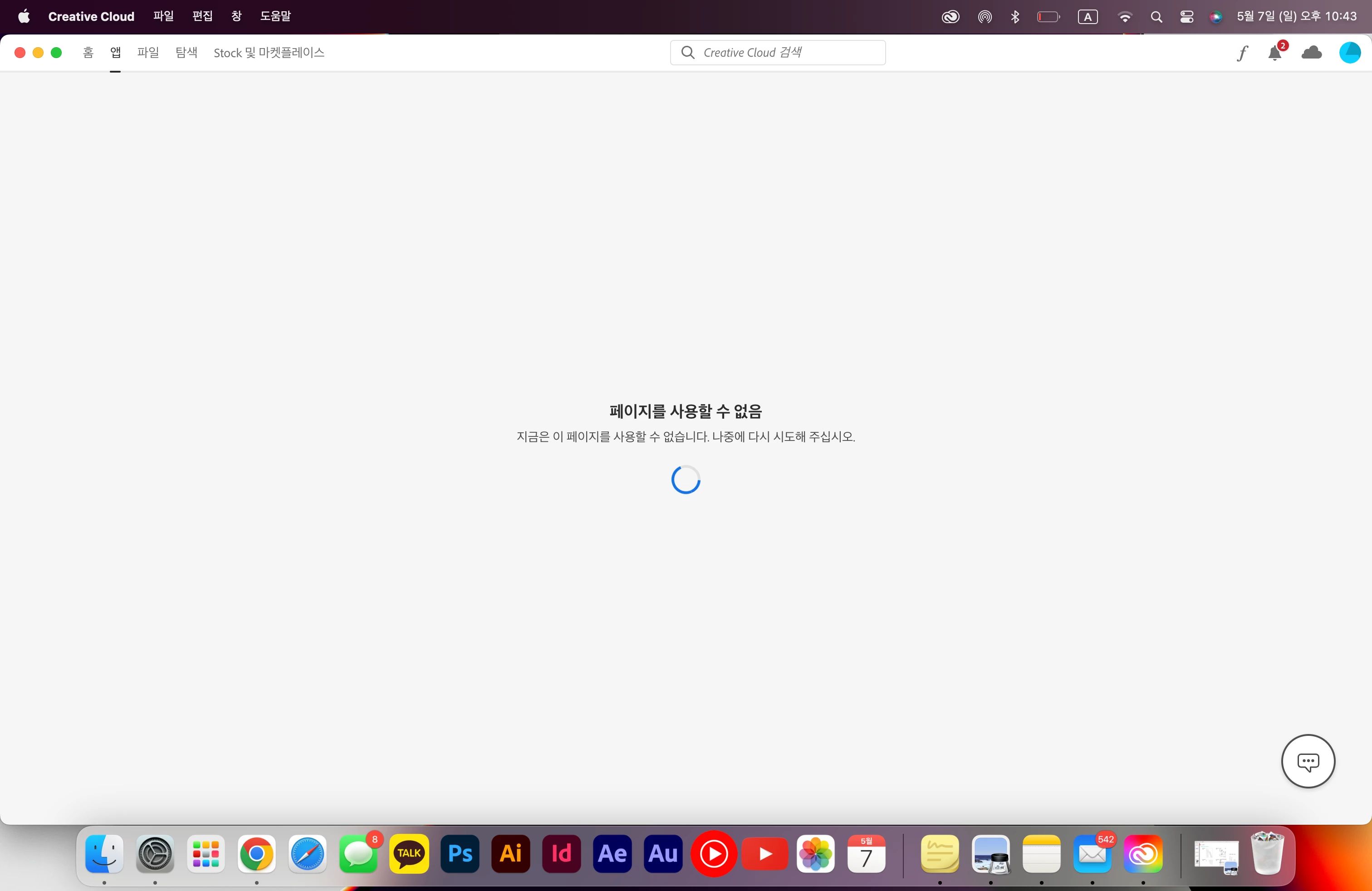
페이지를 사용할 수 없음

  • May 7, 2023
  • 3 replies
  • 1515 views

앱 창 들어가면 자꾸 이거 뜨는데 어떻게해요.. 1시간동안 붙잡고 있어요 

This topic has been closed for replies.

3 replies

Participant
July 27, 2024

하루종일 이것만 하고 있고 

https://community.adobe.com/t5/creative-cloud-services-discussions/페이지를-사용할-수-없음/td-p/13776361

여기서 하라는대로 다 했는데도 페이지를 사용할 수 없음이라고 뜸 .. 

이거 해결 방법 아시는 분? 


kglad
Community Expert
Community Expert
July 27, 2024

@2385619217ro 


what are you trying to do when you see that message?

Participant
July 27, 2024

저 문구 안 읽어 봤음?


reset the cc desktop app by making sure it's in the foreground, then press:

Win: Ctrl + Alt + R
Mac: Cmd + Opt + R


if that fails, repair per https://helpx.adobe.com/download-install/kb/creative-cloud-install-stuck.html


if that fails, uninstall using the correct uninstaller from https://helpx.adobe.com/creative-cloud/help/uninstall-creative-cloud-desktop-app.html#sa_src=web-mes... and then reinstall using*


if that fails, do a clean cc install carefully following eachapplicable step:

uninstall every cc app including preferences per https://helpx.adobe.com/creative-cloud/help/uninstall-remove-app.html

then uninstall the cc desktop app, again using the correct uninstaller per https://helpx.adobe.com/creative-cloud/help/uninstall-creative-cloud-desktop-app.html#sa_src=web-mes...

clean your computer of cc files per http://www.adobe.com/support/contact/cscleanertool.html

check for, and if available, update your os

if windows is your os, repair all ms visual c++ versions that can be repaired (use google if you don't know how to do this)

if windows is your os update your ms visual c++, if it can be updated (use google if you don't know how to do this)

restart your computer (don't skip this)

reinstall the cc desktop app using the "alternative download links" at the bottom of the page at https://helpx.adobe.com/download-install/kb/creative-cloud-desktop-app-download.html

use the desktop app to install your cc programs/trials

NOTE: win 11 users that have trouble with the latest win 10 installer often have success with the older win 10 installer.


이렇게 적혀있는데 다 해봐도 계속 페이지 없음이라고 뜨니까 물어보는거임

kglad
Community Expert
Community Expert
May 7, 2023

reset the cc desktop app by making sure it's in the foreground, then press:

Win: Ctrl + Alt + R
Mac: Cmd + Opt + R


if that fails, repair per https://helpx.adobe.com/download-install/kb/creative-cloud-install-stuck.html


if that fails, uninstall using the correct uninstaller from https://helpx.adobe.com/creative-cloud/help/uninstall-creative-cloud-desktop-app.html#sa_src=web-messaging and then reinstall using*


if that fails, do a clean cc install carefully following each applicable step:

uninstall every cc app including preferences per https://helpx.adobe.com/creative-cloud/help/uninstall-remove-app.html

then uninstall the cc desktop app, again using the correct uninstaller per https://helpx.adobe.com/creative-cloud/help/uninstall-creative-cloud-desktop-app.html#sa_src=web-messaging

clean your computer of cc files per http://www.adobe.com/support/contact/cscleanertool.html

check for, and if available, update your os

if windows is your os, repair all ms visual c++ versions that can be repaired (use google if you don't know how to do this)

if windows is your os update your ms visual c++, if it can be updated (use google if you don't know how to do this)

restart your computer (don't skip this)

reinstall the cc desktop app using the "alternative download links" at the bottom of the page at https://helpx.adobe.com/download-install/kb/creative-cloud-desktop-app-download.html

use the desktop app to install your cc programs/trials

NOTE: win 11 users that have trouble with the latest win 10 installer often have success with the older win 10 installer.

heool4134Author
Participant
May 7, 2023

컴퓨터 끄고 로그아웃하고 다 해봐도 안됩니다