


Wholeo
Known Participant
November 12, 2020
Answered

3 text objects - one displays and renders correctly

  • November 12, 2020
  • 2 replies
  • 889 views

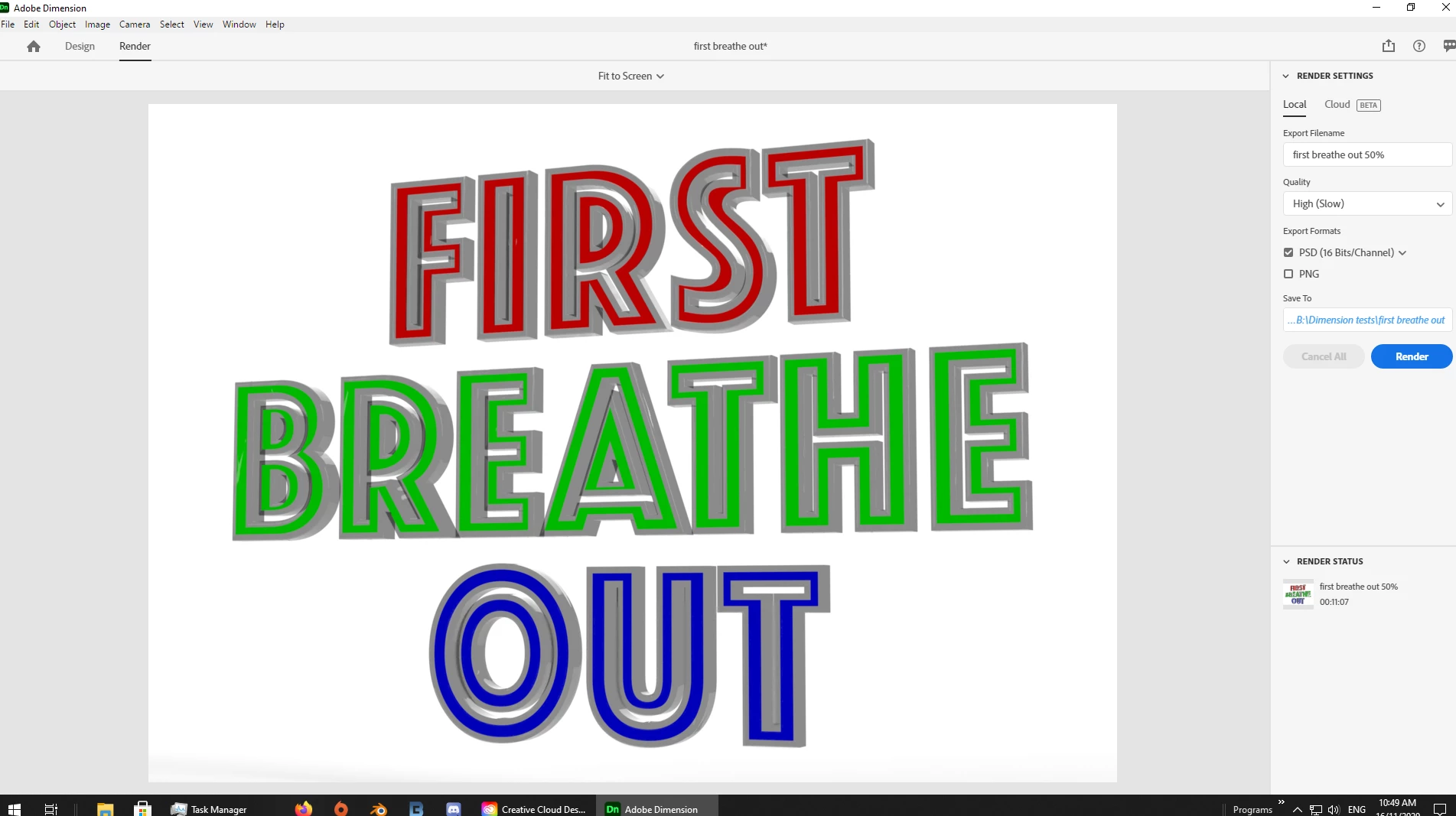
Each text object has identical properties, with differing colors. Only the third one displays in Dimension and is rendered to .psd correctly. 

My only idea is to do each one separately. But I would like them as one graphic in Photoshop and Premiere Pro. 

This topic has been closed for replies.
Correct answer Ussnorway7605025


Next change the font to "Phosphate"


mystery solved


using a non standard font = you have to do some of the thinking and tell Dimension what parts of the text to rendor or your system just has to make a guess at what you want


example files

p.s, next time just share the file mate

2 replies

Ussnorway7605025
Ussnorway7605025Correct answer
Legend
November 15, 2020


Next change the font to "Phosphate"


mystery solved


using a non standard font = you have to do some of the thinking and tell Dimension what parts of the text to rendor or your system just has to make a guess at what you want


example files

p.s, next time just share the file mate

Ares Hovhannesyan
Community Expert
Community Expert
November 13, 2020

So you  have 3 different text object in Dn and render that file to PSD.? You can merge 3d layers in Ps and export one file for Pro. Did you try that?

Wholeo
WholeoAuthor
Known Participant
November 13, 2020

Thanks for the suggestion. However, I guess I wasn't clear that the problem was in Dimension. I found a workaround which was to modify the third text object that actually worked and rendered. I made three Dimension files using text 3. One for each line of text. It solves the problem for me. But it still would be nice to know how to do it in a single Dimension file.

Follow The Sand, a 5-year movie plan: Wholeo 2024
Wholeo
WholeoAuthor
Known Participant
November 15, 2020

I think you can use "Export Selected Model" option for expoting each text separetely as 3d file. You have to use Export=> Selected model or Publish button on the top right. In my example I have two seperate text object and each one can be exported seperately if you selected them seperately.


That's good info. But it doesn't answer the problem. Maybe we should close this question since two people now have not understood what I said. I'll repeat it here and see if somehow I can reword it to communicate better. "Each text object has identical properties, with differing colors. Only the third one displays in Dimension and is rendered to .psd correctly." Start a new Dimension project. Import a background image as a guide. Make one text object and change the text to "First". Make another text object and change the text to "Breathe". Make a third text object and change the text to "Out". Next change the font to "Phosphate" and change position, and other properties of "Out". Now change the other two text objects to have similar properties. Only "Out" has depth and displays in 3D correctly. "First" and "Breathe" do not. They are just flat ordinary letters. I am inserting the photo here again that shows the difference.

Follow The Sand, a 5-year movie plan: Wholeo 2024