



Generous_Cosmos5C08
Known Participant
July 22, 2019
Question

Can't place object in Dimension, stuck on loading screen

  • July 22, 2019
  • 14 replies
  • 10679 views

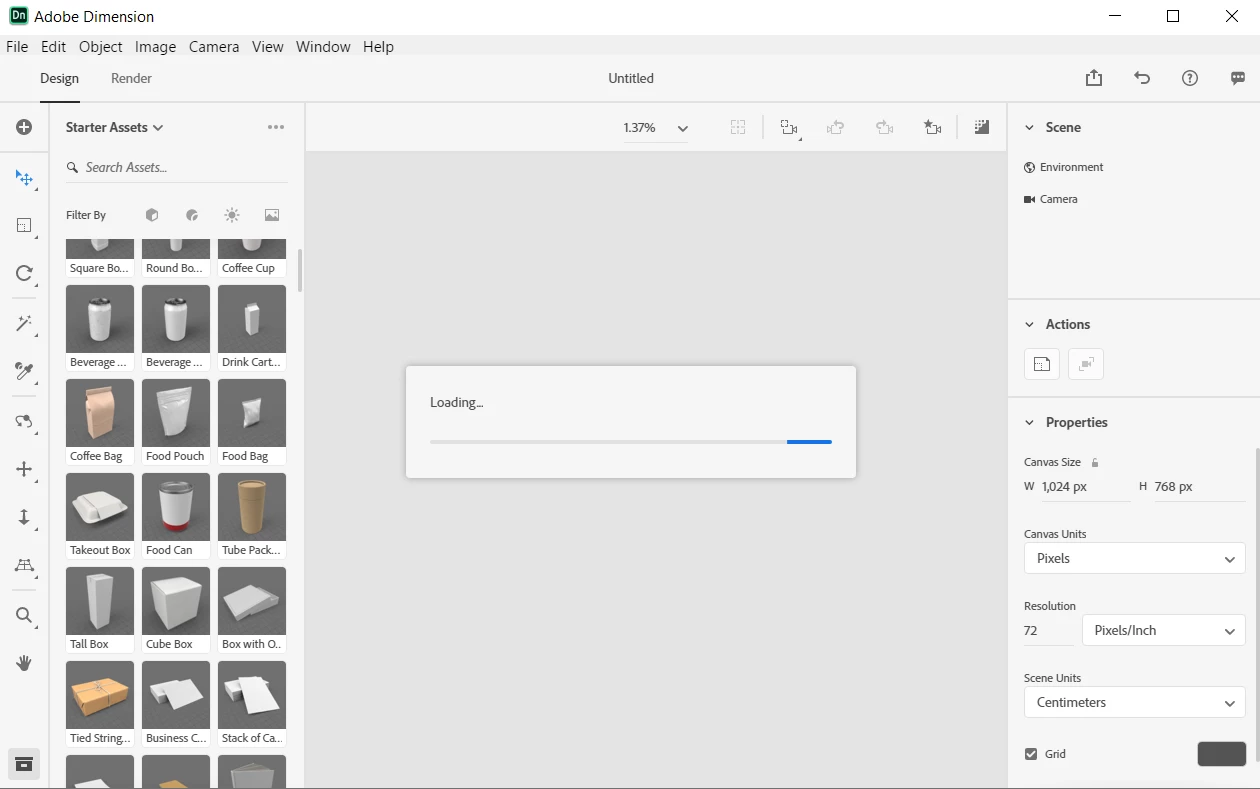
Dimension opens up just fine. Whenever I either create a new document or attempt to take a tour, I'm unable to drag in an object from the sidebar into the scene without getting stuck on a never-ending "Loading..." dialog box. The object never appears, and the only way to restart Dimension is to force close it from the Task Manager. This happens with any type of object that I attempt to drag in. This is my first time using Adobe Dimension, and I'm running the latest version on Windows 10. I've included a screenshot of the screen I get stuck on. My laptop has 8 GB of RAM and an AMD Ryzen 5 processor. I don't think my computer is too slow; after all, it's brand new and runs everything faster than my old computer, but I could be wrong. What causes this?
    This topic has been closed for replies.

    14 replies

    Ussnorway7605025
    Brainiac
    July 28, 2019

    in that case your best option now is to uninstall Adobe Dimension and I would take all Adobe off... move the install path to D: Adobe then reinstall it

    Generous_Cosmos5C08
    Known Participant
    July 30, 2019

    Ussnorway  wrote

    in that case your best option now is to uninstall Adobe Dimension and I would take all Adobe off... move the install path to D: Adobe then reinstall it

    Due to the time sensitive work I need to complete using other Adobe apps and my very slow internet connection, I'm not in a position to remove everything Adobe from my computer and reinstall it all, but I did reinstall Dimension and am still having the same issue.

    tylergeorgeson​, my screen has definitely never looked like that.

    Community Manager
    July 31, 2019

    Looks like the canvas loading is stopping at default IBL generation, we're exploring

    New Participant
    July 25, 2019

    I'm having this same exact issue! Dimension loads fine initially, but when I try to add an object like a can or a bag, it loads and it's never-ending.

    Ussnorway7605025
    Brainiac
    July 23, 2019

    If it's brand new then I will assume that Windows update is sucking up the ram in the background + you probably also have at least one too many antivirus protections in the way as well

    First of all the Ryzen is doing all the work and 8 g of ram on that system only allows 4G for Dimension to use... Work arounds include running the system in flight mode to disable automatic checks / updates and of course additional ram will come in handy

    Generous_Cosmos5C08
    Known Participant
    July 23, 2019

    Ussnorway  wrote

    If it's brand new then I will assume that Windows update is sucking up the ram in the background + you probably also have at least one too many antivirus protections in the way as well

    Windows Update isn't running at all. I also forcibly disabled Windows Defender through regedit, so I currently have no antivirus software running on my computer whatsoever.

    marliton​, nothing in that link works or applies. I don't have an NVIDIA video card, the render preview is already closed, I have no other applications open while waiting for Dimension to load, and viewport anti-aliasing is already disabled.

    I highly doubt at this point that this is solely a computer performance issue. I left Dimension open for seven hours and it failed to leave the loading screen after dragging a model in during that entire period. Programs like Blender operate just fine on my computer; I see no reason why the performance of my computer alone would be the cause of this issue.

    New Participant
    June 5, 2021

    Did you fix this issue?

    marliton
    Community Expert
    July 22, 2019

    Hi. Maybe this information can be helpful for you: Optimize performance Dimension

    Marlon Ceballos
    marliton
    Community Expert
    July 23, 2019

    Adobe Dimension has higher Hardware and Software requirements compared with other Adobe apps like Photoshop or Illustrator. You can check the requirements here: Dimension system requirements

    Do you have the same problem with any kind of object (models and images)? Have you tried using the import command? Some models are more complex than others, have you tried importing the sphere o cube? Or an image?

    Marlon Ceballos
    Generous_Cosmos5C08
    Known Participant
    July 26, 2019

    the log says everything is working


    Umm okay, are there any other logs or different information I can provide then?