



Generous_Cosmos5C08
Known Participant
July 22, 2019
Question

Can't place object in Dimension, stuck on loading screen

  • July 22, 2019
  • 14 replies
  • 10688 views

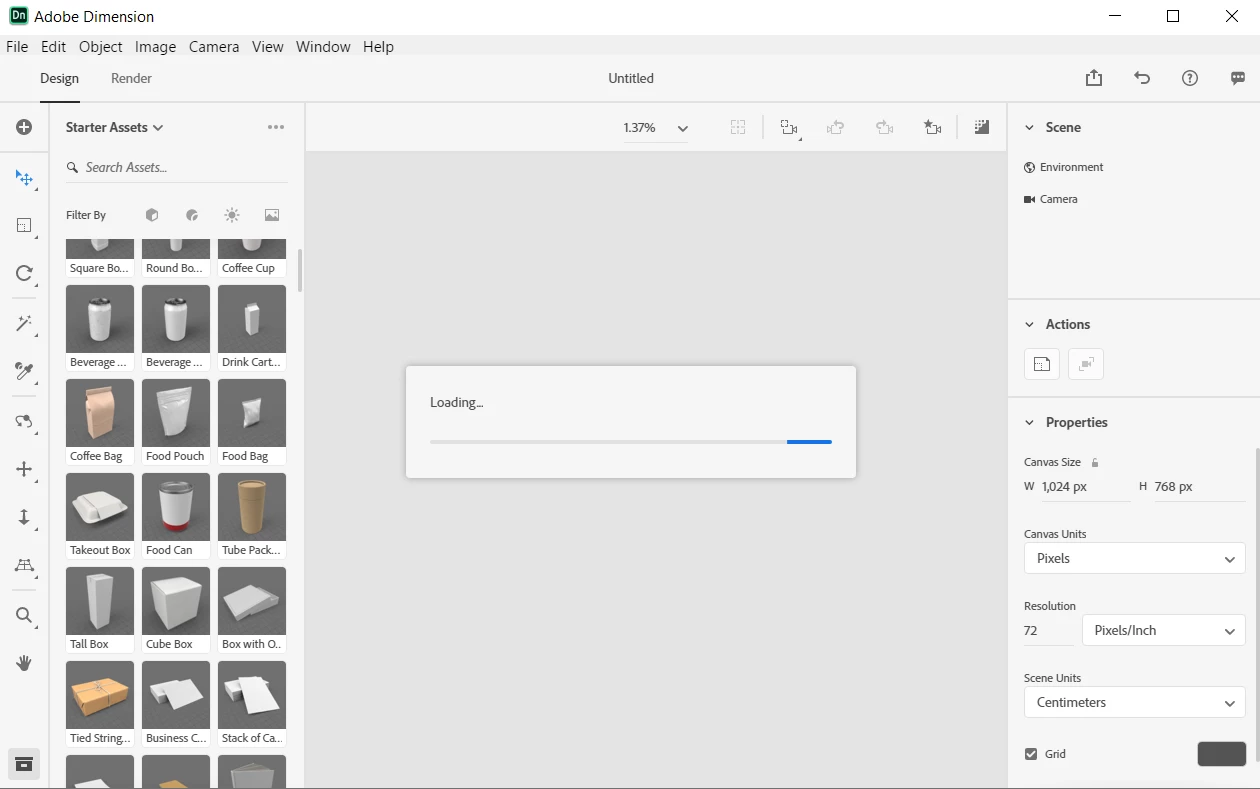
Dimension opens up just fine. Whenever I either create a new document or attempt to take a tour, I'm unable to drag in an object from the sidebar into the scene without getting stuck on a never-ending "Loading..." dialog box. The object never appears, and the only way to restart Dimension is to force close it from the Task Manager. This happens with any type of object that I attempt to drag in. This is my first time using Adobe Dimension, and I'm running the latest version on Windows 10. I've included a screenshot of the screen I get stuck on. My laptop has 8 GB of RAM and an AMD Ryzen 5 processor. I don't think my computer is too slow; after all, it's brand new and runs everything faster than my old computer, but I could be wrong. What causes this?
    This topic has been closed for replies.

    14 replies

    dimas91672318
    Participant
    January 27, 2021

    I just installed it.   I have same issue, it is loading forever.   I have I3 10300F,  32gb RAM,  GPU, RX580   O-O

    솔이58761193
    Participant
    February 29, 2020

    Me too!! I was upset,,,:( how can I solve that problem,,,,:(

    bamp
    Participant
    May 5, 2020

    I had the same problem, but now I fixed the issue. I simply switch my drawing tablet (Wacom Cintiq 13 HD) to my PC monitor (Acer V226HQL) and worked pretty well. I hope this helps.

    Participant
    November 2, 2019

    same problem, same laptop oh m gosh this issue is so annyoing . I can't use my CC DN


    Participating Frequently
    November 2, 2019

    Hi, I had the same problem as you. I just updated to the latest version of Dimension and it works well now.

    Participating Frequently
    September 22, 2019

    I can confirm that it is working fine with Pre release 3. Fantastic! I can see the canvas and the objects load perfectly. Solved! 

    Participating Frequently
    September 21, 2019

    Any news/solution from Adobe about this issue that lots of people are experiencing? Thanks

    Ussnorway7605025
    Legend
    September 22, 2019
    no fix yet sorry ... you can try the prerelease but thats up to you
    exception247
    Participant
    September 19, 2019

    Please try out the newest prerelease build 3.0 that was released yesterday. It works fine for me as it seems. No unusual cpu usage so far.

    stijnv67499545
    Participant
    August 20, 2019

    having the same issue. Hardware is way above the suggest requirements. So that should not be the issue.

    If i go back to version 2.2 everything seems to work fine. But on 2.3 it just stays on loading forever

    exception247
    Participant
    August 20, 2019

    I recognized something. When I start Dimension on my Surface Laptop it also starts with a 1.37% zoom but fast zoom up to normal screenratio so you can see the canvas and put models on it. On my PC it starts with the 1.37% zoom as in the screenshot here but doesn't zoom out. So something. And cant change zoom. Also can put mdoels on it (keeps loading).

    exception247
    Participant
    August 19, 2019

    Same issue here. 1,37% zoom and nothing is responding.

    My specs: Ryzen 5 3600, 32GB RAM, Vega 56 graphic card.

    Hope a fix is coming soon.

    Participating Frequently
    July 31, 2019

    I have the same problem and the same screen as you. I have a Porsche Design Book One based on Microsoft Surface and I do not see the stage, my stage is blank and when I try to choose a 3d model it gets stuck on loading screen over and over and over. I have 16GB of Ram and 512 vram so I meet all the requirements. I uninstalled it and installed it again and I have the same issue. Adobe Photoshop and Illustrator are working fine. I would be grateful if anyone could come up with the solution.