piixy
Inspiring
May 5, 2020
Answered

dimension export to aero

  • May 5, 2020
  • 5 replies
  • 3570 views
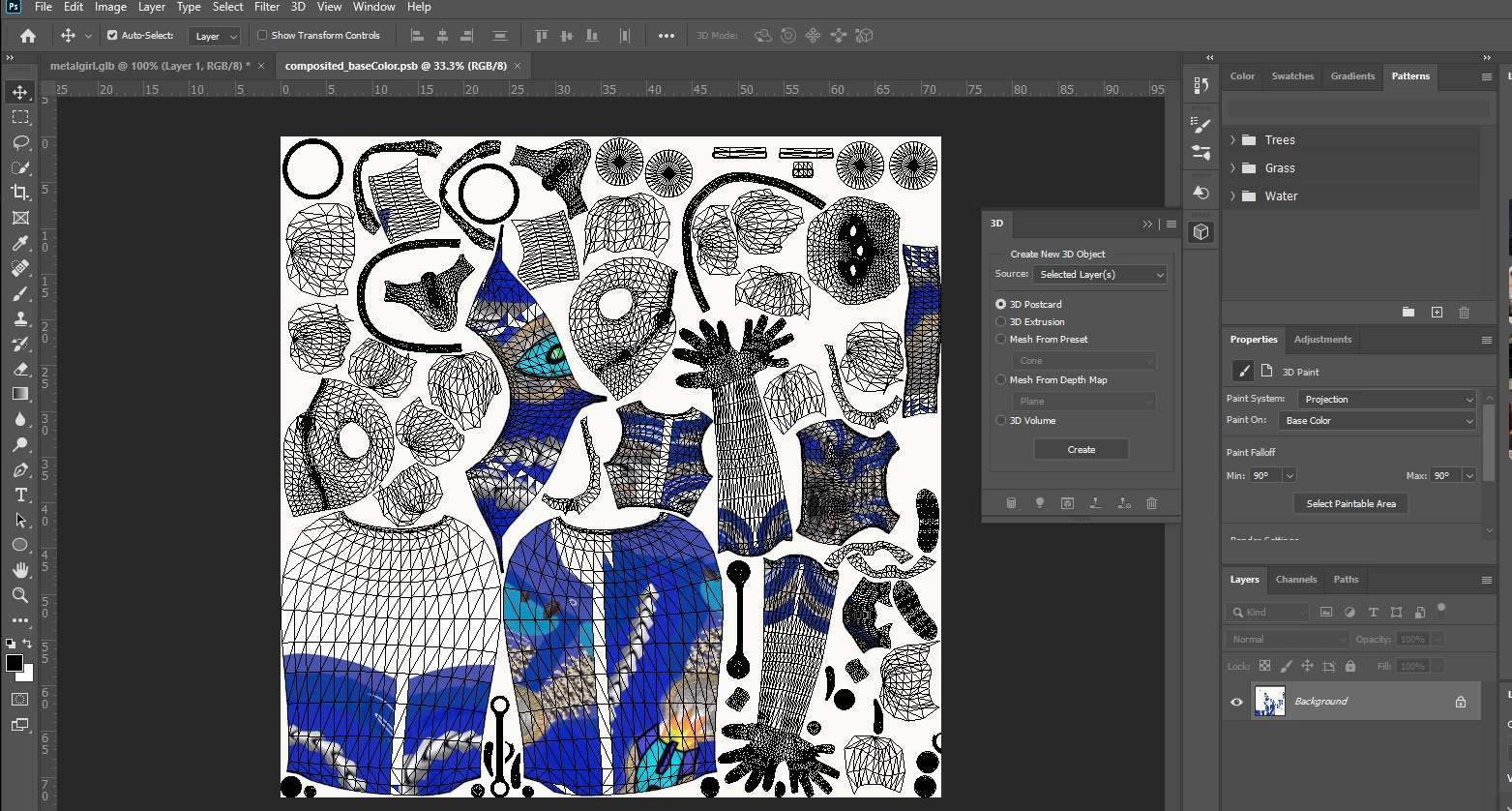
  • HI! I am using dimension to modify the color/texture of a mixamo model  and export it to aero. I am having a problem with dimension  exporting color/texture of OBJ ,  and not sure if it is aero dimension or mixamo causing it.
  • here is the link for the modified mixamo model 

    https://adobe.ly/2ymb9X9


    HEre are the steps I took to try and rig the above version


    1-Downloaded the fbx from mixamo

    2- Imported the model to dimension and changed material

    3-Exported from Dimension as OBJ 

    4-zipped the obj , mtl and picture folder 

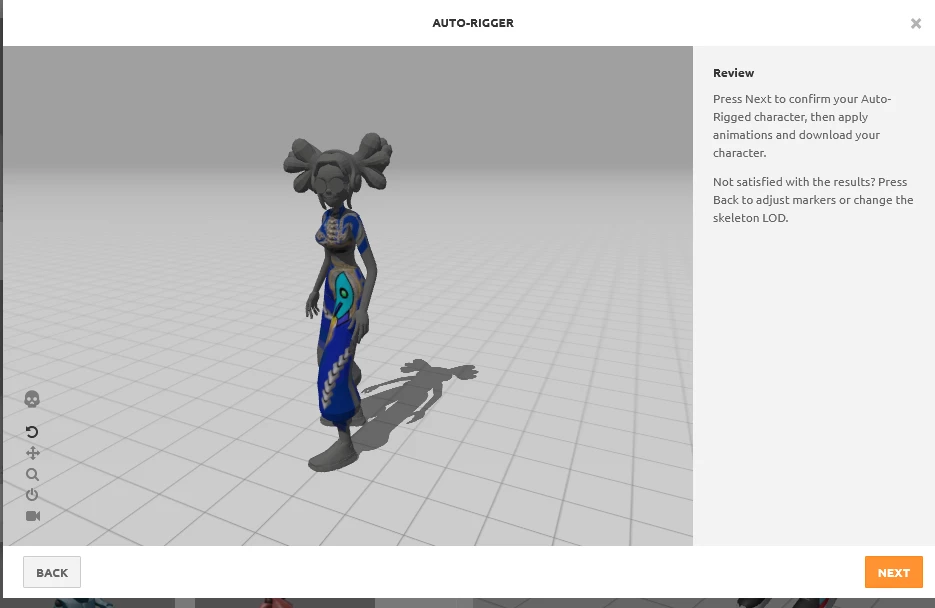
    5-Uploaded zip to mixamo

    6-sent to aero


  • would really appreciate ur help,tkx! 
  •  
This topic has been closed for replies.
Correct answer Ussnorway7605025

i pulled the white colour out of the texture to test that Mixamo can open the model and the textures i.e, its the material that breaks things

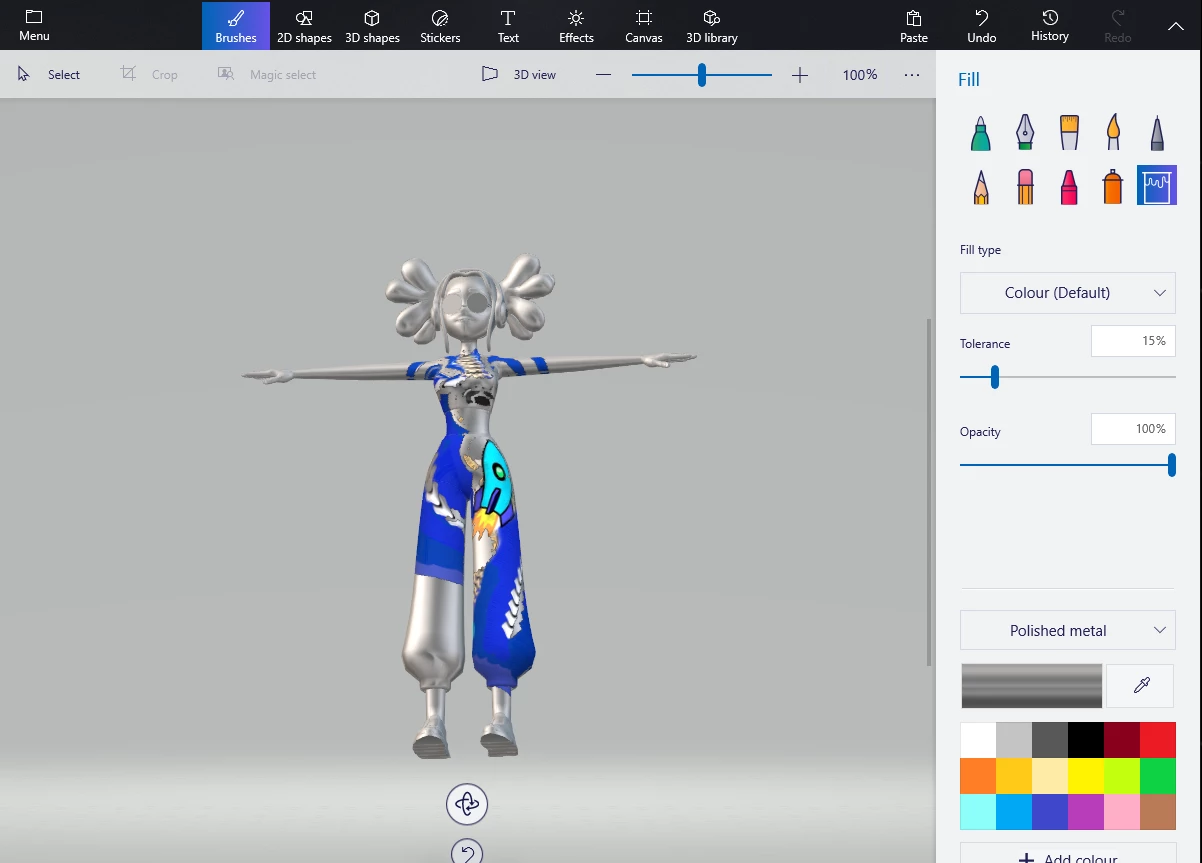
export as Bmp, reload and export as Png then used a free [every Windows] software for making a test silver girl... when testing use the basic standards

I don't use Areo

5 replies

Ussnorway7605025
Brainiac
December 19, 2021

Dimension is the wrong tool and I would use Blender for that


piixy
piixyAuthor
Inspiring
December 20, 2021

Thank you :)!!! will definitly try it


Ussnorway7605025
Ussnorway7605025Correct answer
Brainiac
May 8, 2020

i pulled the white colour out of the texture to test that Mixamo can open the model and the textures i.e, its the material that breaks things

export as Bmp, reload and export as Png then used a free [every Windows] software for making a test silver girl... when testing use the basic standards

I don't use Areo

piixy
piixyAuthor
Inspiring
May 9, 2020

Tks a lot Ussnorway for all your help. I am on IOS , so will have to  stick to dimension and keep trying till it works. I was abbble to do it before the catalina update. I think I know what to do, will keep u posted if it works! again many thanks!!


Ussnorway7605025
Brainiac
May 8, 2020

interresting file... Mixamo can only rendor the texture but I did have a crack at repairing the silver girl as well

try this file

piixy
piixyAuthor
Inspiring
May 8, 2020

MIllion thanks Ussnorway!:)🙏🙏 it worked with the second ! the shine is not there bu I think I can fix it now.

Just please tell me what you did other than th esteps you mentioned earlier  to have it riggged with the new costume !


Ussnorway7605025
Brainiac
May 7, 2020

it helps a little but you didn't share the Dn file [Adobe lied and you need to zip a Dn to share it from icloud] so i can't test it

  • i do see you converted your Fbx into other file types and assume that to be the root cause ... for example, if you convert Fbx to Obj [in any software] then it drops all the extra data like bones & animations just leaving the base model
  • all questions are welcome mate
piixy
piixyAuthor
Inspiring
May 7, 2020

TKs Ussnorway ! here is the ziped dn 

https://shared-assets.adobe.com/link/189bd945-bf07-4a85-7e9c-623d91904d4f


I have used the sent to aero function from inside this dn and it didn't work , that 's when I tried to export as obj( without the armature) than upload the zipped obj mtl and image folder to upload to mixamo then send to aero. Didn't work either.

Million thanks for your patience and help!


Ussnorway7605025
Brainiac
May 6, 2020

I have already answered this question

https://community.adobe.com/t5/fuse-beta/mixamo-texture/m-p/11106052?page=1#M6017


what part didn't work and please share the Dn file you used so we can test it

piixy
piixyAuthor
Inspiring
May 6, 2020

Ussnorway many thanks and terribbly  sorry to trouble you again.

I followed your instructions , pls have a look 

Aero is displaying the model properly but without the mixamo animation

Here are all the files hope this will help!🙏


Folder on iCloud

https://shared-assets.adobe.com/link/a7371f65-3e3f-42bb-7d18-be7398458008