New Participant
December 8, 2019
Answered

Empty squares in rendered image

  • December 8, 2019
  • 3 replies
  • 1681 views

Hi,

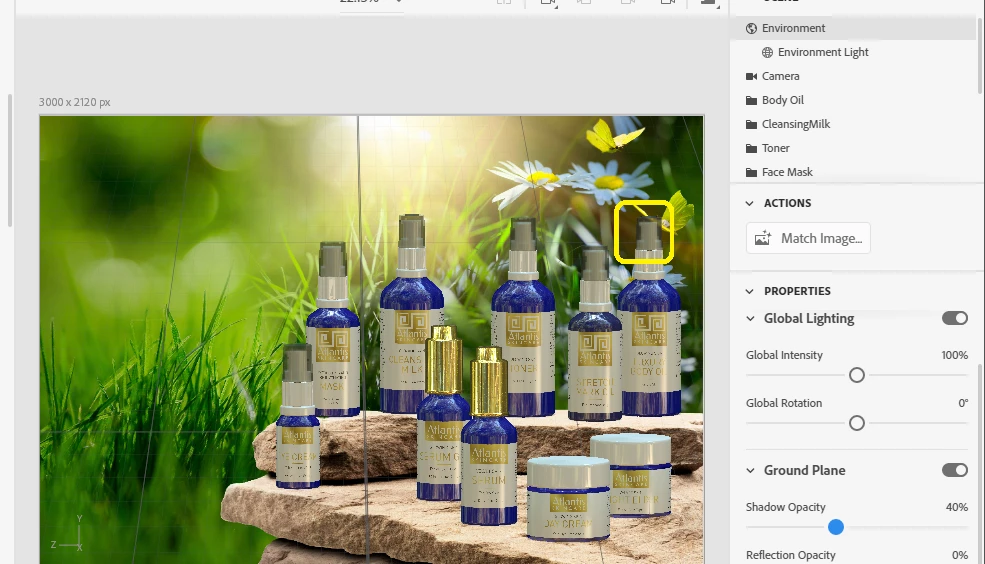
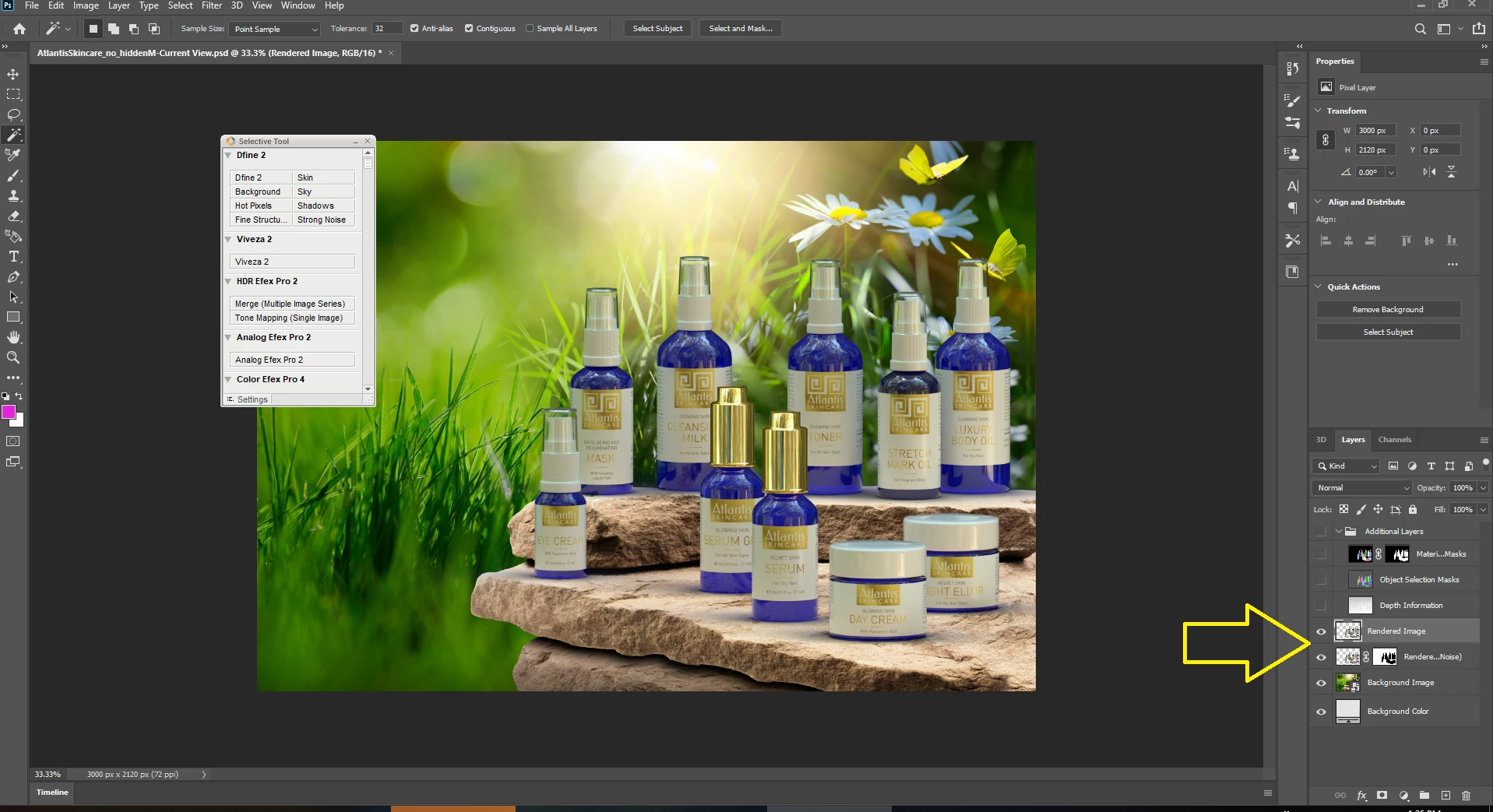
I have empty squares in rendered image when rendering my project in medium or high quality.
Tried many times in different sizes and environment lights, always the same. See image attached.

I hope someone can help me,
thanks!

[added image ussnorway]

This topic has been closed for replies.
Correct answer Ussnorway7605025

your file back


this needs some time... first I confirm your results and this is a known issue with workarounds

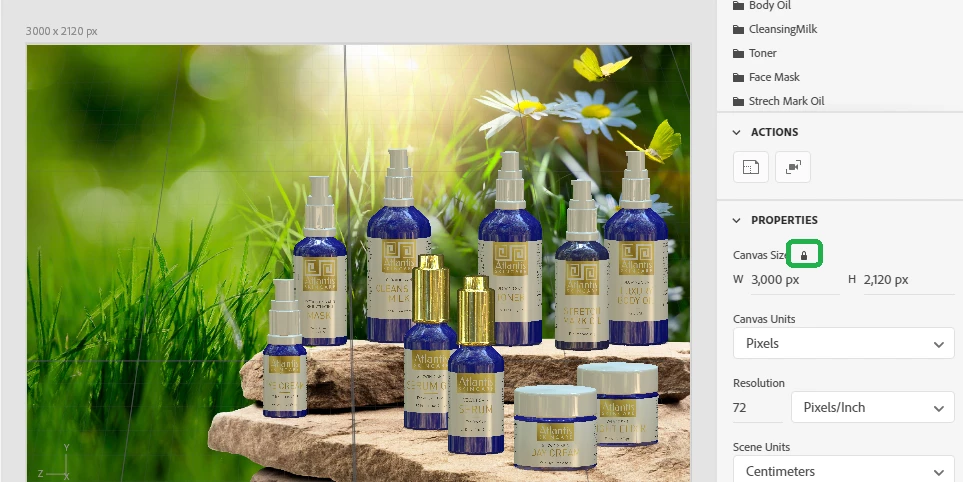
  • locking the canvas at that size is why cloud rendor has issues

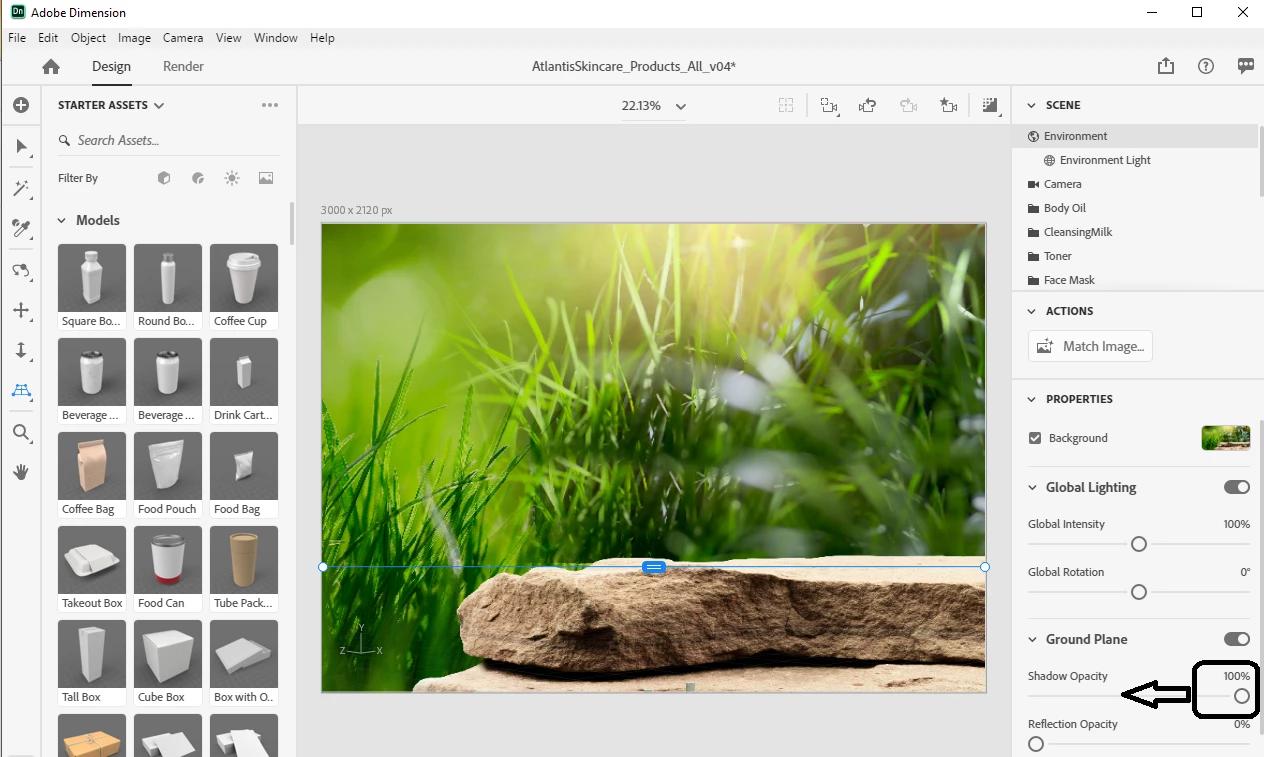
  • for the ground line you will get beter results by having the hoz line set and tone down that ground shadow

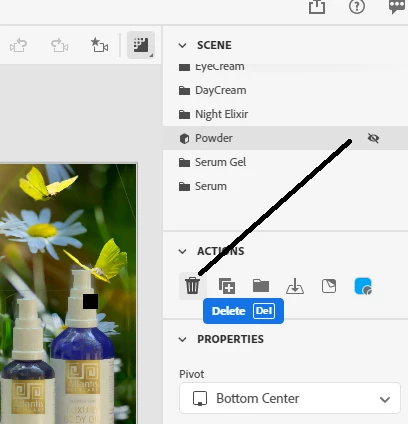
  • the new rendor has a major bug with transparency... an effect of that is layers that are hidden STILL rendor shadows at Med or High so you need to delete these parts for your final rendor

  • I replaced your custom glass material with the new Dimension glass... this is optional but ime the best when you want Med or high settings


  • the rendor layer in Psd has an auto cleanup layer and this is what makes your missing squares more than any thing else, the best work flow is to always rendor Psd files because you can then adjust the final rendor by eye {see example in returned files} ... for best results on complex designs you should mask bits of the two rendor layers i.e, take control away from Dimension
  • the morral here is never trust an AI to do a human job

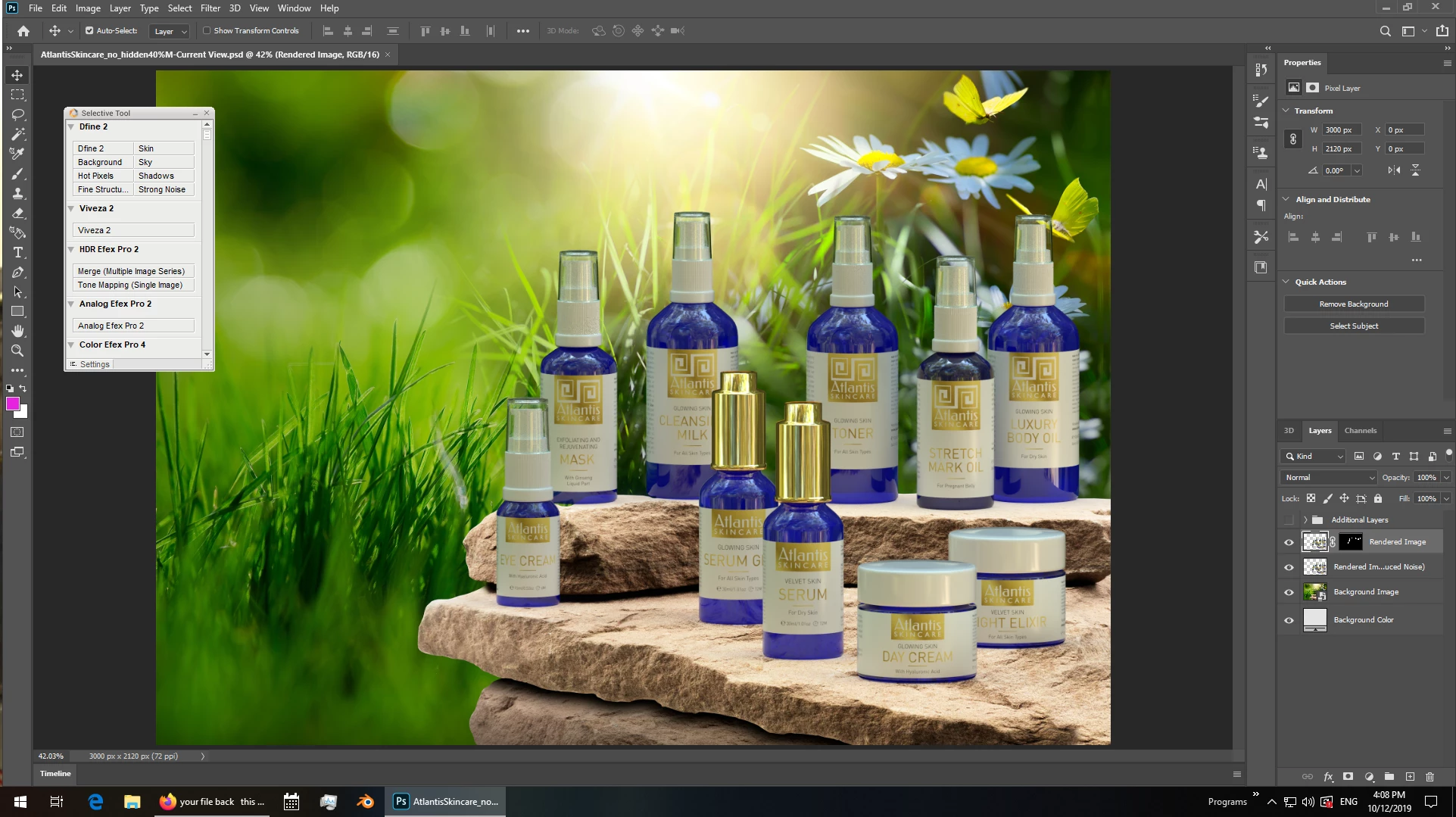
final rendor example

shadow = 40%... still has some room for polish but you get the idea

3 replies

Ussnorway7605025
Ussnorway7605025Correct answer
Brainiac
December 10, 2019

your file back


this needs some time... first I confirm your results and this is a known issue with workarounds

  • locking the canvas at that size is why cloud rendor has issues

  • for the ground line you will get beter results by having the hoz line set and tone down that ground shadow

  • the new rendor has a major bug with transparency... an effect of that is layers that are hidden STILL rendor shadows at Med or High so you need to delete these parts for your final rendor

  • I replaced your custom glass material with the new Dimension glass... this is optional but ime the best when you want Med or high settings


  • the rendor layer in Psd has an auto cleanup layer and this is what makes your missing squares more than any thing else, the best work flow is to always rendor Psd files because you can then adjust the final rendor by eye {see example in returned files} ... for best results on complex designs you should mask bits of the two rendor layers i.e, take control away from Dimension
  • the morral here is never trust an AI to do a human job

final rendor example

shadow = 40%... still has some room for polish but you get the idea

New Participant
December 10, 2019

Hi, thanks a lot for your support!

Ussnorway7605025
Brainiac
December 8, 2019

the missing squares are rendored light... did you tick the beta Gpu option?

I have seen this before but never with such a large area missing

can you please post your system specs and if you could share the Dn file that would be great

New Participant
December 9, 2019

Hi, thanks for answer. Where can I find this gpu option?

I tried cloud rendering and it went out OK, but only 3000px wide, at larger size there was error while rendering (tried several times), but maybe that's another story, because cloud rendering is still beta version.

System: iMac (27-inch, Late 2013), 3,4 GHz Intel Core i5, 24 GB 1600 MHz DDR3, NVIDIA GeForce GTX 775M 2 GB
PS: dn file here - https://files.fm/u/qy5dxzd2

New Participant
December 8, 2019

Forgot to mension that this error appeared when updated to Dimension 3.0. There where no rendering problems with the same project in previous version.

Ares Hovhannesyan
Community Expert
December 8, 2019

Did you try to render PSD file? 

New Participant
December 8, 2019

Yep, also png, the same...