


mediaanimatic
Participating Frequently
August 6, 2020
Question

Image won't apply to entire model

  • August 6, 2020
  • 1 reply
  • 522 views

I can't get dimension to let me apply a graphic to the entire model at once.

I can place the image on the model in different sections but how do I get it to apply to all the sections at once?
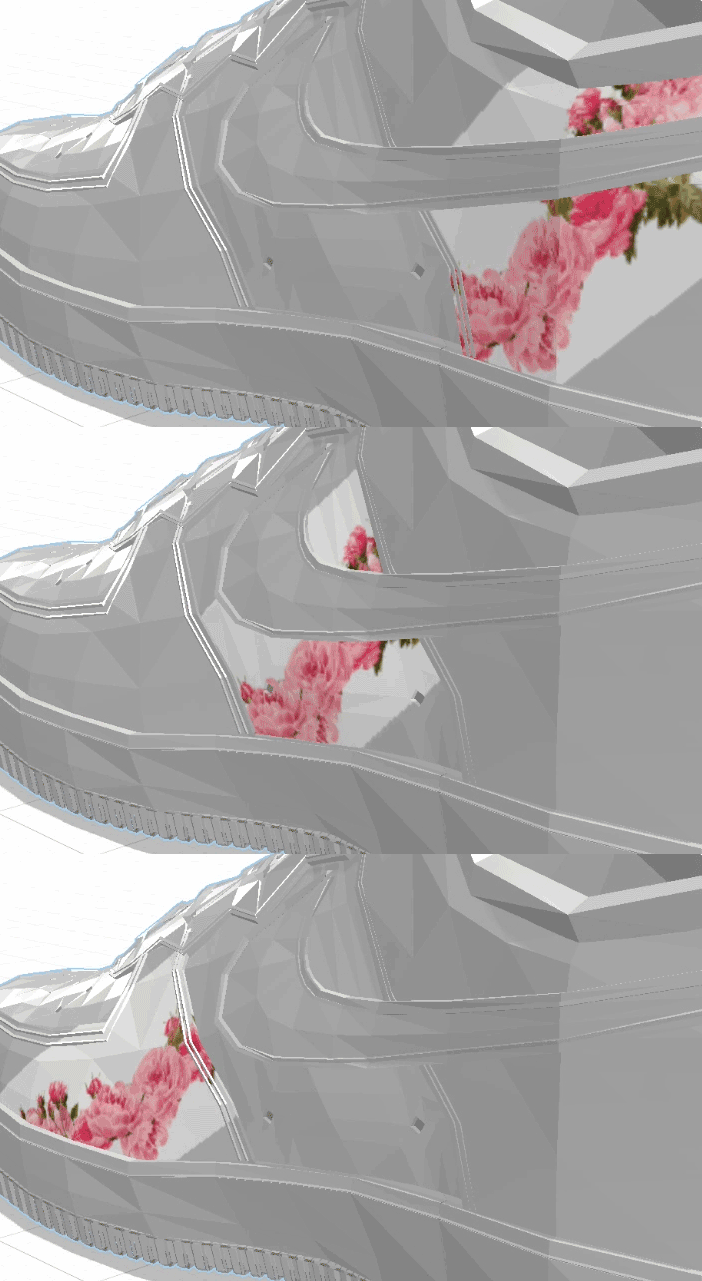
As I drage the image on the model it jumps from section to section.

There is only one material on the model and

I've tried Generate UVs - but that didn't help

This topic has been closed for replies.

1 reply

Ussnorway7605025
Legend
August 7, 2020

share the Dn file and please

that model has more than 1 part

mediaanimatic
Participating Frequently
August 7, 2020

Ussnorway,

Hi here's the file.  Sneaker Issue 

I can only give you a piece of the sneaker because the model is not mine to share.

If you have a solution please let me know how I can apply your solution to the entire model.

I have Photoshop and Lightwave 3D to work with.


THANK YOU!

Kevin

Ussnorway7605025
Legend
August 8, 2020

Your model consist of several part thats why it not possible to place decal on whole surface as one image. In Dimension it have been placed seperately on each of part. 


I try to group, select all parts with selection tool and merge them by placing one material on all of them at once (which Dn allows) but after creating a new material Dn again place image on each part separetly. I think you need to use any other 3D app to merge that parts into one.  


Looking forward for Ussnorway suggestion


I try to group, select all parts with selection tool and merge them by placing one material on all of them at once (which Dn allows) but after creating a new material Dn again place image on each part separetly

that will work if you link the materials between models but the UV map will be very random by default

I have Lightwave 3D  with Modeler.

 that is the wrong tool for the job imo. Stl is a file type designed for 3D printing and doesn't allow for surface textures like Fbx or Obj does

what are you after?

for outfit design use 'marvelous designer' instead or even Blender which is more of a general 3D tool... the bottom line is Dimension works as intended and this issue is happening because of the model which you only shared one part for has limited UV map and should also be done in more polly


for quick example I show it next to some Fuse shoes