


Known Participant
April 14, 2021
Answered

Noise in rendered selection masks

  • April 14, 2021
  • 1 reply
  • 552 views

Hi,


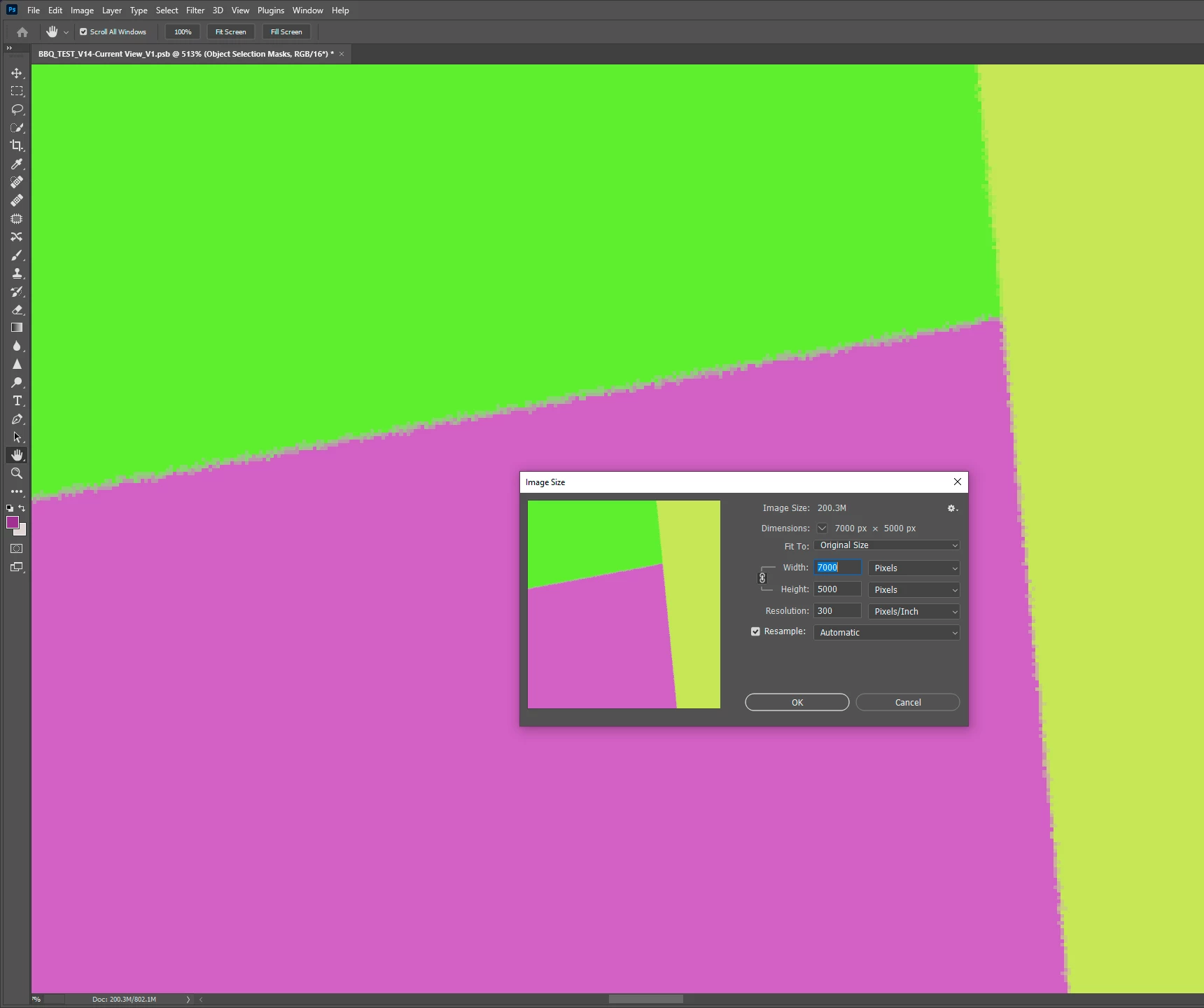
There is major noise in the selection masks even on straight line primitives.


Is there a way to fix this? I'm already rendering at 7000px on the longest axis.


Adding blur in Photoshop just makes the lines all mushy.


TIA
 

This topic has been closed for replies.
Correct answer Ares Hovhannesyan

I test you model and can confirm noise. It happens not only with your model but any primitive model that have been placed on scene at any angle. I think this can be removed only in Ps or any other raster app. but it not so easy as it result of perfect pixel feature. May be creating new vector mask with inside offset or feather can remove this noise.


I try to find any possibility to improve it in Dn but the only thing is to make it strict to baseline. 

1 reply

Ares Hovhannesyan
Community Expert
April 15, 2021

Which primitive you use? Need right one to test.

boyo77Author
Known Participant
April 15, 2021

Thanks Ares!


It's 2 planes and a cube.


Here's my set-up


https://www.dropbox.com/s/i1uf3o8v763a33j/EMPTY_SET.dn?dl=0


Can't figure out if I've got a setting wrong or is that the smoothest it gets.


Giles


Giles

Ares Hovhannesyan
Ares HovhannesyanCorrect answer
Community Expert
April 17, 2021

I test you model and can confirm noise. It happens not only with your model but any primitive model that have been placed on scene at any angle. I think this can be removed only in Ps or any other raster app. but it not so easy as it result of perfect pixel feature. May be creating new vector mask with inside offset or feather can remove this noise.


I try to find any possibility to improve it in Dn but the only thing is to make it strict to baseline.