Inspiring
September 30, 2020
Answered

OBJ VS STL Import Into Adobe Dimension

  • September 30, 2020
  • 2 replies
  • 3335 views

Hi Guys, 

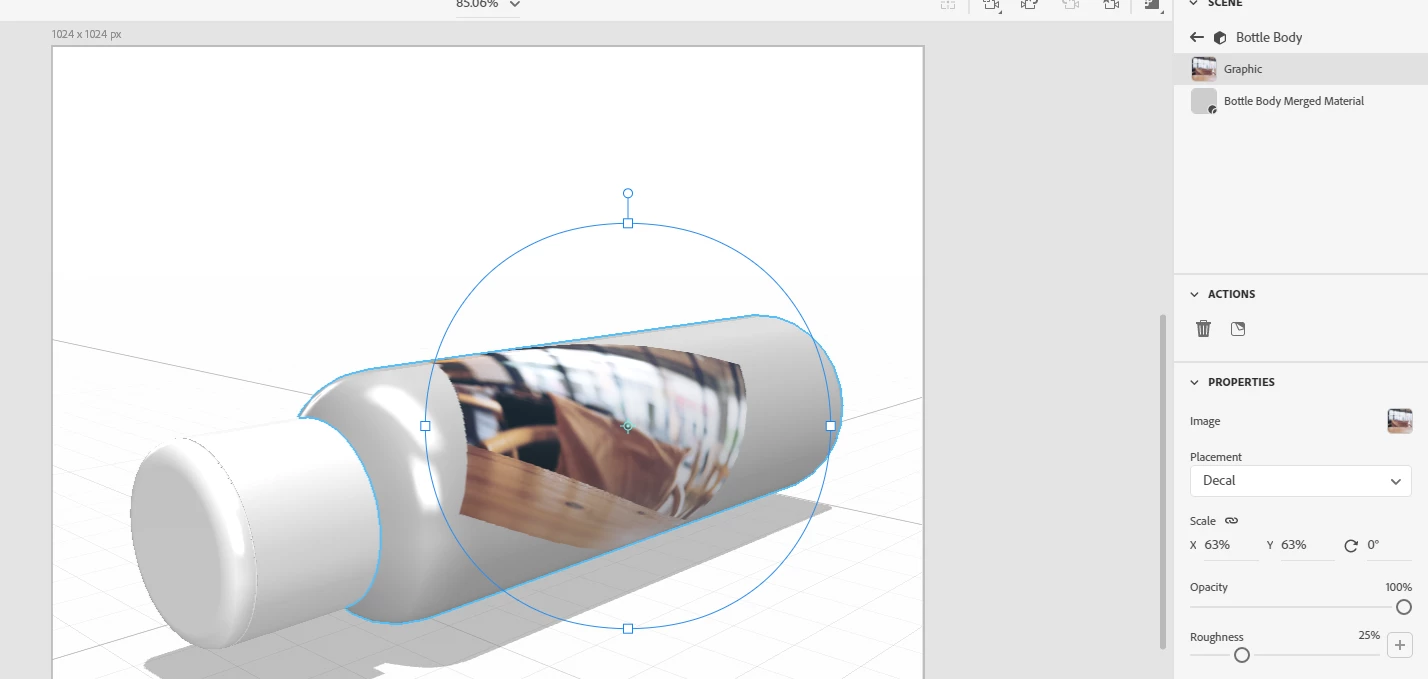
So i modeled my own bottle; i removed the Screw Top and the Thread so you can only see the body of the bottle in the image. 


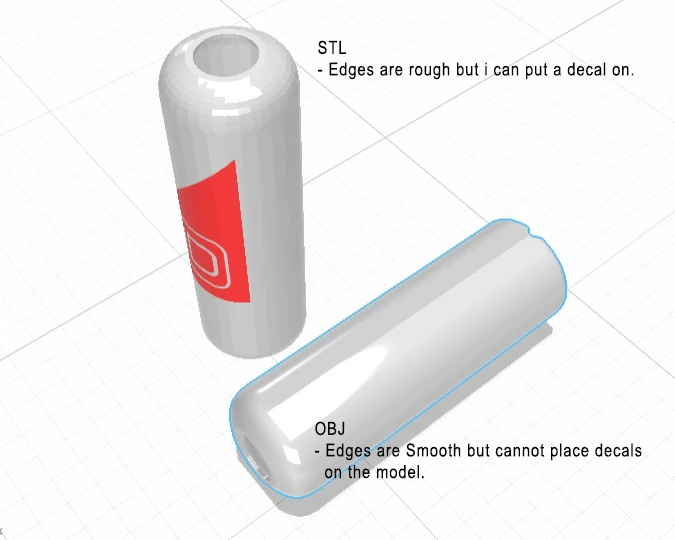
Please can someone explain to me why the STL file saves with jagged edges but can accept decals in Adobe Dimension and the OBJ file exports super smooth but cannot accept decals? 


I honestly cannot wrap my head around this. Your assistance or guidance will be greatly apprecaited!


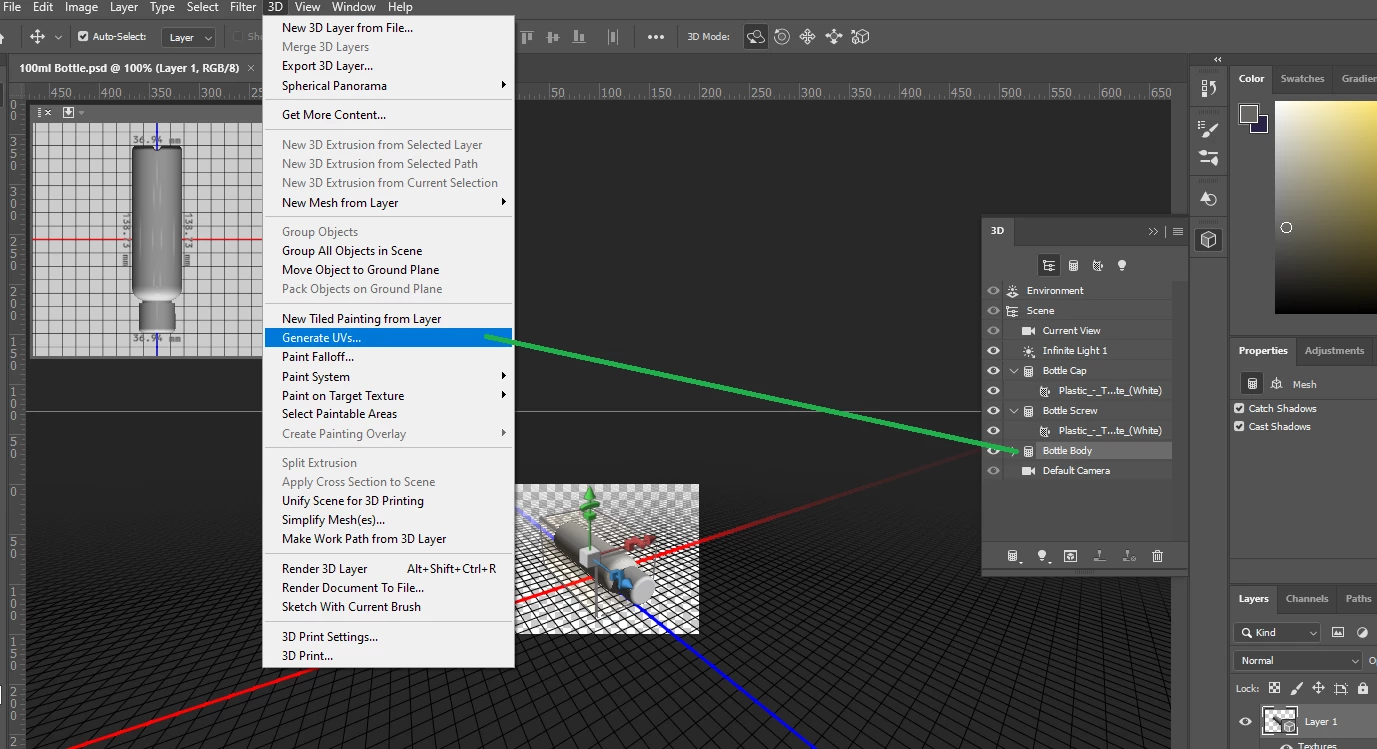
I have attached the .psd file for you too.

(Sidenote... i designed the original model in Fusion360 and moved the model to photoshop because the model did not want to accept decals when saving directly from Fusion360 and then importing into Dimension) - so i'm basically looking for a work around.) - Saving from photoshop again as an STL seems to get the decals to work but i need that surface to be smooooooth **,)
 

This topic has been closed for replies.
Correct answer Ussnorway7605025

why = because they are designed for different things, Stl is for 3D printing and Obj is for modeling i.e, the Stl does not have a normal map to make the edges smooth

Ares is correct the fix for making the model take a decal is to just add a UV map


I like to do this in Photoshop but Dimension is also a valid option... for advanced UV mapping you should take it into a 3D tool like Blender but just adding decals = the basics normally covers it

2 replies

Ussnorway7605025
Ussnorway7605025Correct answer
Legend
October 1, 2020

why = because they are designed for different things, Stl is for 3D printing and Obj is for modeling i.e, the Stl does not have a normal map to make the edges smooth

Ares is correct the fix for making the model take a decal is to just add a UV map


I like to do this in Photoshop but Dimension is also a valid option... for advanced UV mapping you should take it into a 3D tool like Blender but just adding decals = the basics normally covers it

Q0093C-PCAuthor
Inspiring
October 2, 2020

Good morning UssNorway, 


Thank you so much for your input and feedback; i really do appreciate it!

Fusion 360 was just the easiest modeling software for me to learn; however it does not export to .obj only .stl. So i have been trying to figure out a work around for getting my .stl models to work in Adobe Dimension.


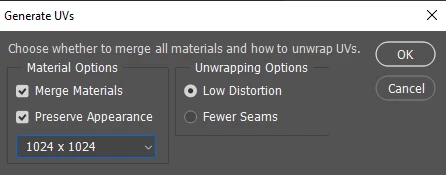
Generating the UV's in photoshop works and i also tested genering the UV's in Dimension and that works too so i am very very happy right now!


You guys are amazing!

Ares Hovhannesyan
Community Expert
Community Expert
September 30, 2020

Try to Generate new UV from the Object Menu in Dn for these models, 

If you have updated your Dn to 3.4 version please try new Export UV feature,

https://helpx.adobe.com/dimension/user-guide.html/dimension/using/exporting-model-uvs.ug.html

Q0093C-PCAuthor
Inspiring
October 2, 2020

Good moring Ares, 


Thank you very much for pointing out this feature for me... i figured it had something to do with the UV's but i have found it quite difficult to "quickly" figure out how to modify uv's or generate UV's. I have done as you said and it worked perfectly!