michaelkuzyk
New Participant
July 26, 2018
Answered

Render texture low res even when using high res decal

  • July 26, 2018
  • 4 replies
  • 7886 views

I've searched for a solution to this specific problem, but it feels like a Dimension limitation.

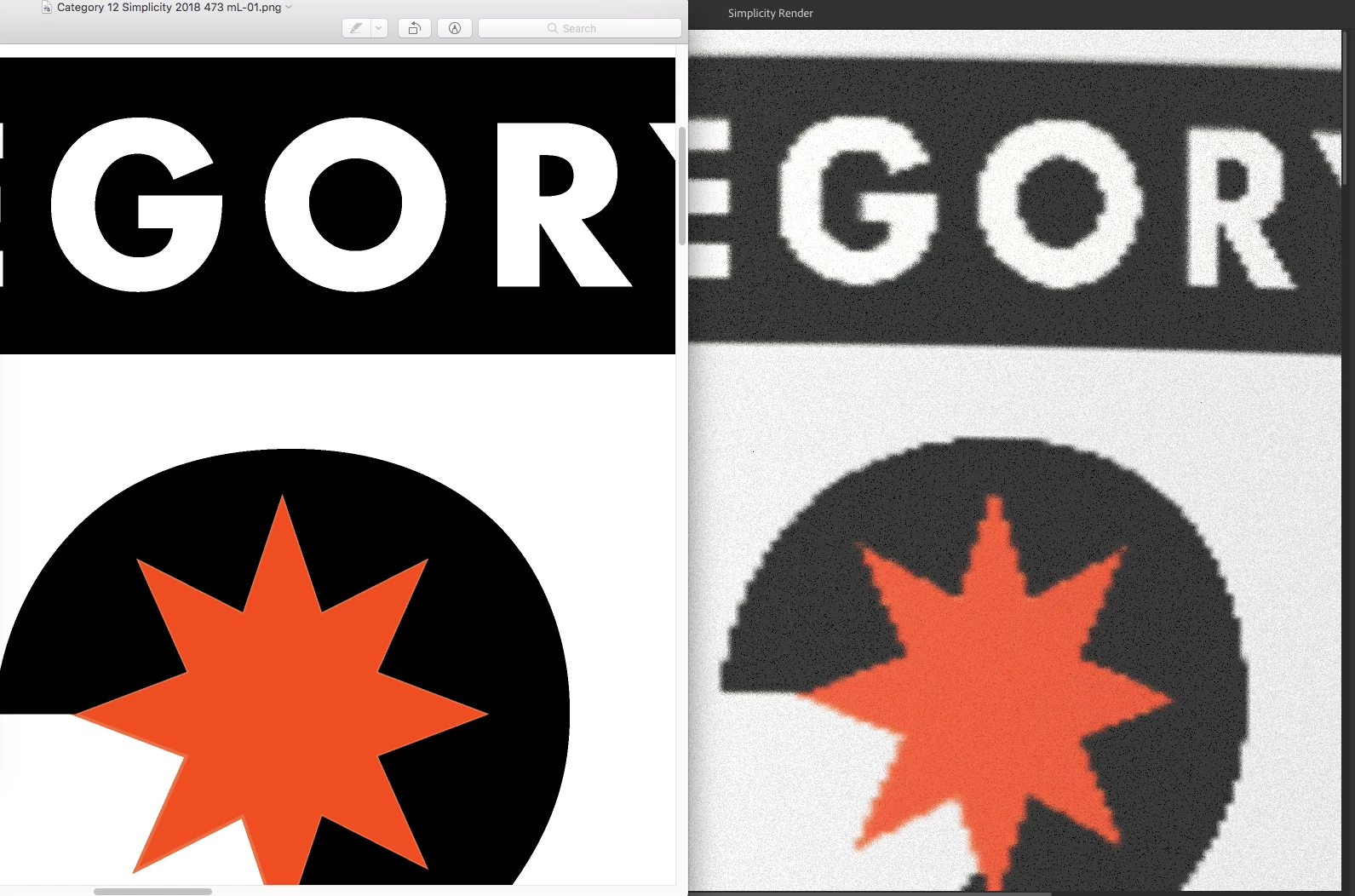
I'm trying to render a large image for a poster (3300 px by 5610 px). I'm using a decal that is very high resolution (10525 px by 7193 px), however, no matter how I scale the cylinder mesh that I've applied it to in Dimension I end up with a pixelated version of my decal.

This screenshot illustrates the issue. On the left is my decal at 100% zoom, and on the right is the Dimension render output using that decal. I hope someone can help. This is very frustrating

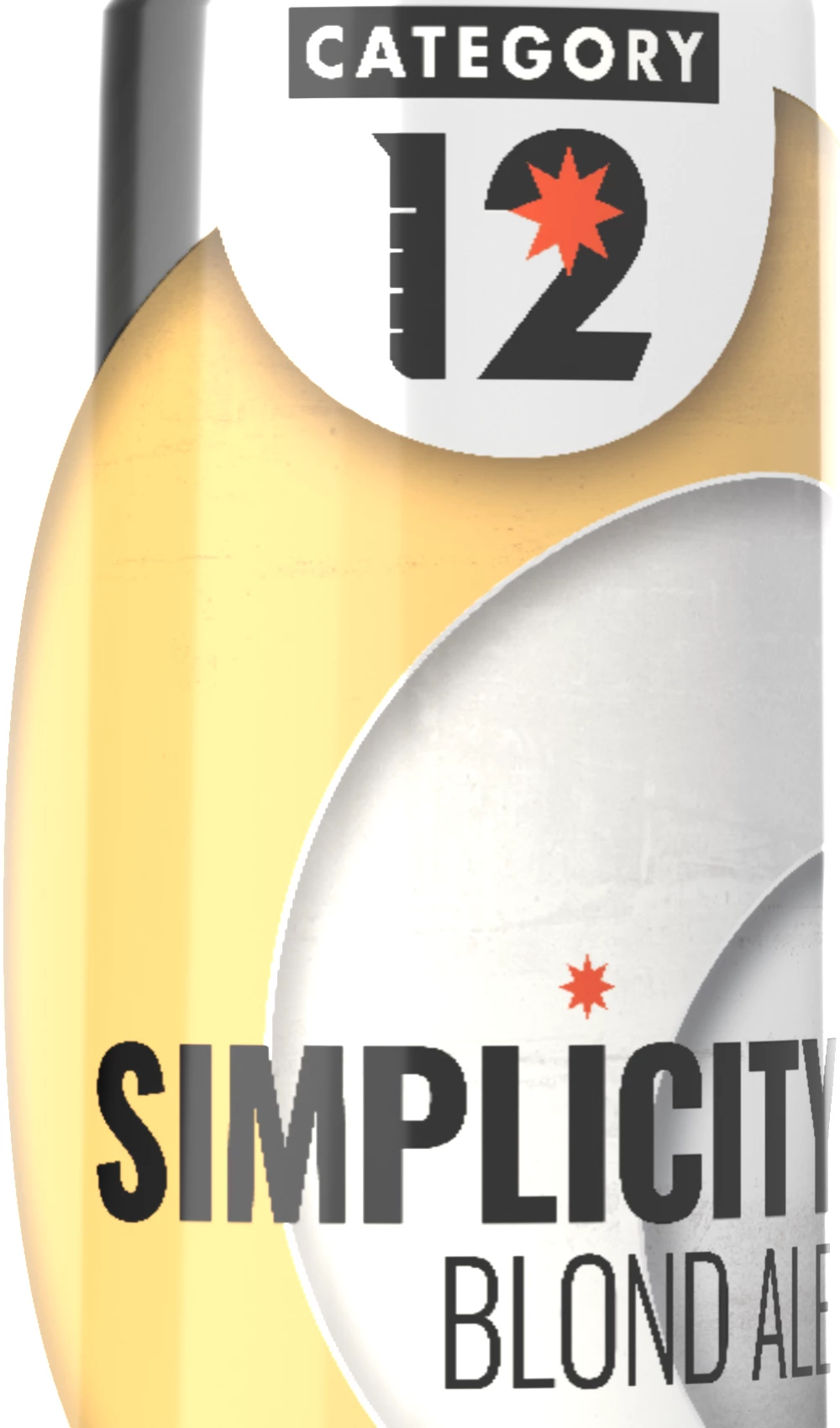
For context, here is the entire image I'm rendering:
    Correct answer JeanetteMathews

    Yes, this has been discussed in a few other posts, but there is a decal resolution limit.  It's a bit complex but essentially it's capped at about 2,000 pixels right now.  In fact due to downressing the image it can actually look worse if you make it larger.  We'll definitely be fixing this in the future, but it's also a complex problem, not a bug, but an architectural/structural thing.  We're working on some core changes which will enable us to improve this in the future.

    4 replies

    Participating Frequently
    April 28, 2025

    have battled this in the past too. thanks bryanf67223956


    Decals on tubes or curved surfaces tend to go pixelated when rendered at a high resolution  (over 4000px)

    leaving the Base Colour of the item. In this case, a tube as just colour gets the jaggies or pixelates.

    The trick of creating a base image of a flat colour (. at 8192) fixed it for us.

    Allowing us to render a crispy image for a Outdoor banner 12000px.


    NB. We did try to increase the background image tile to 16384px but that just froze Dimension all together. So advise anyone trying to save first.

    Thanks Bryan


    bryanf67223956
    Participating Frequently
    May 24, 2019

    Add a 4096x4096 solid color image to the material's base color.

    Dimension changes the decal's resolution to the material's resolution, so increasing the resolution of the material also increases the decal's resolution.

    screenshots: Re: Decal's text looks pixelated when rendered

    New Participant
    June 22, 2023

    Thanks for this, worked well enough for me.

    justinp81985218
    New Participant
    December 19, 2018

    Hi Jeanette

    Is it not possible to increase the cap from 2000 px?

    Justin

    JeanetteMathews
    Adobe Employee
    JeanetteMathewsCorrect answer
    Adobe Employee
    July 27, 2018

    Yes, this has been discussed in a few other posts, but there is a decal resolution limit.  It's a bit complex but essentially it's capped at about 2,000 pixels right now.  In fact due to downressing the image it can actually look worse if you make it larger.  We'll definitely be fixing this in the future, but it's also a complex problem, not a bug, but an architectural/structural thing.  We're working on some core changes which will enable us to improve this in the future.

    michaelkuzyk
    New Participant
    July 27, 2018

    Much appreciated! I suspected it may be something like that and as an ex-Product Manager I can completely understand.

    Thanks!