


Show/hide render preview MIA in 4.0? Dimension unusable after update.
There used to be a toggle in the top right of the application to show/hide render preview.
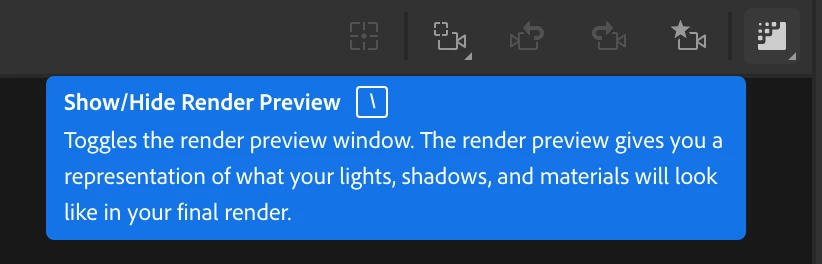
I saw this evolved quite a bit in the 4.0 update. It seems like a completely different function, actually. I used to be able to use Dimension just fine with the render preview off. But since 4.0 and beyond, Dimension is unusable because it's continuously trying to render and this dumb old Mac can't handle it. It literally takes MINUTES for one click to register and open a dropdown. There's no way I can manipulate any objects or camera views with that kind of performance. It actually makes my whole computer unusable--minutes to switch apps, minutes to simply quit dimension.
If there is a toggle that will release me from the unending render hell, do share. The five minutes it took me to click "draft" under the presets didn't help.
Even if there is a toggle, I don't think I can get through opening the program to use it. At this point I have to roll back to 3.4.11 and rebuild the file I lost to the 4.0 upgrade today. *cue Taps*
Computer specs, cuz I'm sure someone's gonna ask.
Sanoma Version 14.3.1
2.6 GHz 6-Core Intel Core i7
AMD Radeon Pro 5300M 4 GB
Intel UHD Graphics 630 1536 MB
16 GB 2667 MHz DDR4
 AdChoices