
Participant
July 26, 2018
Answered

Adobe Muse showing as "start trial"

  • July 26, 2018
  • 3 replies
  • 464 views

We have a team subscription for Adobe Creative Cloud which is licensed for 2 users - myself and the other developer.

Last week, I was able to open Muse, no problem at all.

Today, I have encountered a rather weird issue whereby it is prompting me to "Start Trial". The weird thing is it only seems to be affecting myself - the other developer is able to open Muse absolutely fine.

I know the subscription hasn't expired, as it renewed yesterday. I've double checked the invoice on the the account portal and can confirm it says that it's been paid.

I have also checked and can confirm that the number of licenses we have on the account is 2, which is all we've ever had.

I have tried logging out and logging back into the Creative Cloud launcher with no luck.

Upon opening Muse directly from my taskbar where it is pinned, I am stuck in a loop prompting me to sign in.
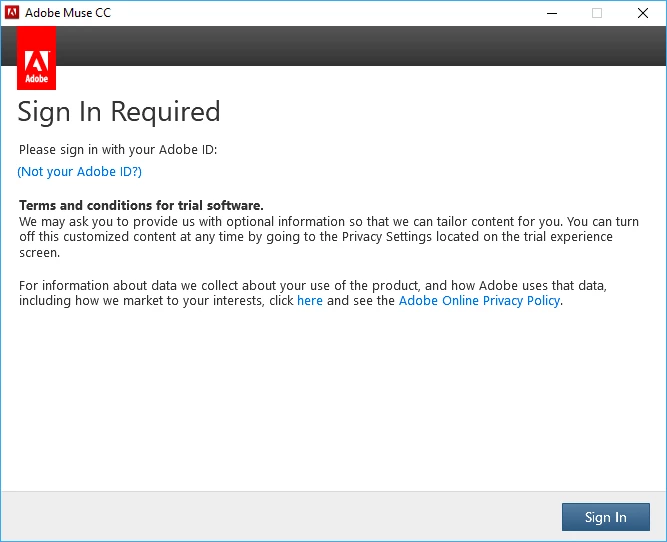
This is affecting my entire Creative Cloud suite - I cannot open Photoshop or Illustrator either (I haven't tried any others).

I have checked my hosts file and there are no entries relating to Adobe.

Please advise, as we have a client who is awaiting website amendments which I cannot make without access to Creative Cloud.

This topic has been closed for replies.
Correct answer jane-e

DarthFrank  wrote

I know the subscription hasn't expired, as it renewed yesterday. I've double checked the invoice on the the account portal and can confirm it says that it's been paid.

Did the subscription expire before you renewed? If so, try again today.

  • Sign out
  • Quit Creative Cloud
  • Relaunch
  • Sign in with your Adobe ID and password

3 replies

Participant
July 26, 2018

arij2010  wrote

Hi,

When you say "The other developer" does that mean you have two different email addresses? You may have a conflict with an old subscription for Muse.

You can do a test with your colleague's email address to see if the problem comes from your email address or machine.

Sorry, I should have clarified. We are both logging in with the same email - we've been doing it this way for the past year and never run into any issues.

jane-e wrote

Did the subscription expire before you renewed? If so, try again today.

  • Sign out
  • Quit Creative Cloud
  • Relaunch
  • Sign in with your Adobe ID and password

I have tried that 2-3 times but I'm still unable to get the programs to launch. The subscription is on automatic renewal and the payment doesn't look to have bounced when it was renewed so I wouldn't have thought it had expired.

Abambo
Community Expert
Community Expert
July 26, 2018

DarthFrank  wrote

Sorry, I should have clarified. We are both logging in with the same email - we've been doing it this way for the past year and never run into any issues.

That's no how CC for team works. Every user needs it's own Adobe ID and there is one or more admins managing the thing via the Admin console. The admin sends out an invite to the user and the user then accepts. That means that each user has his own license allocated to the Adobe id.

May be you could look here: Re: Sign In Required Loop

ABAMBO | Hard- and Software Engineer | Photographer
jane-e
Community Expert
jane-eCommunity ExpertCorrect answer
Community Expert
July 26, 2018

DarthFrank  wrote

I know the subscription hasn't expired, as it renewed yesterday. I've double checked the invoice on the the account portal and can confirm it says that it's been paid.

Did the subscription expire before you renewed? If so, try again today.

  • Sign out
  • Quit Creative Cloud
  • Relaunch
  • Sign in with your Adobe ID and password
arij2010
Inspiring
July 26, 2018

Hi,

When you say "The other developer" does that mean you have two different email addresses? You may have a conflict with an old subscription for Muse.

You can do a test with your colleague's email address to see if the problem comes from your email address or machine.