
Participant
December 2, 2014
Answered

Apps tab missing from Creative Cloud Desktop

  • December 2, 2014
  • 15 replies
  • 100970 views

Hello and thanks in advance for any help you can provide.

I'm running Creative Cloud on Mac OS 10.9.5. A couple days ago I updated several of the apps through the Creative Cloud Desktop app in the menu bar. The apps updated and they all seem to run fine, but now the Apps tab is missing altogether from the CC Desktop Window, and it's even missing from the CC Desktop preferences. (Please see the screenshots.) Also, when I click on the "Install Adobe Apps" button in the CC Desktop window, nothing happens.
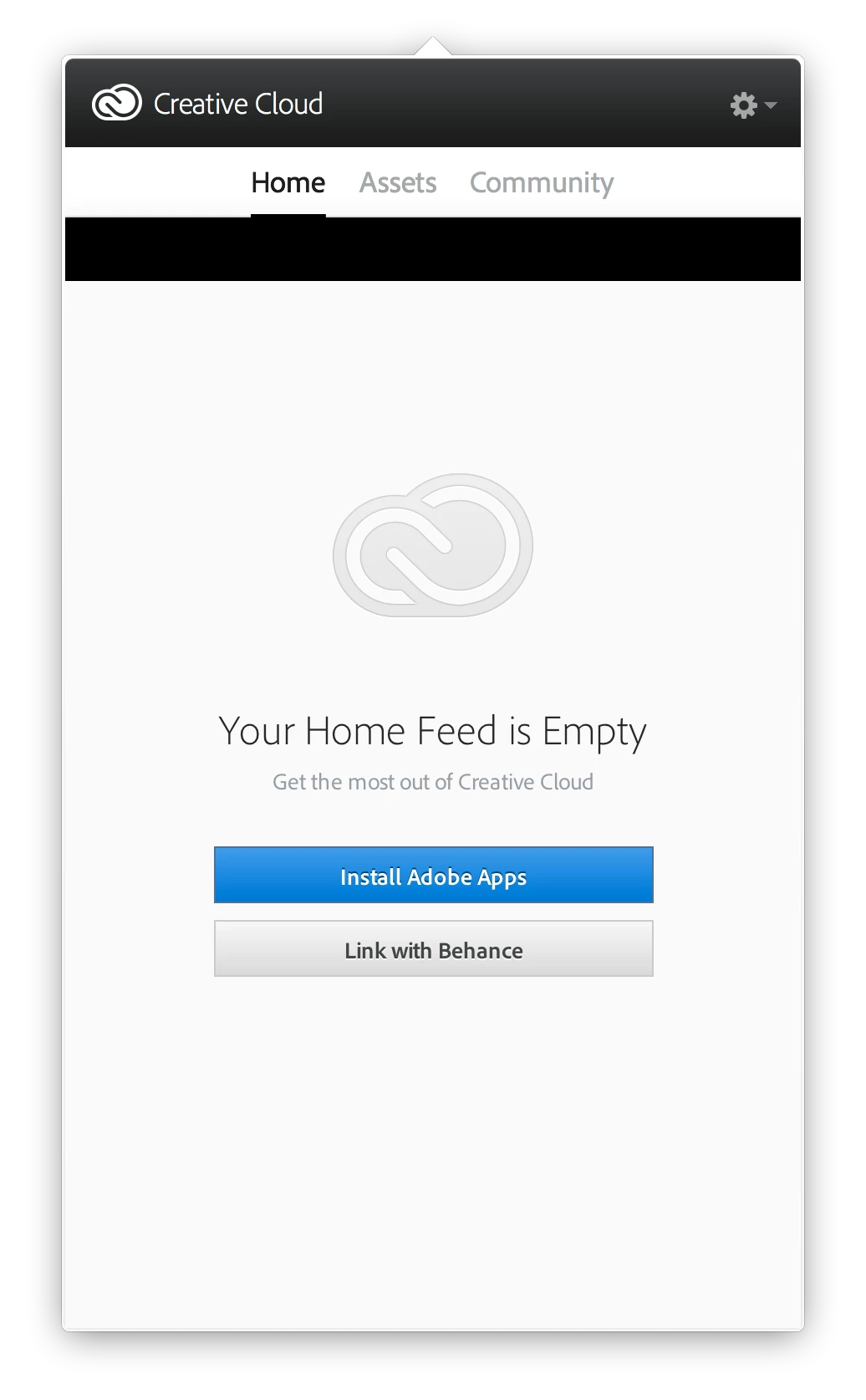
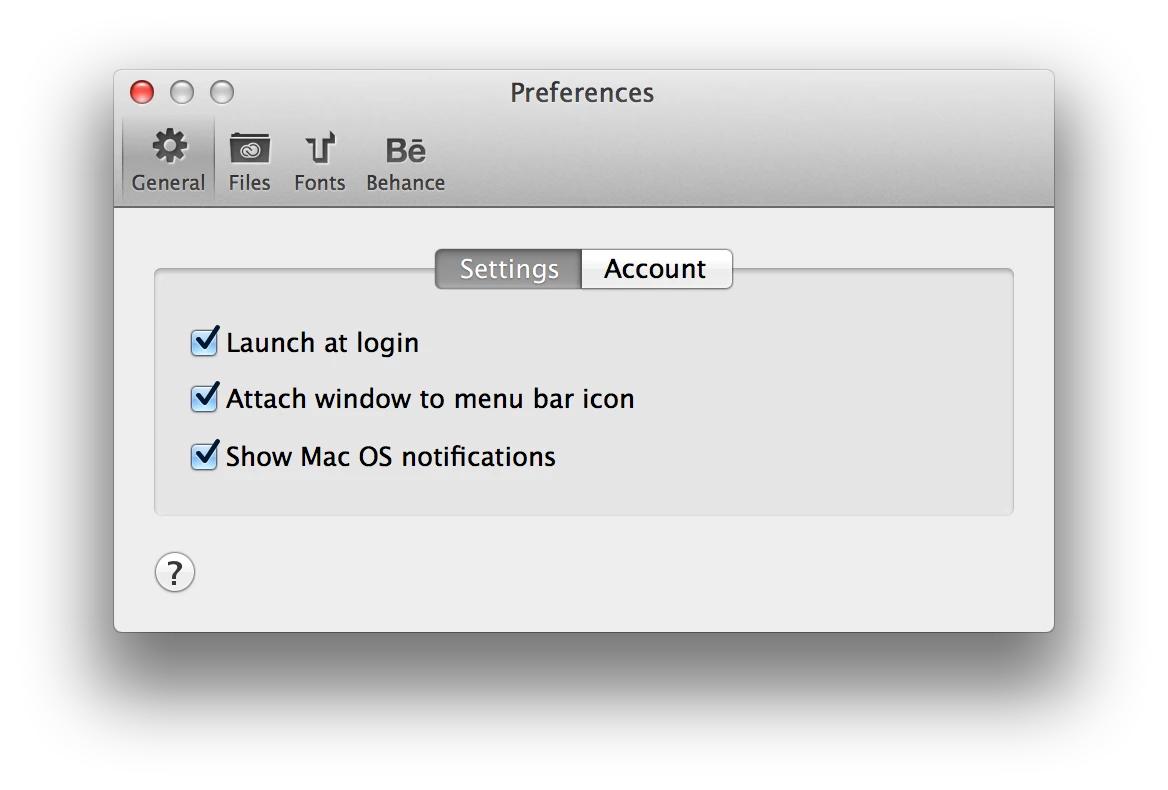
I've un-installed -> re-downloaded -> re-installed CC Desktop several times, along with trying some of the other troubleshooting suggestions I've found here on the Adobe site, such as:

  • restarting the computer
  • logging out of CC Desktop then back in again
  • deleting the opm.db file
  • deleting the CoreSync folder
  • deleting the AdobeAAMDetect plugin

Nothing seems to fix it. As I mentioned, the applications all seem to running fine, but I'd like to know that CC Desktop is functioning as intended and keeping me up to date. Any other suggestions?

Thanks again...
This topic has been closed for replies.
Correct answer MattR_USA

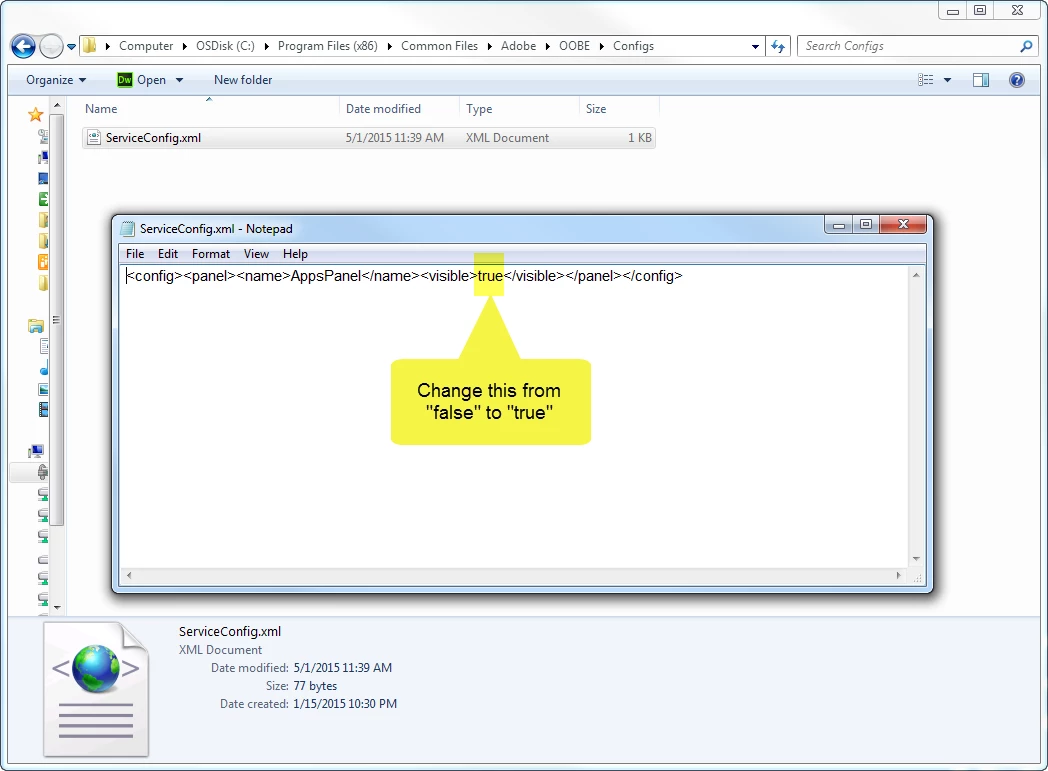
Downloading Lightroom 6 was exactly what I was going for when I realized my apps tab was missing.  I'm on a PC, but this screen shot is a look at what I had to modify.  If you can find this same file on your Mac to modify hopefully it'll resolve your issue.

15 replies

shawn_starc
Inspiring
September 12, 2018

Instead of this we can also try with by changing the name of OOBE folder?

EBW12
Participating Frequently
April 13, 2018

When I try to edit ServiceConfig.xml file, I save and it says Access Denied. Any help?

EBW12
Participating Frequently
April 13, 2018

Edit: Was trying the thing to make the Apps panel appear.

John Waller
Community Expert
Community Expert
April 13, 2018
Participant
January 16, 2017

My xml file had 2 false indicators as our updates were being pushed out by IT. Both had to be set to True before it would work and return the Apps tab but it did, so thank you big time!

Participant
September 13, 2016

really thanks for this solution you found. I have the same issue and this solve my problem.

prakad
Participant
September 6, 2016

Adobe why can't you fix this bug! I wasted so many hours on this issue.

Participant
September 27, 2016

this (along with just about everything else i tried) didn't work for me either. os x 10.11.6 (el capitan)

also, there is no config folder or ServiceConfix.xml in the OOBE folder.

hiroki funami
Participant
March 14, 2017

Me neither. There is no config folder or ServiceConfix.xml in the OOBE folder.

Participant
March 28, 2016

I tried doing the true false on my mid 2011 iMac running OS 10.10.5 Yosemite and it did not work. I just have a blank space where "Apps" should be. Did I do something wrong?

Retract!!! I missed the step that said to RESTART. It worked after I restarted. Thank you, thank you!

Participant
March 24, 2016

‌DId the "true" "false" change in the serviceconfig.xml on Windows 7 machine...not only did the apps tab return, but I was able to finally reconnect my iPad Adobe apps to my machine as well...many thanks

Participant
September 11, 2015

This worked. I also deleted the oobe files, etc. from the thread below. killed all adobe processes and boom. reinstalled adobe updater. APPS tab is back!  THANKS!

smartit
Participant
June 9, 2015

on mac:

/Library/Application Support/Adobe/OOBE/Configs

then edit xml and set value to true

done!

Participant
March 22, 2016

@ smartit Your tip helped me. Elaborating this a bit for others. Quit CC and change the value 'false' to 'true' in ServiceConfig.xml and then restart your mac.

DustyVisor
Participant
May 16, 2015

Has anyone had this issue on a Mac or know how to fix it on a Mac?  I have stand alone LR5 already and wanted to try 30 day trial of creative cloud so I could check out Lightroom 6.

Participating Frequently
May 31, 2015

Same problem on a mac here. Anyone have a solution to this problem yet?

Participant
June 18, 2015

On mac:

– Sign out of Creative Cloud desktop and then exit Creative Cloud desktop.

– Go to Macintosh HD/Library/Application Support/Adobe

– Find and delete the folders: AAM Updater, OOBE folder and Adobeapplication Manager folder

– Run CC cleaner tool found here > https://helpx.adobe.com/creative-cloud/kb/cc-cleaner-tool-installation-problems.html

– Select Creative Cloud Desktop and click clean up selected only

– Re-install Creative Cloud Desktop > https://creative.adobe.com/products/creative-cloud

– Log in and apps tab should be displaying with 2015 updates available

You may need to re-install the Adobe application manager found here > Adobe - Adobe Application Manager : For Macintosh : Adobe Application Manager

This has worked for myself and others with the same problem