
Participating Frequently
September 28, 2017
Answered

Can't install updates - Adobe CS6 Design and Web Premium MAC OS SIERRA

  • September 28, 2017
  • 3 replies
  • 4670 views

Hello,

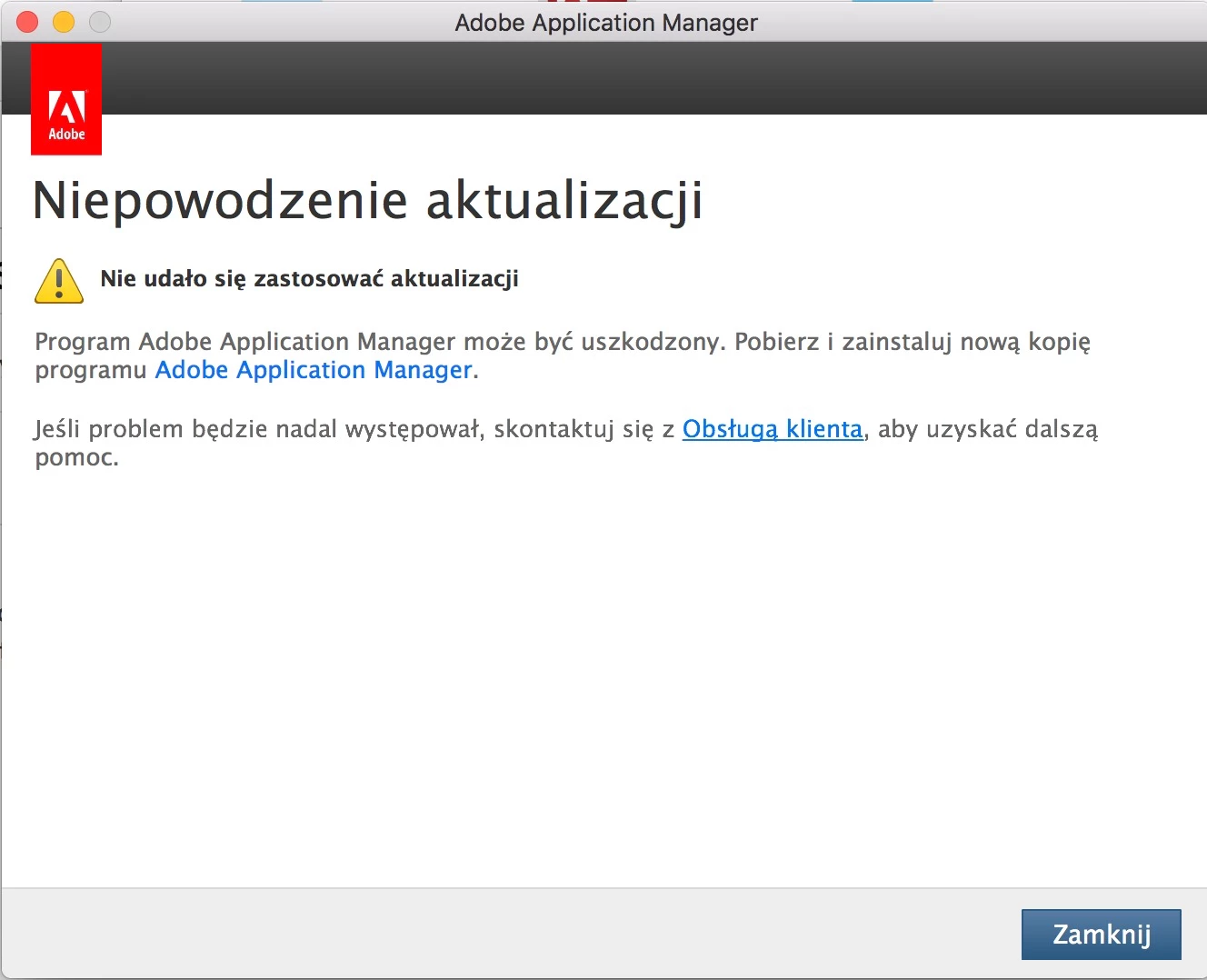
I tried to use online chat support but the supporter directed me to this place. I can't install updates for Adobe CS6 Design & Web Prem Pack. I have downloaded updates from Adobe official site - other download. I have the license. I run on Mac OS Sierra. When I try to install an update (doesnt matter if for illustrator or photoshop or other component) I constantly get the information that Install is Failure and it cant use this update. I expect prompt and reliable help from your support.
This topic has been closed for replies.
Correct answer Jeffrey_A_Wright

Jeff A Wright​ I did all you suggested I checked the permissions - they were okay, I did additionally chmod for these files I created new admin account still the same. It can't install updates.


Piotrem I am sorry but if you are still facing permission failures under the new account then I don't have any additional suggestions.  You have already gone through the suggestions for a clean installation under post #11.

I would recommend you back up any necessary files and settings.  You can reinstall macOS Sierra, restore only the documents and settings, and then use the workaround listed in Installing Creative Suite on macOS 10.12 (Sierra) to install Creative Suite 6 and it's available updates.

3 replies

piotremAuthor
Participating Frequently
October 2, 2017

WHERE IS MY SUPPORT?!

Jeffrey_A_Wright
Community Manager
Community Manager
October 2, 2017

Piotrem I am sorry that you are facing problems installing your Creative Suite 6 updates on macOS 10.12.  Please be aware that you are posting in a public forum.  John Smith is another Adobe user who was trying to help you with your question. 

For your current errors I would recommend reviewing Installing Creative Suite on macOS 10.12 (Sierra) which discusses a workaround to allow installers for Creative Suite 6 to work on macOS Sierra.  If you continue to encounter errors then please review the installation log for the update to determine why the update is failing to apply.  Complete details on how to locate the installation log can be found at Troubleshoot install issues with log files in Adobe Creative Suite (CS6, CS5.5, CS5), PS Elements, and Premiere Elements​.

Jeffrey_A_Wright
Community Manager
Community Manager
October 3, 2017

Jeff Im not reinstalling CS6 - I have the base package already installed - the only log I have refers to this Adobe CS6 installed package the other one from terminal refers to update install failure. As for the computer I had disk and motherboard failure earlier this year so the authorised service had to replace disk and motherboard with new ones. As for the path I confirm that I did navigate there - as you can see image below there are two log files and one logfile with error from 20.09 - but this errors refer to the problems I encountered while trying to install CS6 which is already installed - but below the image I paste the errors from this logfile.

-------------------------------------- Summary --------------------------------------

- 0 fatal error(s), 3 error(s), 2 warnings(s)

ERROR: Cannot load AMT config file '/Applications/Utilities/Adobe Sync/application.xml'

ERROR: Error Failed to copy src file '/Applications/Utilities/Adobe Sync/application.xml' to dst file '/Library/Application Support/Adobe/PCF/{COSY-2.4.2-32-ADBEADBEADBEADBEADBEAD}.V7{}CoreSync-2.4.1-Mac-GM.xml'.

ERROR: Unable to copy AMT config file '/Applications/Utilities/Adobe Sync/application.xml' to pcf folder '/Library/Application Support/Adobe/PCF/{COSY-2.4.2-32-ADBEADBEADBEADBEADBEAD}.V7{}CoreSync-2.4.1-Mac-GM.xml'

WARN: ERROR invalid xml file path. Could not read data from path /Applications/Utilities/Adobe Sync/application.xml

WARN: Error Description Error Domain=NSCocoaErrorDomain Code=260 "The file “application.xml” couldn’t be opened because there is no such file." UserInfo={NSFilePath=/Applications/Utilities/Adobe Sync/application.xml, NSUnderlyingError=0x78f58a20 {Error Domain=NSPOSIXErrorDomain Code=2 "No such file or directory"}}

-------------------------------------------------------------------------------------

09/20/17 21:32:12:608 | [WARN] |  | HDSetup | OOBEUtils | CommBridge |  | OOBEUtils | 277592 | Writing info packet to pipe failed with error code -1

09/20/17 21:32:12:609 | [INFO] |  | HDSetup | HDSetup | AppContext |  | HDSetup | 277587 | *************************  END Adobe Setup  *************************


Thanks for updating this discussion Piotrem.  It looks like you also had Creative Cloud products installed on this computer in the past.  This is why there is an install.log file available at /Library/Logs/Adobe/Installers/.

Based off this new information I would recommend you completely remove your current installation of Creative Suite 6 and reinstall.  To do this properly please use both the uninstallers and the CC Cleaner Tool to remove the current installation.  This will help ensure files such as those you listed in the log summary are removed.

Please complete the following steps to remove and reinstall Creative Suite 6 Piotrem.

  1. Run all available uninstallers in Applications/Utilities/Adobe Installers
  2. Download and run the CC Cleaner Tool - Use the Creative Cloud Cleaner Tool to solve installation problems
  3. Download a fresh copy of the Creative Suite 6 installation files - Download Adobe Creative Suite 6 applications
  4. Utilize the workaround of utilizing the Terminal to begin the Creative Suite 6 install process - Installing Creative Suite on macOS 10.12 (Sierra)

For information on how to locate your registered serial numbers please see Find your serial number Piotrem.

Once you have Creative Suite 6 installed you should then be able to apply the updates automatically through the applications. 

Please remember that the CC Cleaner Tool is designed to run in conjunction to the uninstallers.  Just running the CC Cleaner tool will not remove any installed Adobe applications completely.

If you have any additional questions then please update this discussion Piotrem.  I would also recommend reviewing Installing Creative Suite on a new Mac or macOS 10.12 (Sierra) or later which discusses Creative Suite installations under macOS Sierra.

piotremAuthor
Participating Frequently
September 28, 2017

Also when I try to move the update to terminal I get this log:

2017-09-28 18:20:10.800 PDApp[1445:980367] *** WARNING: Method convertRectToBase: in class NSView is deprecated on 10.7 and later. It should not be used in new applications.

objc[1445]: Class MacExePath is implemented in both /Applications/Utilities/Adobe Application Manager/P7/adobe_oobelib.dylib (0xfaaf090) and /Library/Application Support/Adobe/OOBE/PDApp/P7/axlibv7.dylib (0xee751ac). One of the two will be used. Which one is undefined.

objc[1445]: Class MacExePath is implemented in both /Applications/Utilities/Adobe Application Manager/P7/adobe_oobelib.dylib (0xfaaf090) and /Applications/Utilities/Adobe Application Manager/P7/adobe_upgrade.dylib (0xfd4e1ac). One of the two will be used. Which one is undefined.

John T Smith
Community Expert
Community Expert
September 28, 2017

At some point in the past (I don't know the exact date) Adobe "merged" the original update manager into the Cloud update manager, which means you are no longer using your original update manager

I have read some messages that the latest (Cloud) updater sometimes doesn't work with old programs... Try installing your updates manually

Updates start here and select product, read to see if you need to install updates in number order, or if the updates are cumulative for the individual product http://www.adobe.com/downloads/updates/

piotremAuthor
Participating Frequently
September 28, 2017

Dear John,

Thank you for your effort but as I mentioned - I have the upgrades locally - and I can't install them anyway. And yes the cloud manager don't see my installed products. So the question is how to install updates manually if I already have downloaded update files but when I try to install them they always show installation failure bug.