


Cannot run or install CC on Mac Catalina 10.15.7 due to Safari error
This all started when I couldn't run Illustrator anymore, it would just be stuck endlessly on the opening page, with different login backgrounds visible each time. So I decided to delete and wipe everything with the Adobe cleaner tool.
After cleaning everything and removing OOBE and SLCache/SLStore etc, I tried installing again, but this time got stuck on an endless login where Safari would open a page to login, say 'you're all set', then take me back to the installer, which would spin the wheel a bit then go back to the login page, endlessly. If I interrupted the process and clicked on manual login in the installer app, it would say "Server Disconnection Error".
Upon troubleshooting this I found the Adobe help page,
https://helpx.adobe.com/x-productkb/policy-pricing/activation-network-issues.html
This had a useful set of steps to troubleshoot problems connecting to the activation server. I could activate manually and all that, but if I then "Start a web browser and open one of the following links, depending on the version of your product", I would not get the successful "pong" message on Safari, but rather this:
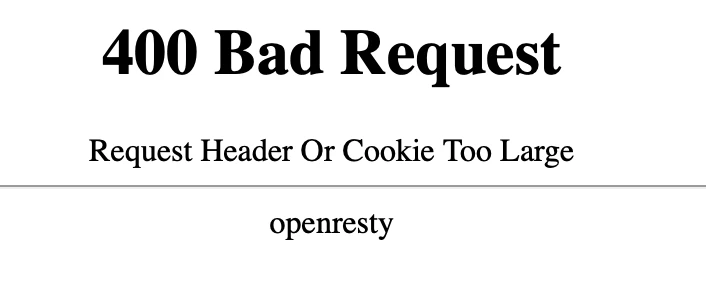
If, however, I switched to opening that link in Google Chrome, I got the successful 'pong' message.
So then I tried to switch the default browser of my Mac to Chrome, hoping that the Adobe CC installer would then use that to try activating but, sadly, it persisted in trying to authenticate using Safari under the hood even though the OS's default was set to Chrome.
In effect, I cannot run or install any Adobe CC products I paid for until either Apple fixes some underlying Safari problem that was likely recently introduced, or Adobe changes its software to use an alternative authentication method.
If anyone has encountered this issue and managed to resolve it I would be very grateful!
 AdChoices