


Participant
December 25, 2021
해결됨

Install trouble for Adobe Photoshop Elements 15 [on macOS Monterey]

  • December 25, 2021
  • 2 답변들
  • 530 조회

Having trouble installing Elemente 15 on my Mac.  I have the latest operating system.

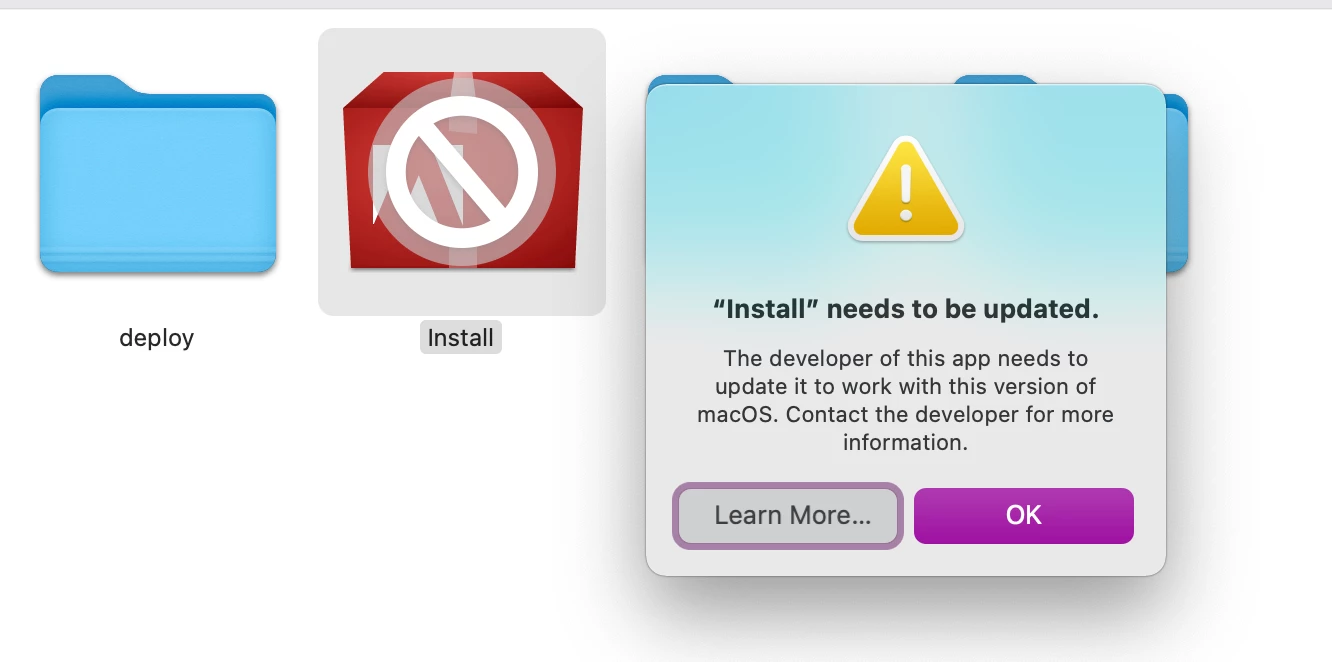
I was given the link from Adobe Chat Support.  I downloaded if to my Mac.  I click on the DMG file and I get the following.  Note that the Install icon has a circle with a line through it.
이 주제는 답변이 닫혔습니다.
최고의 답변: Nancy OShea

Old installers will NOT work on Monterey.  Only Elements 2022 or higher is compatible with new Mac operating systems.  However Apple may prompt you for Rosetta 2 durring the installation.

https://www.adobe.com/products/photoshop-elements.html

See the System Requirments:

https://helpx.adobe.com/photoshop-elements/system-requirements.html


2 답변

Nancy OShea
Community Expert
Community Expert
December 25, 2021

Old installers will NOT work on Monterey.  Only Elements 2022 or higher is compatible with new Mac operating systems.  However Apple may prompt you for Rosetta 2 durring the installation.

https://www.adobe.com/products/photoshop-elements.html

See the System Requirments:

https://helpx.adobe.com/photoshop-elements/system-requirements.html


Nancy O'Shea— Product User & Community Expert
John T Smith
Community Expert
Community Expert
December 25, 2021

>latest operating system


What does that mean by operating system name?


If catalina or later your old program will not work, you need to buy new http://www.adobe.com/products/elements-family.html