Exit
  • Global community
    • Language:
      • Deutsch
      • English
      • Español
      • Français
      • Português
  • 日本語コミュニティ
  • 한국 커뮤니티
0

Problems with CS5 uninstall on Mojave

New Here ,
Sep 21, 2020 Sep 21, 2020

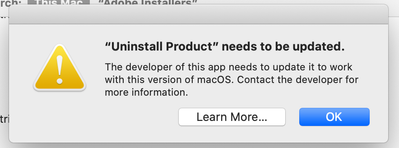
I have the licenced CS5 on my Mac, which I've just updated to Mojave. I know that it dosn't run on Mojave and I'd like to uninstall it, but I'm running into issues. Whenver I try to use the uninstall, it displays the attached message. I'm not completely computer illeterate, but I'm by no means an expert. I've tried browsing several forums on the internet but can't seem to find the help I'm looking for. Does anyone have any advice or a workaround? 

TOPICS
Installation
827
Translate
Report
Community guidelines
Be kind and respectful, give credit to the original source of content, and search for duplicates before posting. Learn more
community guidelines

correct answers 1 Correct answer

Community Expert , Sep 21, 2020 Sep 21, 2020

Try uninstallation using the Creative Cloud Cleaner Tool.

-Manan

Translate
Community Expert ,
Sep 21, 2020 Sep 21, 2020

Pleas post the image like this so that we don't have to download the file to see it:

attach.png

Translate
Report
Community guidelines
Be kind and respectful, give credit to the original source of content, and search for duplicates before posting. Learn more
community guidelines
New Here ,
Sep 21, 2020 Sep 21, 2020

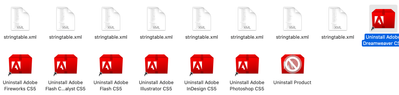
Sorry about that! Here it is. 

Screen Shot 2020-09-21 at 4.41.01 PM.png

Screen Shot 2020-09-21 at 4.41.14 PM.png

Translate
Report
Community guidelines
Be kind and respectful, give credit to the original source of content, and search for duplicates before posting. Learn more
community guidelines
Community Expert ,
Sep 21, 2020 Sep 21, 2020
Translate
Report
Community guidelines
Be kind and respectful, give credit to the original source of content, and search for duplicates before posting. Learn more
community guidelines
New Here ,
Sep 21, 2020 Sep 21, 2020

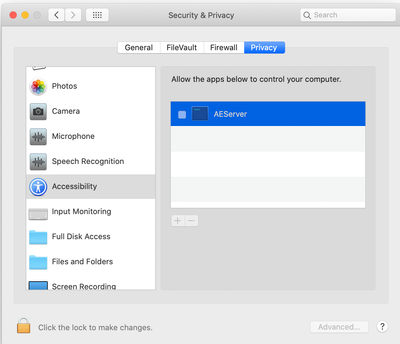
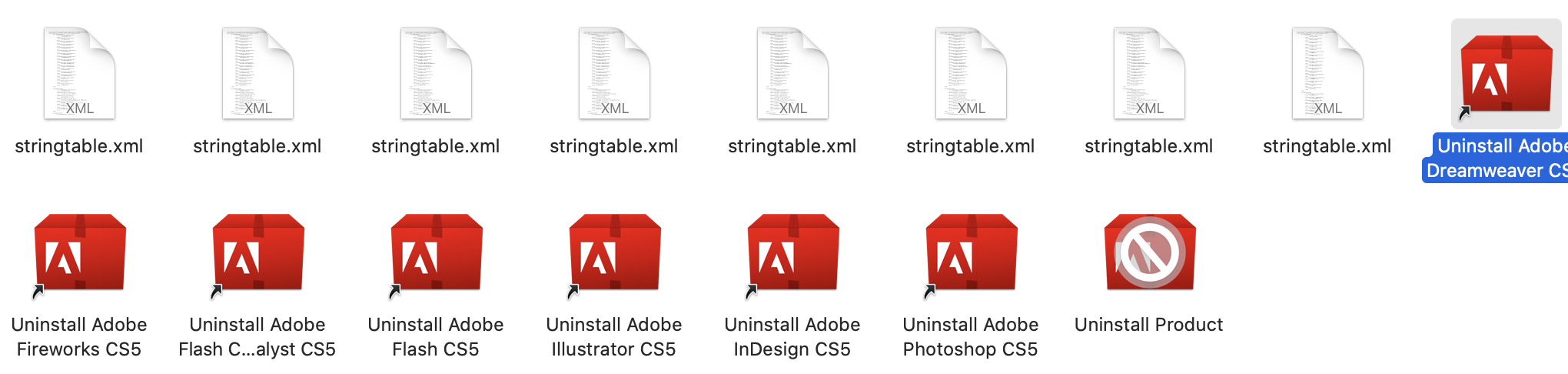
Thank you for your help! It doesn't list them in that area, and when I try to open them while looking at this spot, the same "needs to be updated" error appeaers as before. 

 Screen Shot 2020-09-21 at 8.04.07 PM.png

Translate
Report
Community guidelines
Be kind and respectful, give credit to the original source of content, and search for duplicates before posting. Learn more
community guidelines
Community Expert ,
Sep 21, 2020 Sep 21, 2020
LATEST

Try uninstallation using the Creative Cloud Cleaner Tool.

-Manan

Translate
Report
Community guidelines
Be kind and respectful, give credit to the original source of content, and search for duplicates before posting. Learn more
community guidelines