Participant
Sep 14, 2019 9:02 AM UTC
Answered

Installer hangs on browser authentication

I've tried several apps and the main Creative Cloud installer (I have the all apps plan) and it hangs every time I get to the part requiring browser identification, here:
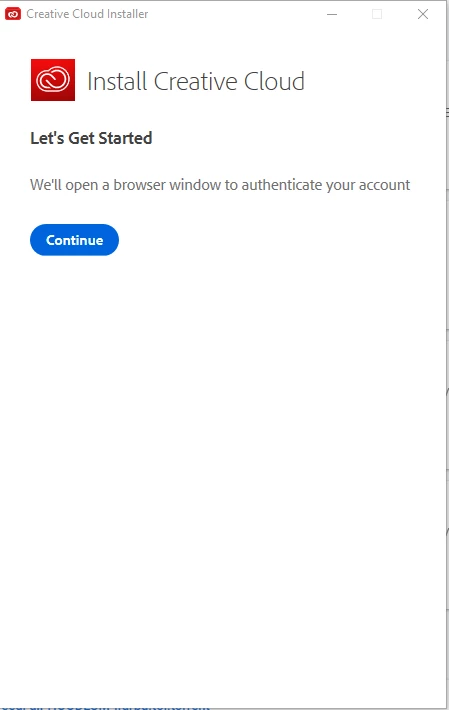
I get taken to the browser window (in Chrome, regardless of my default browser settings) and it says:
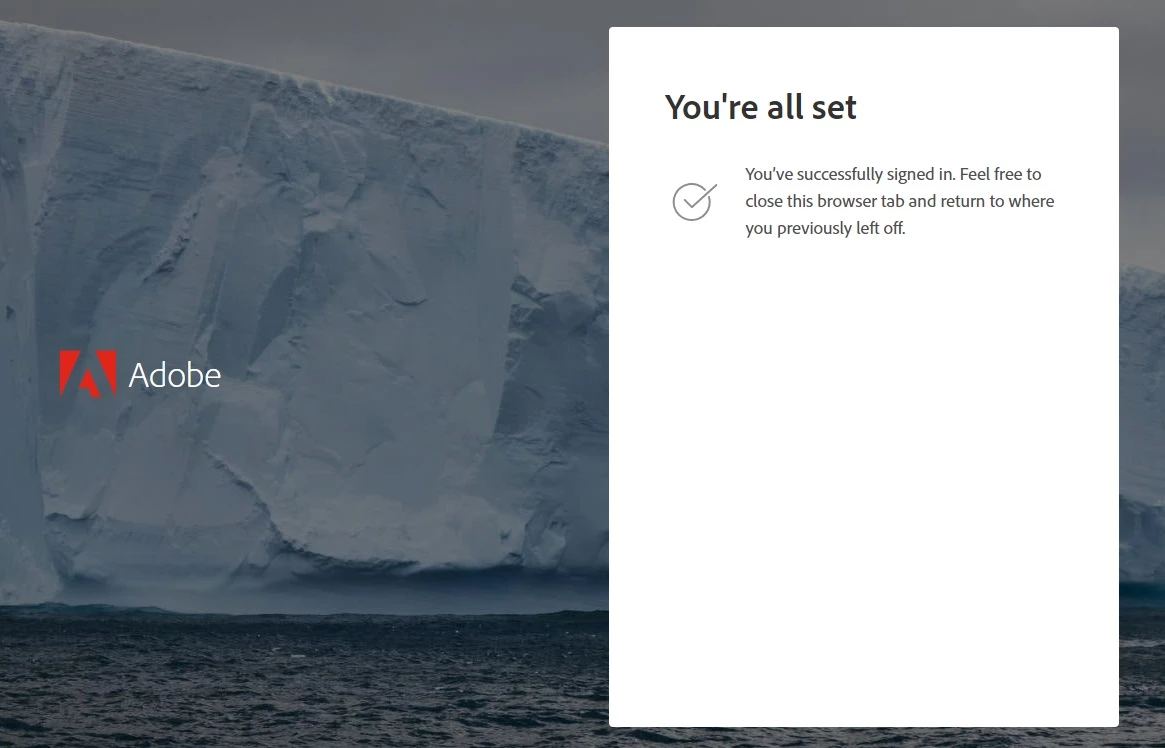
But the installer does not proceed, and I end up here:
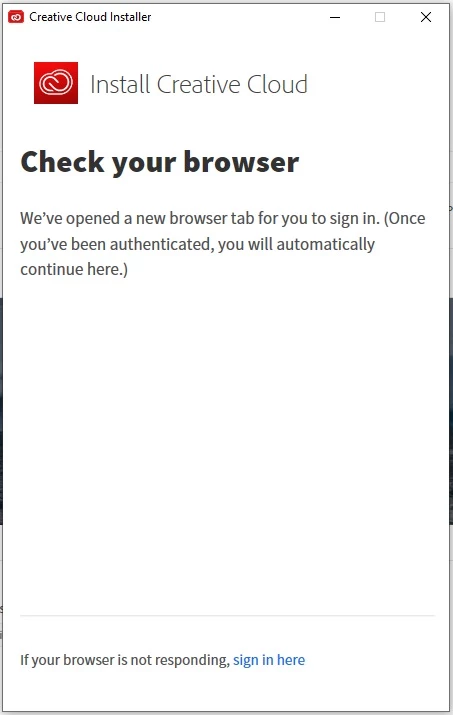
If I click on "If your browser is not responding, sign in here" nothing happens. I've uninstalled, tried again, then used the Adobe CC cleaner tool and removed everything, tried again, I've gone into the registry and deleted all Adobe keys, I've run as admin and as not, I've restarted and tried installing in Safe Mode with networking. Same results. I've also tried signing out before being taken to the browser, then signing in, then getting the "You're all set!" screen again. I've tried doing that with a different account. Nothing has worked.


Prior to this I had only Photoshop installed, and it worked fine. The issue started when I switched to the 'all apps' plan and tried to install acrobat. The installer hung 1/2 way through the Acrobat install. I quit, tried again, and got the above. Then tried all the steps I mention above. I also tried installing other apps, which is why the screengrab above shows my attempt to install XD.


I've explored all the forums and FAQs and tried everything suggested in them.


(Posting again because someone marked my previous post as spam.)

    This topic is closed to new replies. Start a new post to keep the conversation going.
    kglad
    kgladCorrect answer
    Community Expert
    May 27, 2022 2:51 PM UTC

    to clarify @iDaze's solution:


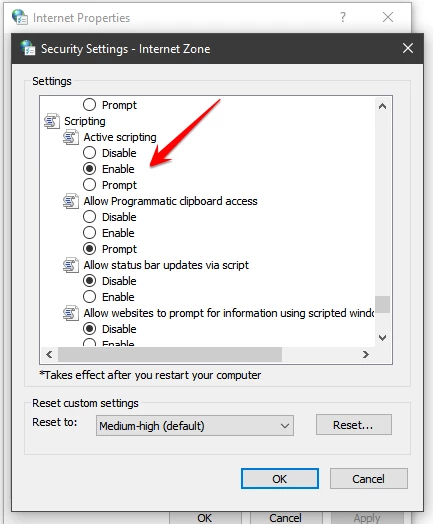
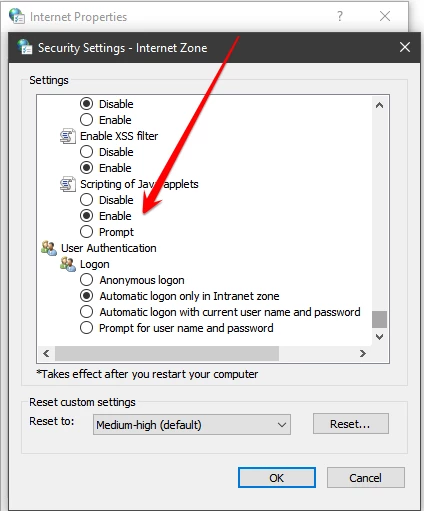
    Adobe's GUIs (graphical user interface) are governed by Windows Internet Explorer privacy setting regardless if you are using other internet browsers. so you have to check your Windows Internet Explorer settings (not Edge) and insure that Java Script and Scripting are enabled.


    one way to do this is to open Control Panel (icons) > internet options > "security" tab > custom level > enable "scripting" and "scripting of java applets" (both are towards the bottom) > click apply


    46 replies

    Participant
    Mar 13, 2020 12:10 AM UTC

    I found a solution that worked for me. Following the steps for Internet Explorer below fixed the issue:


    https://helpx.adobe.com/x-productkb/multi/enable-javascript.html

    Translate
    Participant
    Dec 10, 2019 8:46 PM UTC

    I have the same problem, I don't understand why the installer is designed like this causing so much troubles, I miss CD/DVD installer so much.

    Translate
    Participant
    Jan 6, 2020 4:31 PM UTC

    I actually did come up with a solution that worked for me - I tried adding it before Christmas but for some reason, the post submission screen doesn't like me adding a link to the page with the solution, so I'm going to do that annoying thing where you add spaces that will need to be taken out before you can go to the link.


    This is the link (copy and paste and remove the spaces): https:// helpx. adobe. com/ download- install/ kb/ creative- cloud- desktop- app- download. html


    Essentially, on this page, a little way down, there's a title: Problems installing? Try alternative download links


    And then for me (using Surfacebook, Windows 10) I picked 'Windows Alternative downloads and 'Windows 10 (64-bit)' and that worked for me.


    Hope it helps someone!


    Lisa

    Translate
    adamthair
    Participant
    Jan 29, 2020 8:13 PM UTC

    Yes! Lisa, you rock. This is the solution. Too bad Adobe couldn't bother to provide easily found instructions to resolve this issue.

    Translate
    Participant
    Nov 28, 2019 11:40 AM UTC
    Participant
    Nov 28, 2019 10:50 AM UTC

    I'm also having this problem as well - help would be appreciated as I've tried everything you've tried on four different browsers - am completely stumped as all solutions seem to need you to have already installed CC.

    Translate
    Participant
    Nov 23, 2019 6:35 PM UTC

    I am having this same issue. Did you ever get a solution?

    Translate
    ProDesignTools
    Community Expert
    Community Expert
    Jul 15, 2020 10:53 PM UTC

    So to summarize the possible solutions here...


    First, make sure to enable JavaScript for the installer to continue:


    https://helpx.adobe.com/x-productkb/multi/enable-javascript.html


    If that doesn't work, try downloading & installing the Desktop app as a standalone installer (and/or any of the tools via the 2020 direct download links) –  you should be able to successfully install that way, as an alternate route.


    If still no luck, try resetting (or fully reinstalling) the Desktop app, if it's already installed:


    https://community.adobe.com/t5/download-install/installer-hangs-on-browser-authentication/m-p/10608005#M13822


    Hope that helps.

    Translate
    Participant
    Jan 15, 2021 5:57 AM UTC

    I also have the same problem 


    Also i have a doubt  that wheare should I unzip the alternative download 

    Translate
    kglad
    Community Expert
    Community Expert
    Sep 14, 2019 1:31 PM UTC

    first try, resetting the cc app:

    To reset the Creative Cloud desktop app, make sure it's in the foreground, then press: Win: Ctrl + Alt + R Mac: Cmd + Opt + R


    if that fails, retry a clean cc install:clean your computer of cc files per http://www.adobe.com/support/contact/cscleanertool.html


    restart your computer (don't skip this) reinstall the cc desktop app, https://creative.adobe.com/products/creative-cloud.

    if you're unable to install the cc desktop app at this stage, use an administrator account (solution 4 here, https://helpx.adobe.com/creative-cloud/kb/creative-cloud-missing-damaged.html)

    use the desktop app to install your cc programs/trials

    Translate
    Participant
    Sep 15, 2019 5:42 AM UTC

    Thanks- But I can't reset the CC app because it is not installed. The same issue comes up while trying to install the CC app itself, or any of the separate apps. (Which will auto-install the CC app if its not installed anyway.)


    As mentioned, I've used the cleaner tool already., restarted and tried again already, and tried installing as administrator.

    Translate
    kglad
    Community Expert
    Community Expert
    Sep 15, 2019 2:36 PM UTC
    using a browser that allows popups and cookies, contact adobe support during pst business hours by clicking here and, when available, click 'chat', http://helpx.adobe.com/x-productkb/global/service-ccm.html
    Translate