Hi @enze_7752,
Thank you for your inquiry regarding the data displayed on the license home page in Adobe Experience Cloud Manager. This dashboard offers a comprehensive view of your organization's Adobe Experience Manager as a Cloud Service (AEMaaCS) entitlements and usage. Below is a professional overview of each section:
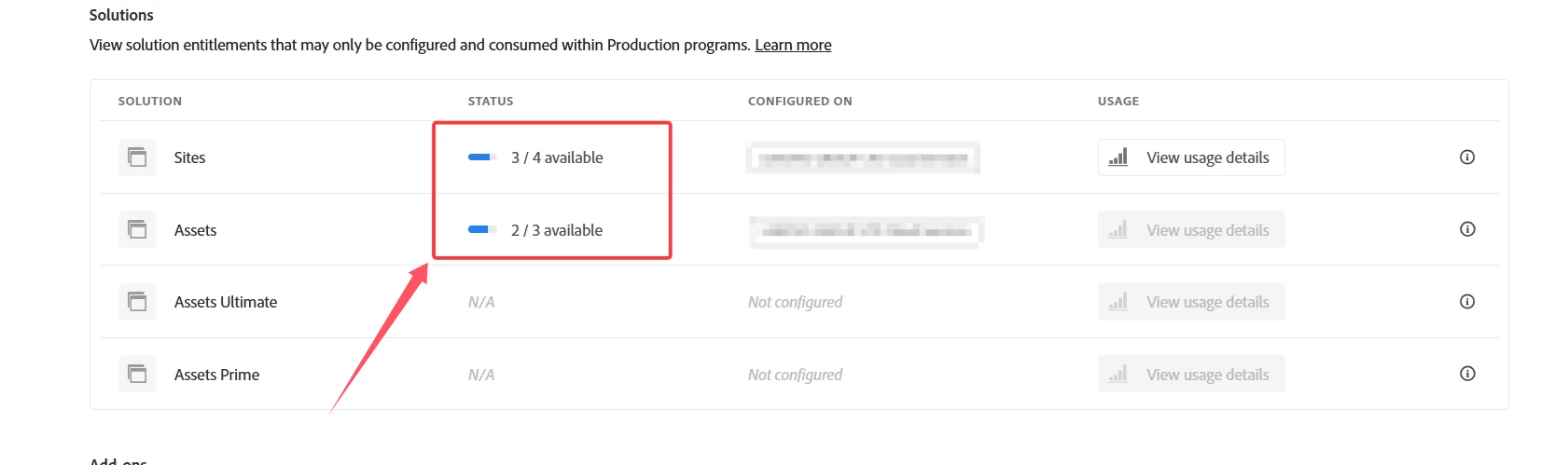
Solutions
This section outlines the core Adobe solutions your organization has licensed, such as AEM Sites and AEM Assets. For each solution, you will see:
-
Licensed: The total number of units your organization is entitled to use, as per your contract.
-
Used: The number of units currently in use.
-
Available: The number of units remaining for use.
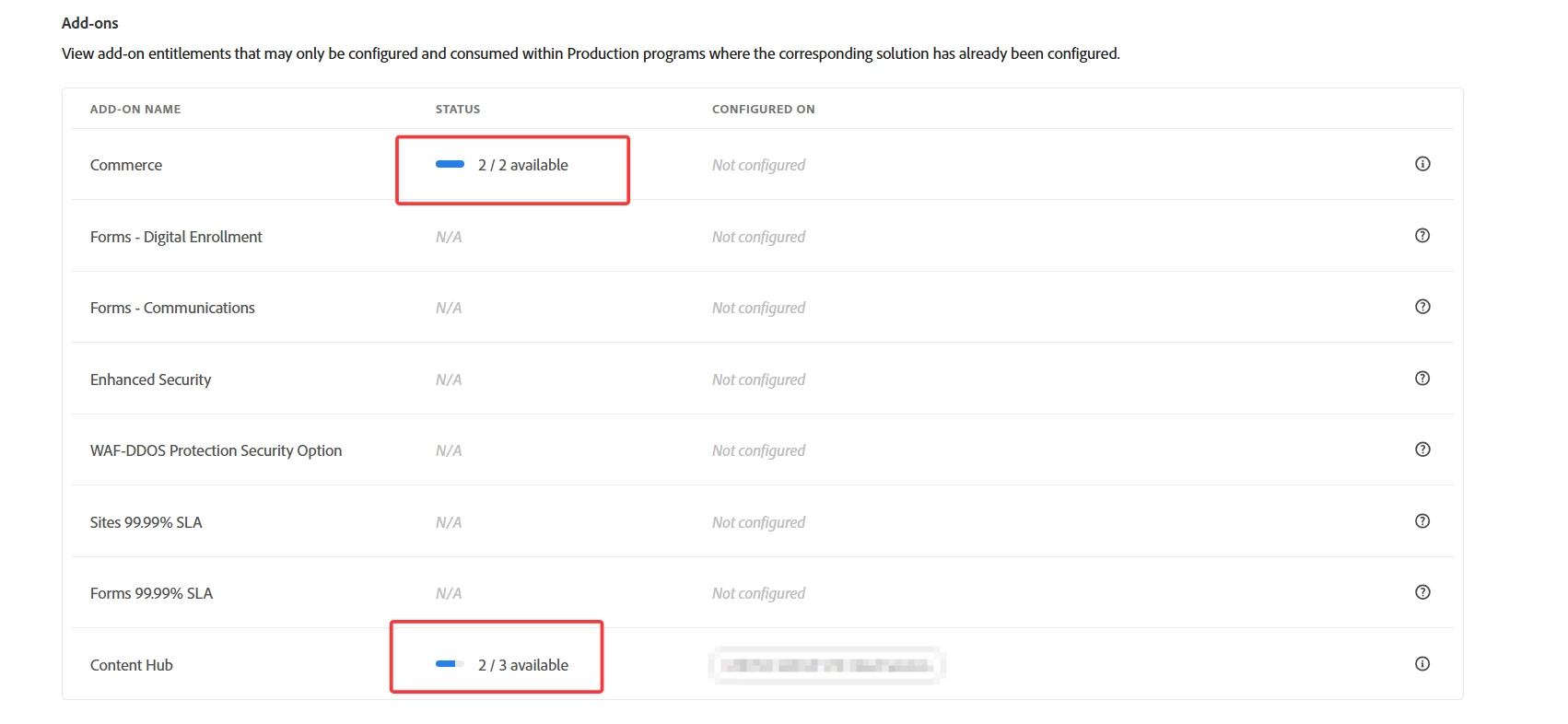
Add-ons
Add-ons are optional features that extend the functionality of your primary solutions. This section includes:
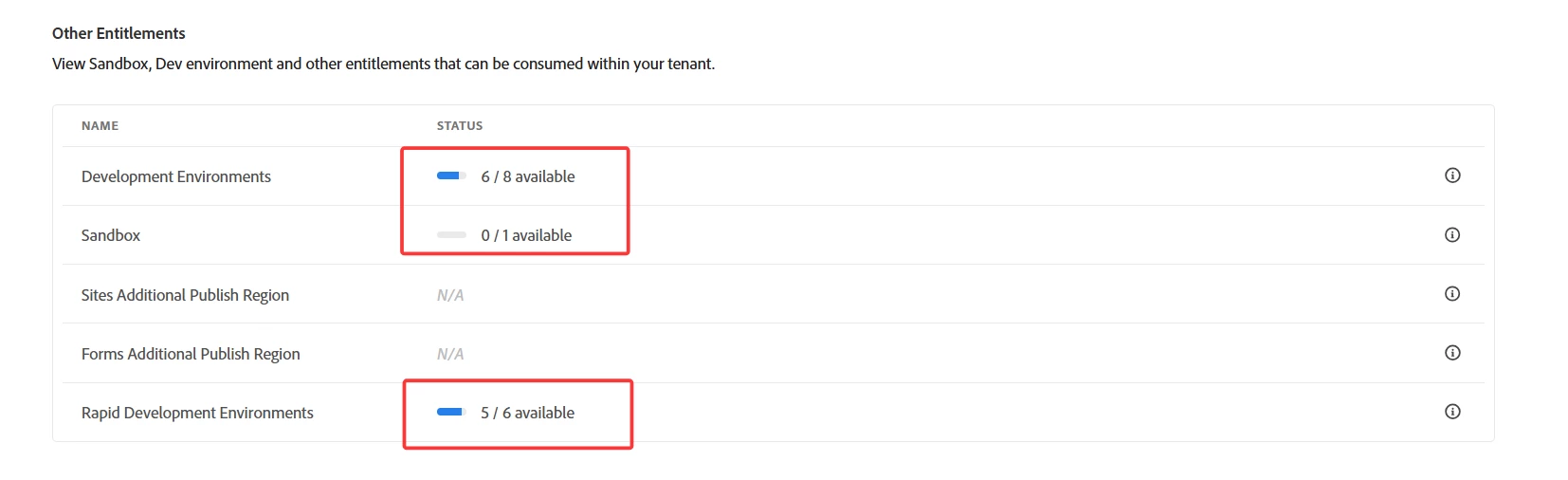
Other Entitlements
This section displays additional resources provisioned by Adobe, including:
-
Sandboxes: Isolated environments intended for testing or development purposes.
-
Development Environments: Dedicated spaces for application development.
-
Other Resources: Additional entitlements such as Rapid Development Environments and Commerce instances.
Examples:
-
Sites: "3/4 available" means three out of four Sites environments are currently unused and available.
-
Assets: "3/4 available" indicates three available out of four total allocated Assets environments.
-
Commerce: "2/2 available" shows full availability of both Commerce instances.
-
Development Environments: "4/5 available" signifies that one of the five allocated environments is currently in use.
-
Sandbox: "0/1 available" means the single sandbox environment is currently in use.
-
Rapid Development Environments: "3/4 available" indicates that one of the four allocated environments is being used.
The data displayed on the license home page is synchronized from internal systems that track entitlement usage and ensure up-to-date reporting across all services and environments.
To view and manage these entitlements, the Adobe Admin Console provides a centralized interface with detailed reports, dashboards, and permission controls.
Reference: Manage Permissions and Roles – Adobe Admin Console
For additional guidance and documentation, please refer to the following resources:
For further support, I would recommend posting your questions in the Adobe Experience Manager (AEM) community, where product experts and users actively engage:
AEM Community Forum



 AdChoices