



primerx24
Participant
April 26, 2022
해결됨

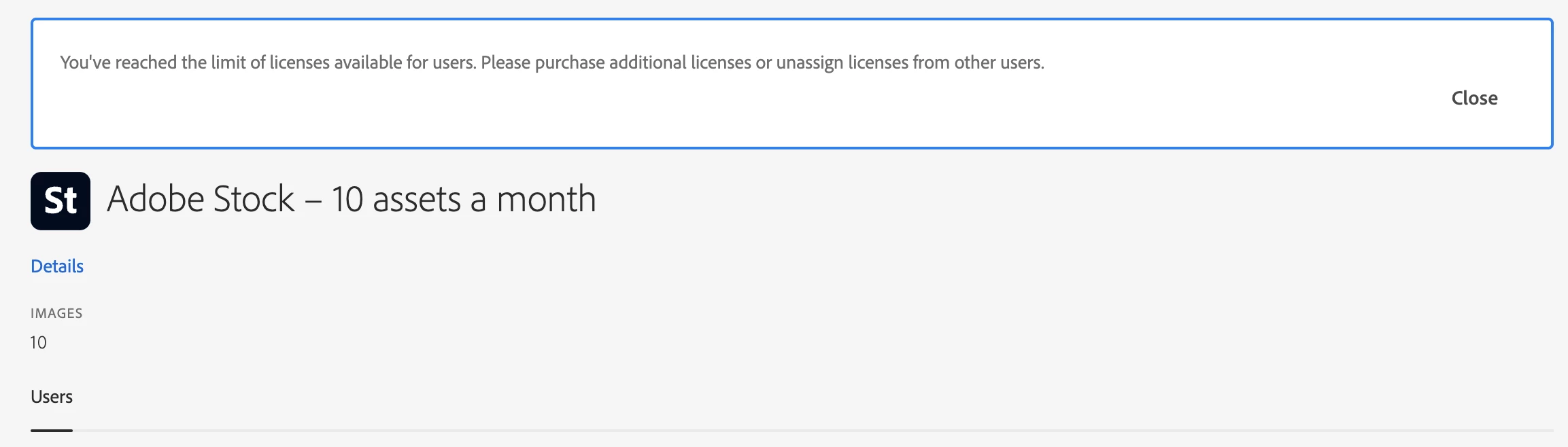
Purchased an Adobe Stock team subscription, but can't add more than one person.

  • April 26, 2022
  • 2 답변들
  • 801 조회

Hi all,

I purchased an Adobe Stock team subscription, but I have 'reached the limit'  for available users, but the advertising said "Unlimited users — share a subscription with your entire team to access standard assets"

Any reason why I can't add my team to this? 


TIA.
 

이 주제는 답변이 닫혔습니다.
최고의 답변: Vikrant R

You just need to assign the plan to ONE single user for activation. After that, all users in your team (Admin Console) should have access.

At any time, one user needs to be assigned to the Stock plan for the entire team to have access. Also, take a look at the article below. And let us know if it doesn't work as expected. https://helpx.adobe.com/stock/help/adobe-stock-teams.html

2 답변

Vikrant R
Vikrant R답변
Inspiring
April 27, 2022

You just need to assign the plan to ONE single user for activation. After that, all users in your team (Admin Console) should have access.

At any time, one user needs to be assigned to the Stock plan for the entire team to have access. Also, take a look at the article below. And let us know if it doesn't work as expected. https://helpx.adobe.com/stock/help/adobe-stock-teams.html

Legend
April 27, 2022

Do you already have an Adobe Team subscription for each of the people (for a different plan)?

primerx24
primerx24작성자
Participant
April 27, 2022

Not sure, I have a business ID and they all fall under licensed users under me. Does that count? 

Legend
April 27, 2022

It looks right. I observe that Adobe say "At no additional cost, get one shared plan for all of your team members belonging to the same company." That suggests that you didn't need to buy anything either. But I have not done this. If you don't hear from anyone here, you could try the Adobe Stock forum https://community.adobe.com/t5/stock/ct-p/ct-stock?page=1&sort=latest_replies&lang=all&tabid=all