


Known Participant
April 29, 2017
Answered

"Couldn't Load Plugin": New Beta 26.0.0.89 PPAPI does not work in Chrome, Windows XP

  • April 29, 2017
  • 30 replies
  • 15317 views

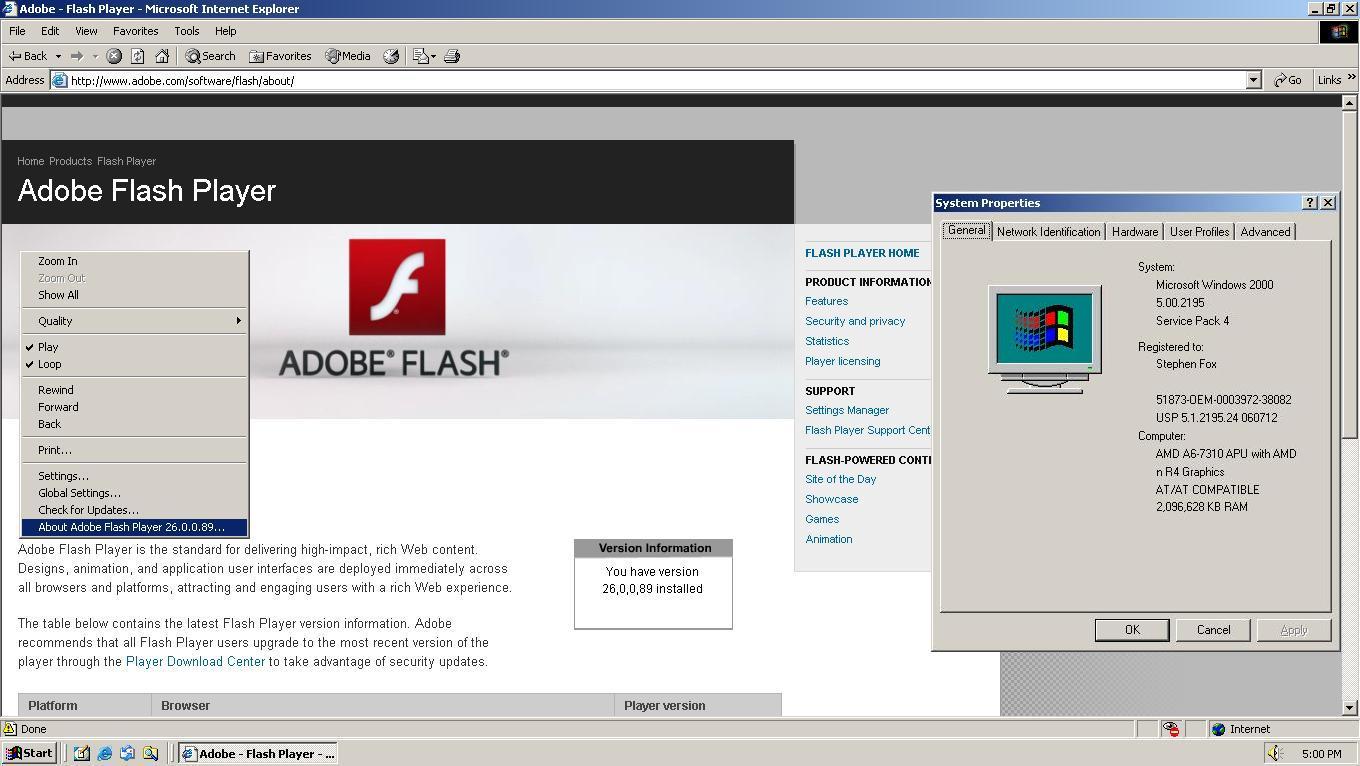
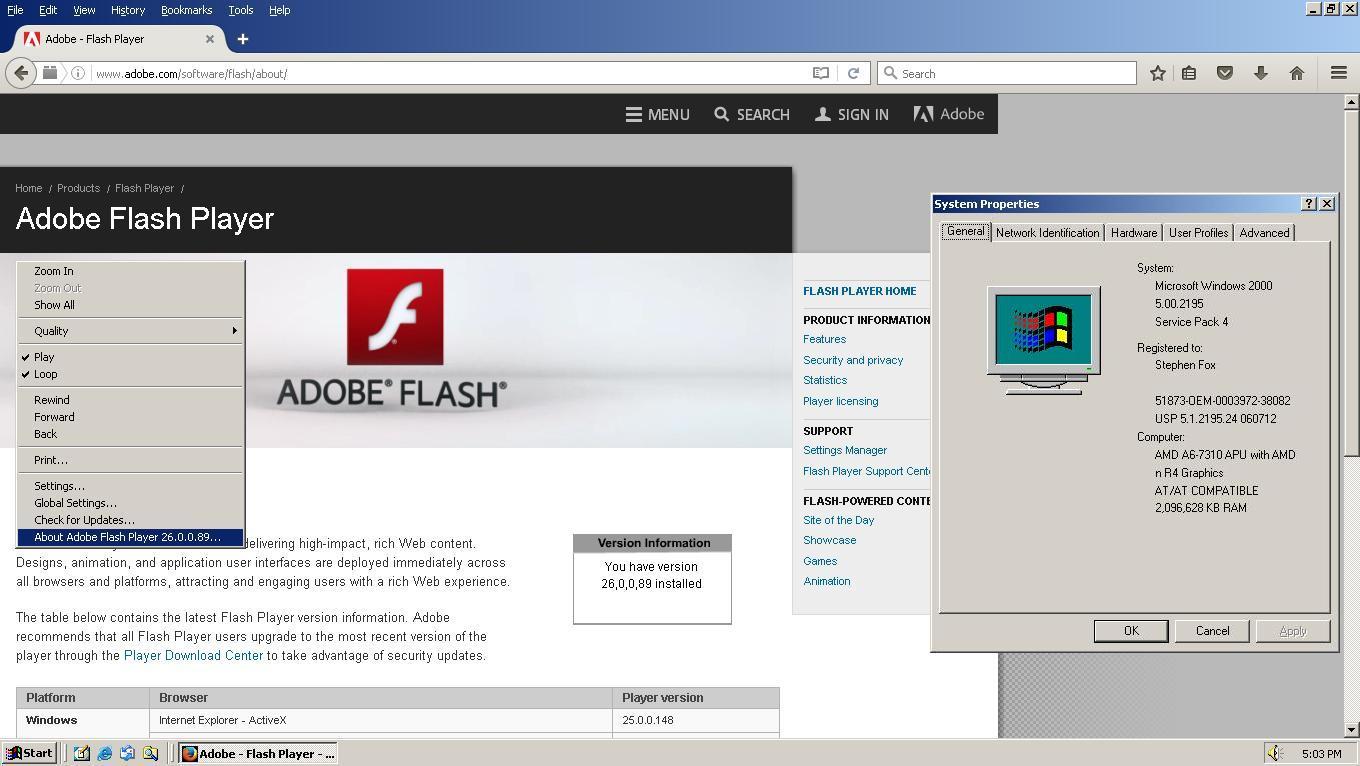
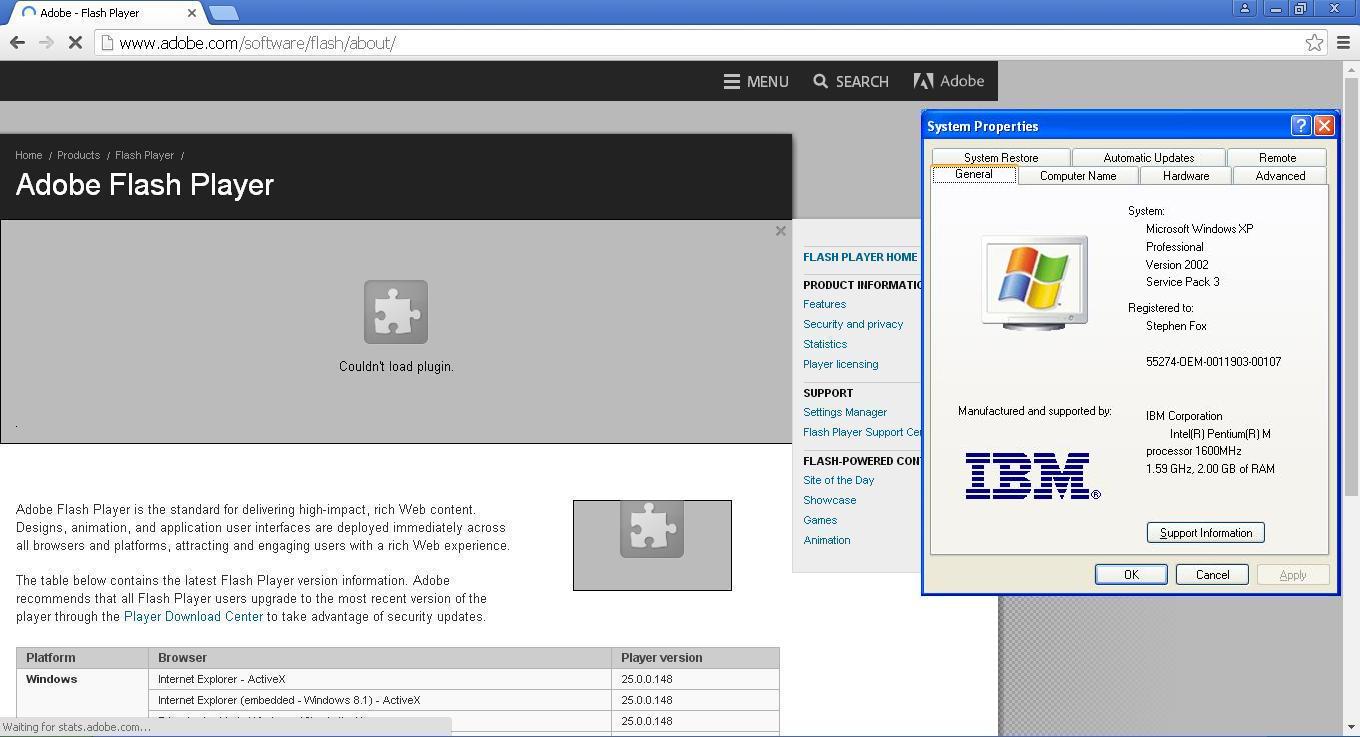
The new beta 26.0.0.89 released on 4/27 does not work in Chrome and Windows XP. All previous versions did.

Windows XP is still a supported operating system. Also, the normal Internet Explorer and Firefox plugins work correctly, both on Windows 2000 and XP. It's only the Chrome PPAPI that does not. Available from this page: Download Adobe Flash Player 26 Beta for Desktops - Adobe Labs

Direct link on that page is: https://fpdownload.macromedia.com/pub/labs/flashruntimes/flashplayer/install_flash_player_ppapi.exe
This topic has been closed for replies.
Correct answer _maria_

Hi sdfox7

This issue has been fixed in today's beta release, 26.0.0.102, available at Download Adobe Flash Player 26 Beta for Desktops - Adobe Labs .

--

Maria

30 replies

sdfox7Author
Known Participant
June 21, 2017

djh104

I'm glad you found my instructions useful.

I have duplicated them at this page here: Here is what I believe to be the simplest procedure for updating Adobe Flash Player for Google Chrome on Windows XP

sdfox7Author
Known Participant
June 20, 2017

Here is what I believe to be the simplest procedure for updating Adobe Flash Player for Google Chrome on Windows XP. I think the pictures should help; I have always been a visual learner. I hope this tutorial will be helpful for you, and anyone that needs it in the future.

It is unfortunate that a process like this is required, but Chrome no longer automatically updates Flash Player on XP, so this workaround is required.

I created a similar page about a year ago; you may also find that helpful: This computer will soon stop receiving Google Chrome updates because Windows XP and Windows Vista will no longer be supp…

Please pay special attention to the instructions that I have emphasized in Bold and red, and any !. I have done this procedure on many different systems; if it doesn't work for you, then you may need to go back and make sure you did not miss a step.

1) You must be running Windows XP Service Pack 3!

Flash Player versions 20 and later will NOT run on SP2.


If you need SP3, you can download it from the Internet Archive, aka WayBack Machine,

http://web.archive.org/web/20120430003949/http://download.microsoft.com/download/d/3/0/d30e32d8-418a-469d-b600-f32ce3edf42d/WindowsXP-KB936929-SP3-x86-ENU.exe

or from my FTP: http://sdfox7.com/xp/sp3/windowsxp-kb936929-sp3-x86-enu.exe

Also, if you do not already have the full final Google Chrome 49 standalone installer for Windows XP, download it here: http://sdfox7.com/xp/sp3/EOL/ChromeStandaloneSetup.exe This is the most current version for XP (49.0.2623.112 m)

2) Download the current Adobe Flash Player from Adobe's website. As of this writing it is 26.0.0.131. When the version changes, you'll need to substitute the version number in the URL for the current one. For example, when Flash 25.0.0.171 became 26.0.0.131, the URL changed from

http://fpdownload.adobe.com/get/flashplayer/pdc/25.0.0.171/install_flash_player.exe to

http://fpdownload.adobe.com/get/flashplayer/pdc/26.0.0.131/install_flash_player.exe

If you are using Chrome 44 or older, you will need the NPAPI installer:

http://fpdownload.adobe.com/get/flashplayer/pdc/26.0.0.131/install_flash_player.exe

If you are using Chrome 45 to 49, you will need the PPAPI installer:

http://fpdownload.adobe.com/get/flashplayer/pdc/26.0.0.131/install_flash_player_ppapi.exe

Chrome 44 and older does not support the PPAPI plugin, and Chrome 45 and later does not support the NPAPI plugin!

3) Run the Adobe Flash Player installer, accept the terms, and click install. This will install Flash Player, and extract the files that you need for the next step:

chrome_flash_manual_install_1.jpg

4) Go to your C:\WINDOWS\system32\Macromed\Flash folder. Right-click on the file called pepflashplayer32_26_0_0_131.dll, then left-click on copy. You can also do CTRL + C to copy. When you click copy, you will not "see" anything happen, but this will copy the file to the computer's memory (Windows Clipboard), which you will need for the next step.

chrome_flash_manual_install_2.jpg

5) Finally, go to C:\Program Files\Google\Chrome\Application\49.0.2623.112\PepperFlash, right-click, and select "paste". You can also do CTRL + V to paste. Then rename the file to pepflashplayer.dll. You must rename the file or this procedure will not work!

Note: You should also copy the file to C:\Documents and Settings\Stephen Fox\Local Settings\Application Data\Google\Chrome\User Data\PepperFlash\26.0.0.131. Youwill have to replace my user name (Stephen Fox) with whatever your user name is.

If you don't copy to the above folder, Chrome may still detect an outdated version in chrome://plugins, because this is where it populates that information from. If it does, the Flash Player won't run, even if the correct version is in C:\Program Files\Google\Chrome\Application\49.0.2623.112\PepperFlash.

Note: if your C:\Program Files\Google\Chrome\Application\49.0.2623.112\PepperFlash does not contain manifest.json, you must also copy this file from C:\WINDOWS\system32\Macromed\Flash

chrome_flash_manual_install_3.jpg

Assuming you have done everything correctly, open your Chrome Browser and navigate to Adobe -  Flash Player (this forum automatically converts Adobe URLs but the raw URL is get.adobe.com/flashplayer/about

The page should show the correct version installed.

chrome_flash_manual_install_4.jpg

dh104
Inspiring
June 21, 2017

sdfox7,

Working through patience and following the instructions exactly as outlined, I have Flash Player updated for Chrome Ver. 49.0.2623.112 m  on WinXP  SP3  

The steps provided in this tutorial were very easy to follow.

I am very appreciative to you for your effort in providing this workaround.

I believe I was fortunate to have found this thread posted on this forum.

Not only for finding this thread, but also for the link to your page you created.

I'm certain it will prove to be helpful on supported browsers as well as the regular update on when a new Flash Player is released. I will most certainly save it.

Again, I would like to give my thanks to you for offering your valuable support and also for replying so quickly.   

sdfox7Author
Known Participant
June 16, 2017

Beta channel has been updated to 26.0.0.129, and is confirmed working with Google Chrome on Windows XP.

Chrome 45 and newer PPAPI:

https://fpdownload.macromedia.com/pub/labs/flashruntimes/flashplayer/install_flash_player_ppapi.exe
Chrome 44 and older NPAPI:

https://fpdownload.macromedia.com/pub/labs/flashruntimes/flashplayer/install_flash_player.exe

sdfox7Author
Known Participant
June 8, 2017

Beta channel has been updated to 26.0.0.123, and is confirmed working with Google Chrome on Windows XP. Tested on my legacy PIII system.

Chrome 45 and newer PPAPI:

https://fpdownload.macromedia.com/pub/labs/flashruntimes/flashplayer/install_flash_player_ppapi.exe

Chrome 44 and older NPAPI:

https://fpdownload.macromedia.com/pub/labs/flashruntimes/flashplayer/install_flash_player.exe

sdfox7Author
Known Participant
May 25, 2017

Beta channel has been updated to 26.0.0.115, and is confirmed working with Google Chrome on Windows XP.

https://fpdownload.macromedia.com/pub/labs/flashruntimes/flashplayer/install_flash_player_ppapi.exe

sdfox7Author
Known Participant
May 19, 2017

m_vargas

Adobe Flash Player Beta 26.0.0.110 was released May 17, 2017, and is confirmed working with Google Chrome on Windows XP.

https://fpdownload.macromedia.com/pub/labs/flashruntimes/flashplayer/install_flash_player_ppapi.exe

Thank you.

sdfox7Author
Known Participant
May 12, 2017

m_vargas

Here is a visual confirmation that the beta 26.0.0.102 is functioning correctly.

For testing, the final version of Google Chrome officially supported on XP is 49.0.2623.112 m. The full installer is here on my FTP: http://sdfox7.com/xp/sp3/EOL/ChromeStandaloneSetup.exe

_maria_
Community Manager
Community Manager
May 12, 2017

Thanks for posting the screenshot and confirming it's working correctly.

dh104
Inspiring
June 19, 2017

I'll work on getting the instructions to you.  To make it easier, please provide the Flash Player Path from chrome://plugins

Thank you.


_vargas  wrote

I'll work on getting the instructions to you.  To make it easier, please provide the Flash Player Path from chrome://plugins

Thank you.

The end of the Flash Player Path that's cut off in the image reads:  \23.0.0.164\\pepflashplayer.dll

If I try to scale it down any more to capture the entire path, it becomes too small to read

sdfox7Author
Known Participant
May 10, 2017

m_vargas

I am extremely grateful to you for going above and beyond to make your customers happy.

I have confirmed that both the stable release 25.0.0.171 and beta release 26.0.0.102 are both working on XP.

Stephen Fox

_maria_
Community Manager
Community Manager
May 10, 2017

You're welcome.


The bug was not present in the stable branch (25), only the beta branch (26). 

--

Maria

sdfox7Author
Known Participant
May 5, 2017

Hi Maria (m_vargas

Thank you.

Stephen Fox

_maria_
Community Manager
_maria_Community ManagerCorrect answer
Community Manager
May 10, 2017

Hi sdfox7

This issue has been fixed in today's beta release, 26.0.0.102, available at Download Adobe Flash Player 26 Beta for Desktops - Adobe Labs .

--

Maria

sdfox7Author
Known Participant
May 3, 2017

Maria

I appreciate your and divya_1993​'s dedication to this issue. I think it is important to note that Windows XP has more market share than all versions of Mac OS X combined: Operating system market share

While XP may be an older system, it is still a viable platform for many of us. I am running it as a virtual machine on top of Windows 7 Ultimate, as I have older software builds and WIN16  programs that are incompatible with Windows 7 X64. XP is a very well documented and understood system, being over 16 years old at this point.

I keep the XP VM up to date, so if I find any issues with the PepperFlash in the future, you can be sure I will report them.

_maria_
Community Manager
Community Manager
May 5, 2017

Hi sdfox7 ,

This should be fixed in the next weekly beta (sometime next week).

Thanks again for reporting this.

--

Maria