davids90391935
Participating Frequently
June 22, 2016
Answered

Converting 7.2 to 2015 -> 'original filter not available' message -> strange borders on table and anchored frames

  • June 22, 2016
  • 3 replies
  • 693 views

I just converted my 7.2 files to FM 2015 and got some 'At least one original filter ... graphics imported by reference ... not available ..' messages.

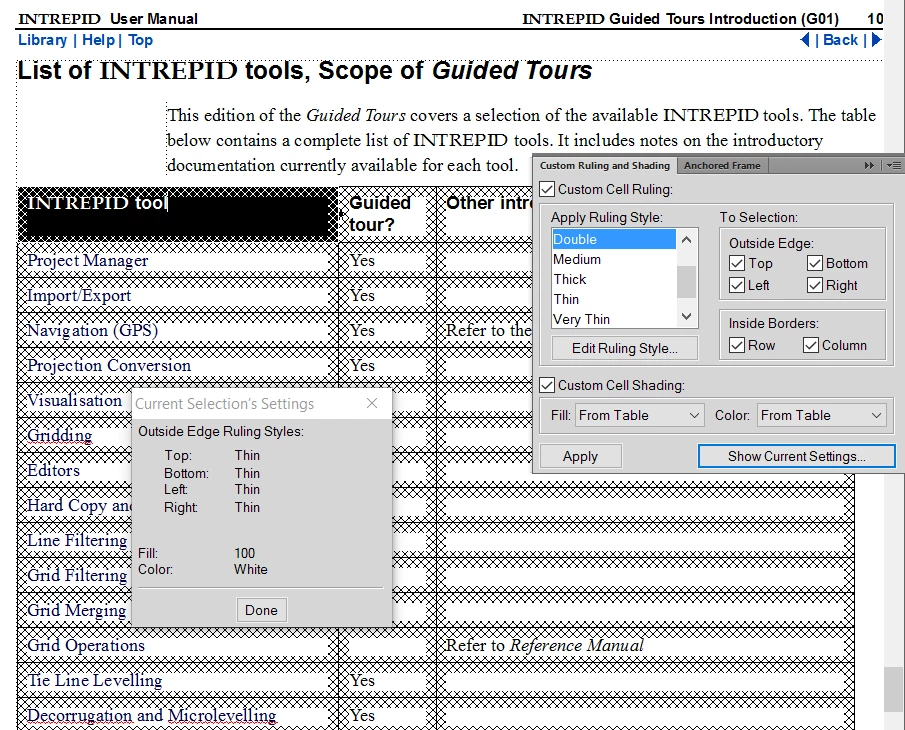
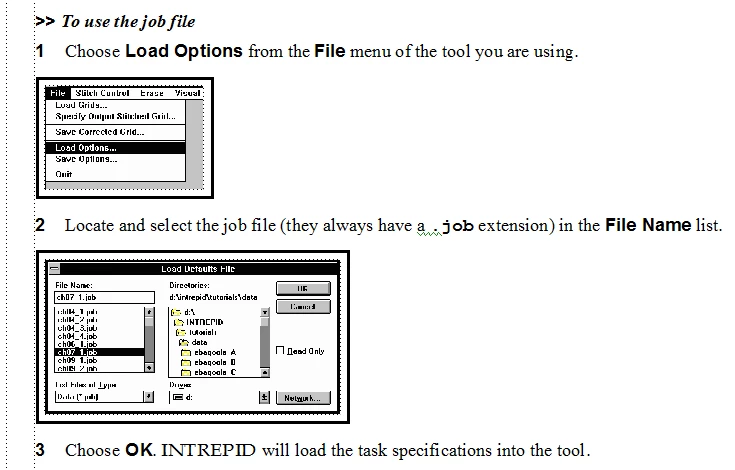
When I looked at these files, I found that many anchored frames had heavy black borders that I could not change and some tables had strange thick cross-hatch borders that I similarly could not find information about.  I'm guessing this is some kind of error condition report but have not been able to find any information about fixing it.

The affected files tend to be older ones originating before FM 7.2

Any ideas about how to approach this?  See pictures.
This topic has been closed for replies.
Correct answer Barb Binder

I'm thinking both are conditional text indicators. Fm has always used cross-hatching for table cells. 2015 uses a border color as well on anchored frames.

You can control Conditional text at the book level now as well, so hiding these is an easy fix: FrameMaker 2015: Conditional Text at book level | Adobe Technical Communication Suite 2015 | Adobe TV .

3 replies

Participating Frequently
June 22, 2016

I had a similar problem ugrading from frame12 to frame 15. the black borders are a conditional setting. just turn off "show condition indicators"

davids90391935
Participating Frequently
June 23, 2016

That was correct! Thanks for your help!

Barb Binder
Community Expert
Barb BinderCommunity ExpertCorrect answer
Community Expert
June 22, 2016

I'm thinking both are conditional text indicators. Fm has always used cross-hatching for table cells. 2015 uses a border color as well on anchored frames.

You can control Conditional text at the book level now as well, so hiding these is an easy fix: FrameMaker 2015: Conditional Text at book level | Adobe Technical Communication Suite 2015 | Adobe TV .

~Barb at Rocky Mountain Training
Legend
June 22, 2016

As far as I remember, the aggressive border of exes [cf Cheval de frise - Wikipedia, the free encyclopedia​] is a conditional indicator at table level. I'm not totally sure, because I find it so unpleasing I only mark cells or sometimes the table caption :-}

No idea about the heavy borders on graphics; I'll watch this thread and learn.

davids90391935
Participating Frequently
June 23, 2016

That was correct! Thanks for your help!