



jayaflir
Inspiring
October 17, 2018
Answered

FM 2017 - Responsive HTML5 output - Tables rendered as images

  • October 17, 2018
  • 1 reply
  • 793 views

Hello.

I recently started using FrameMaker 2017 and have been playing with the Responsive HTML5 output. After only changing the default settings (STS file) for the header color and logo image, I have noticed a number of discrepancies between the Save as PDF output and the Responsive HTML5 output (multiple layouts):

  • Out-of-document hyperlinks are blue but not functioning
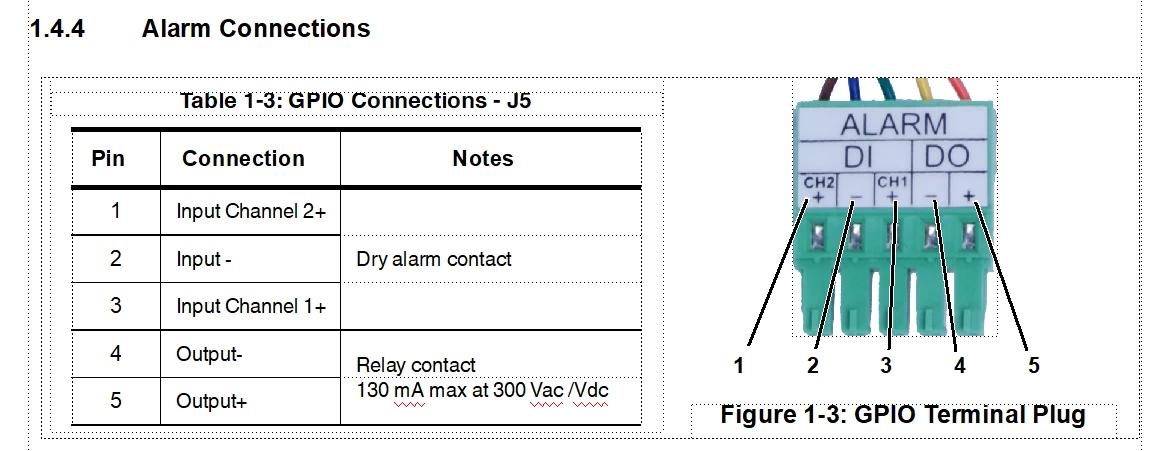
  • One table is rendered as an image (and the table is numbered as Table b b)
    Source:
    Output:
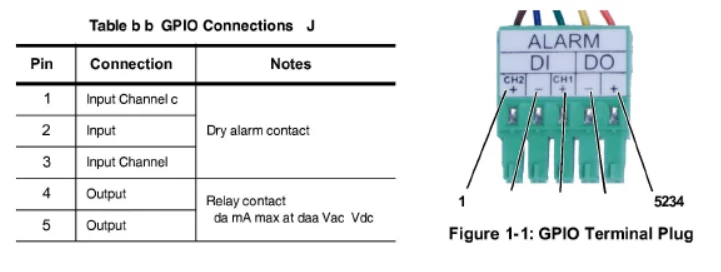
  • Figure numbering is off (multiple Figure 1-1s in the same chapter)

This is just what I have noticed after a couple of minutes of playing around...

Any advice would be appreciated.

Jay

Message was edited by: Jay Abramoff
This topic has been closed for replies.
Correct answer Stefan Gentz

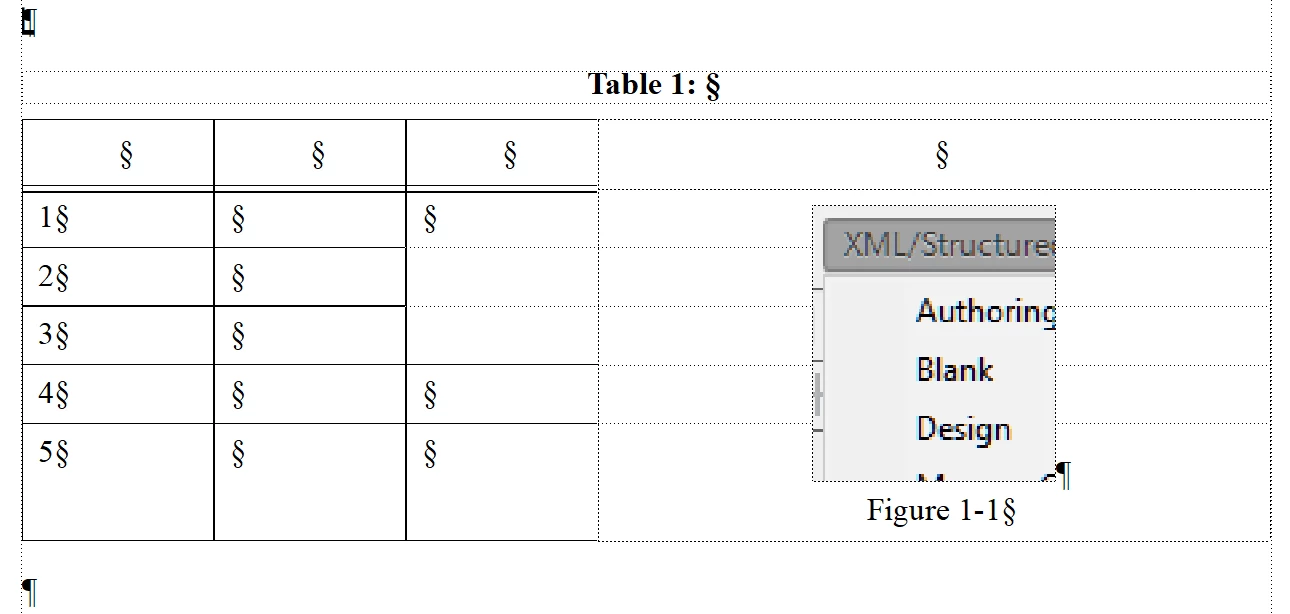
Looks like your table is inside a text frame which is inside an anchored frame which is inside the main text flow … + an image + graphic objects + numbers.

So, what FM has to do here, is to convert this whole construction into an image. Otherwise, this cannot go in an HTML page.

Notice, that FM *always* creates an image for the content of an anchored frame (unless it's just an image). This is why you get one single image for the anchored frame. This might also explain the b b in the numbering of the table title and the wrong numbering of the image.

You might want to try to "simplify" this construction. Maybe like this:

1 reply

Stefan GentzCommunity ManagerCorrect answer
Community Manager
October 17, 2018

Looks like your table is inside a text frame which is inside an anchored frame which is inside the main text flow … + an image + graphic objects + numbers.

So, what FM has to do here, is to convert this whole construction into an image. Otherwise, this cannot go in an HTML page.

Notice, that FM *always* creates an image for the content of an anchored frame (unless it's just an image). This is why you get one single image for the anchored frame. This might also explain the b b in the numbering of the table title and the wrong numbering of the image.

You might want to try to "simplify" this construction. Maybe like this:

jayaflir
jayaflirAuthor
Inspiring
October 18, 2018

Thank you, Stefan.

That makes sense. I recently started working at this company, so I inherited this and other docs, which are currently only delivered as PDF. However, that could change at any time, so I'll need to know what changes to make to ensure other output looks OK.

What about the other issues?

Also, it's nice to hear from you, specifically, as I attended a couple of your presentations at Israel's MEGAComm the last couple of years. (I also happened to run into you, Paula, and a couple of others at a spot overlooking the Western Wall - I think two years ago - and took a photo of your group. )

jayaflir
jayaflirAuthor
Inspiring
October 18, 2018

Hi,

jaya56227078  wrote

I guess the Hyperlink character style is given hypertext behavior during the publishing process only for the native Save as PDF output (or maybe it's even Reader-side behavior, like what Outlook does to text it thinks should be hypertext/links).

Exactly. There is no hyperlink added during publishing to PDF as well. However, Acrobat has its own mechanism to "detect" URLs and makes them clickable hyperlinks. Similar to Outlook or other mail clients.

jaya56227078  wrote

Just to double-check, I enabled View > Text Symbols. That's what you meant by "make special characters visible", correct?

Yes, exactly.

This is how it should be:


Cool. Thanks, again.