


Lion_techpub
Known Participant
June 24, 2020
Answered

FM 2019: Welcome screen not displaying properly again

  • June 24, 2020
  • 6 replies
  • 964 views

FM 2019; the welcome screen just started showing HUGELY blown up and unresponsive.
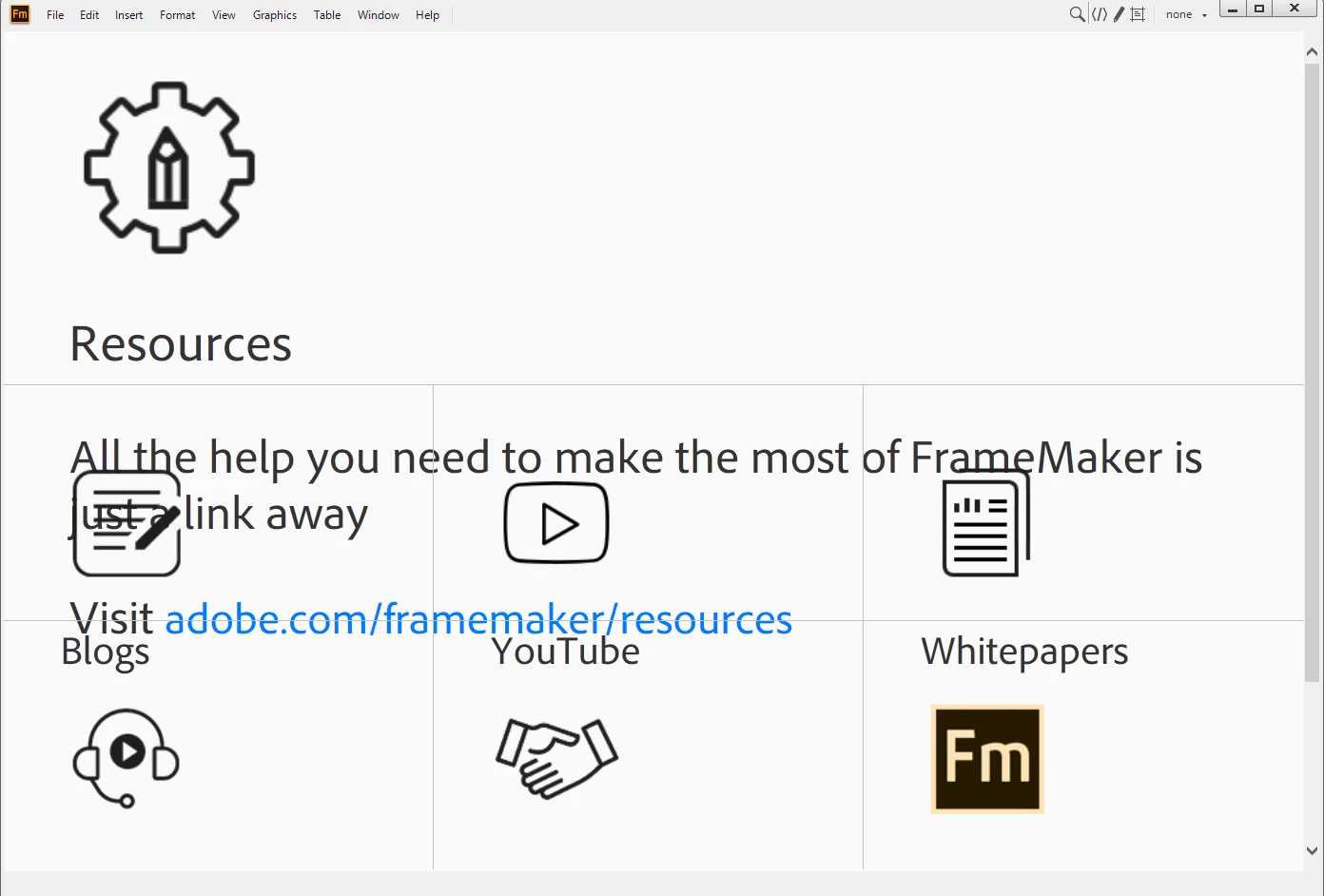

    This topic has been closed for replies.
    Correct answer pulkitn

    Issue with welcome screen in FM2019 and FM2017 has been fixed from backend , No action needed from user .


    -Pulkit Nagpal

    -FM/FMS Engg.

    6 replies

    pulkitn
    Adobe Employee
    pulkitnCorrect answer
    Adobe Employee
    March 21, 2022

    Issue with welcome screen in FM2019 and FM2017 has been fixed from backend , No action needed from user .


    -Pulkit Nagpal

    -FM/FMS Engg.

    Jeff_Coatsworth
    Community Expert
    Community Expert
    February 24, 2022

    Somebody seems to have stumbled onto something that fixes the zoomed up screen size -
    "I inadvertently held down the [Shift] key and used the mouse wheel to scroll down one click and the whole page rezoomed to it's original intended state... why? I don't know, but all the functionality returned... weird."
    See this thread - https://community.adobe.com/t5/framemaker-discussions/framemaker-2019-resources-splash-page-incorrec...

    K.Daube
    Community Expert
    Community Expert
    February 18, 2022

    It happens again. See this post 

    By experiments I found that the culprit must be here:

     <h5><span id="DITA_Standard">(DITA-1.2)</span> <a id="FM_DITA_OPTIONS" href="http://fm-welcomescreen/?cmd=newxml-dita-options" class="">Change DITA Version</a></h5>
    

    Wrapping this as XMl comment lets the Welcome screen work again.

    Just using the context function menu Back does not provide a screen with the favourites/last used files which is cumbersome.

    Inspiring
    February 19, 2022

    What has happened previously with FrameMaker is that a third party have changed their software and it has caused a problem with FrameMaker. E.g. at one point FrameMaker refused to print documents to Adobe Acrobat. We had to go to other PDF programs until FrameMaker sorted out the problem. Fortunately, this time most of the features on the Welcome screen are available in the drop-down menus.

    In the previous discussions on this subject it never seemed to have a solution. We must wait and see.

    New Participant
    June 24, 2020

    Happening to me 2 😞

    Legend
    June 24, 2020

    Happening to me too … possibly just after I caught up with the latest upgrade, but I can't be sure.

    Adobe Employee
    June 24, 2020

    Hi All


    We are getting this checked.


    Thanks

    Amitoj Singhh


    Lion_techpub
    Known Participant
    June 24, 2020

    Now, it's fixed.

    Thanks!

    Adobe Employee
    June 24, 2020

    Thanks for confirming. For now we have done a quick fix but we may be doing a permanent fix in next 24 hours so it is possible that for you may see this issue crop up for a couple of hours before being fixed. We are trying to minize the window for this and keeping at odd hours.


    Sorry for the trouble.


    thanks

    Amitoj Sinngh