


FM19 don't refresh the preview after copy a graphic by script
Hi,
I have a function that copy a selected graphic n-times to special places in my document.
After that i delete the selected graphic.
When i use the function a second time with an other grapic the gui show me the preview of the first graphic instead.
It happens since FM19 in FDK and in ExtendScript.
With this simple function i can reproduce the Bug:
function CopySelectedGraphic()
{
    test_run_count++;
    var graphic = null;
    var doc = app.ActiveDoc;

    if(doc.ObjectValid())
    {
        graphic = doc.FirstSelectedGraphicInDoc;
        if(graphic.ObjectValid() && graphic.constructor.name == "Inset")
        {
            var  new_g = doc.NewGraphicObject(Constants.FO_Inset, doc.CurrentPage.PageFrame) ;
            new_g.Width = graphic.Width;
            new_g.Height = graphic.Height;
            new_g.LocY  = (15 + (test_run_count * 25))* METRIC_MM;
            new_g.LocX  = 90 * METRIC_MM;
            new_g.InsetFile = graphic.InsetFile;

            graphic.Delete();

            doc.Redisplay();
        }
    }
}
Initial situation:
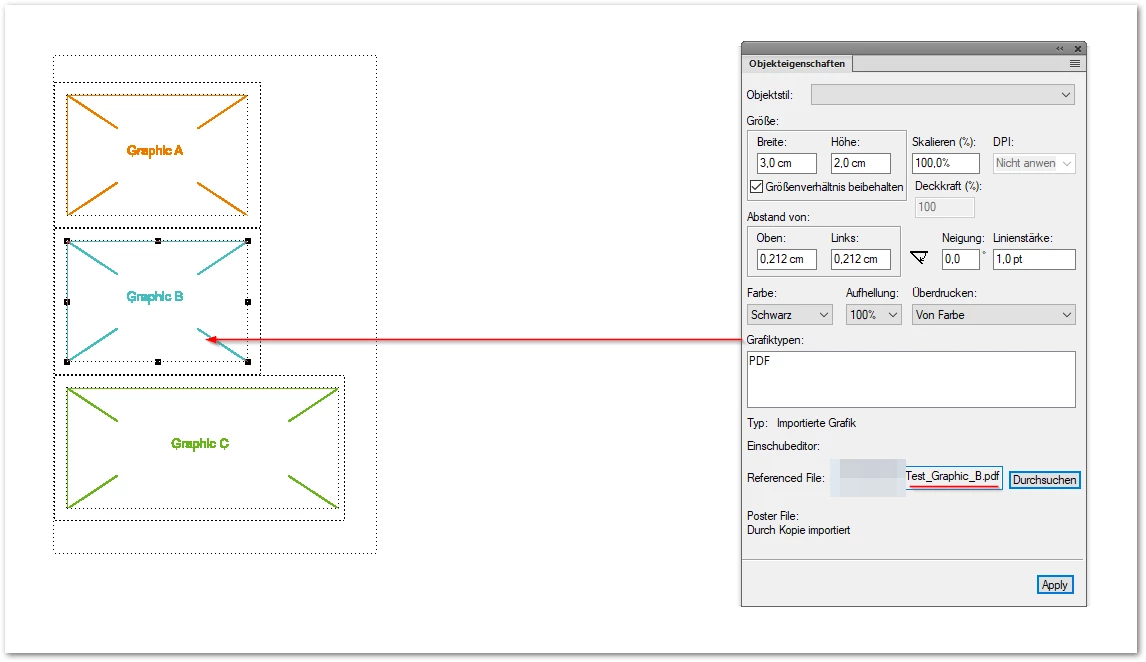
Steps:
- select "Graphic A"
- execute CopySelectedGraphic()
- select "Graphic B"
- execute CopySelectedGraphic()
- select "Graphic C"
- execute CopySelectedGraphic()
End situation:
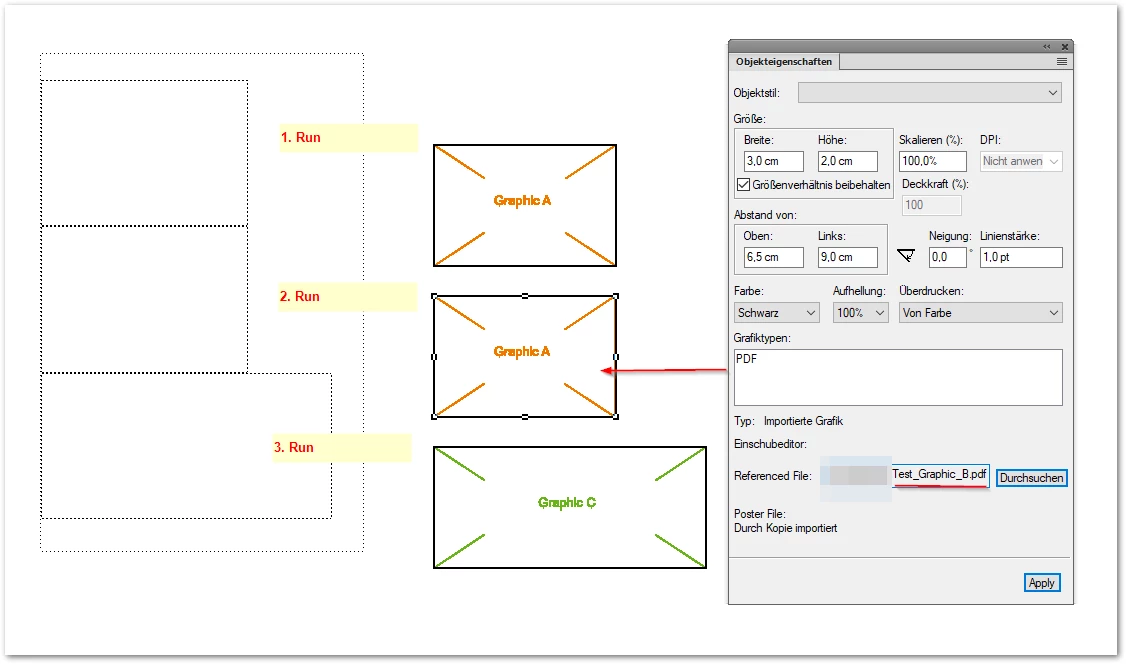
After that the preview of "Graphic B" is wrong.
You see it happens only at "Graphic B" and not on "Graphic C".
Guess:
Inset.Delete() releases the ObjectID and the next Document.NewGraphicObject() reuse this ObjectID. If the dimensions of the selected/new graphic match the last deleted graphic, FM19 reuse the wrong preview.
Workarround:
Click on Zoom-Button "-" and then on "+" again.
 AdChoices