Known Participant
November 4, 2021
Question

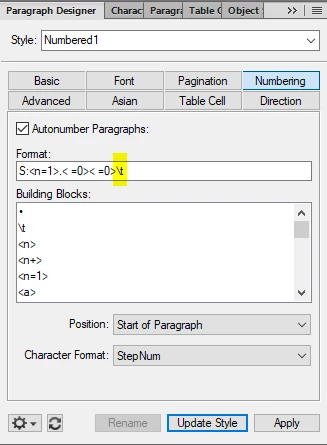
FM2020 Numbering > Format > Building Block > \t different in HTML and PDF

  • November 4, 2021
  • 3 replies
  • 627 views

Hi,
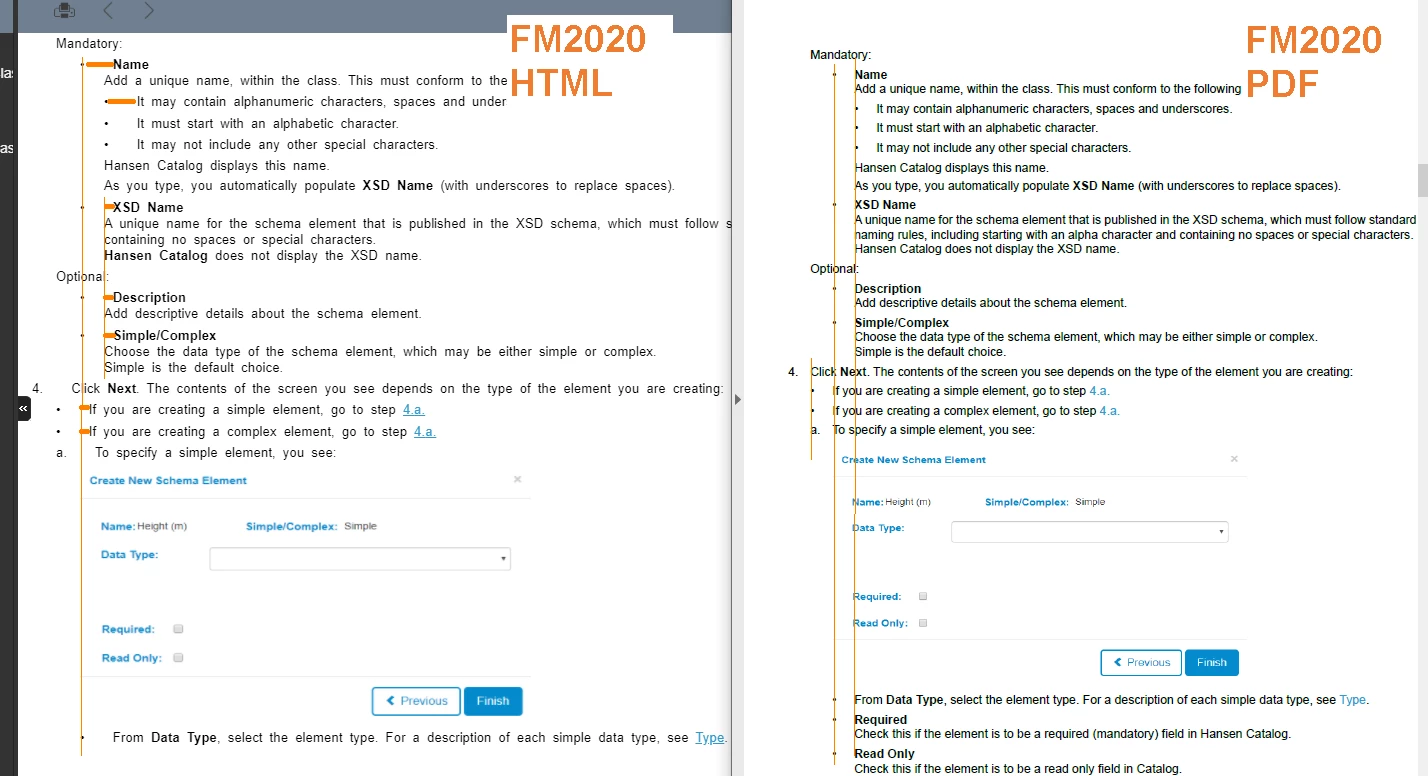
In FM2020 (16.0.3), it seems that \t is interpreted differently in HTML than in PDF.
In PDF the formatting is as expected, in HTML the tab size seems to be larger. This has the effect of changing the alignment of the paragraph styles that follow the list-type (numbered and non-numbered) paragraph styles. It is especially noticeable when using list-type paragraph styles in tables.
Removing \t from the format of the list-type paragraph styles and trying to use, for example, a couple of spaces, and then updating the following paragraph styles, means that the spacing becomes absolute rather than relative, and even more of a mess.
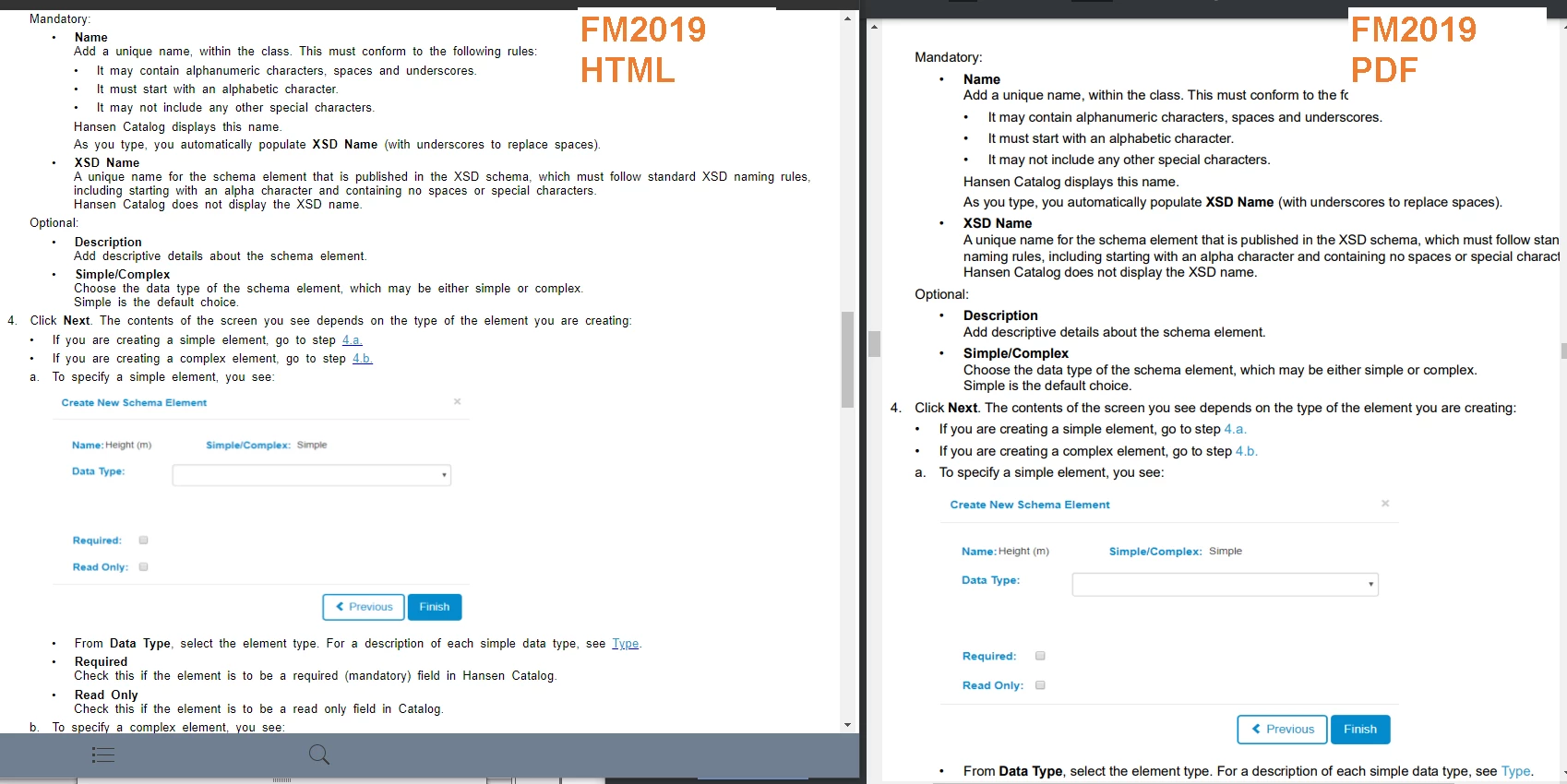
This was not an issue in FM2019.
Please see the attached images for an illustration of what's happening.
    This topic has been closed for replies.

    3 replies

    Known Participant
    November 23, 2021

    Update: This has now been triaged by Adobe Support and I've been invited to raise it as a bug, which I've done. So, if this problem is affecting you (or if you just hate wonky indentation) and you'd like to see it resolved, please vote for it here.

    Jeff_Coatsworth
    Community Expert
    Community Expert
    November 4, 2021

    I get that, but you should confirm that they are identical first before contacting Adobe (you know that this forum isn't contacting Adobe, right?). For that you need to see https://helpx.adobe.com/contact/enterprise-support.other.html#framemaker for your Adobe Support options. I'd recommend using the tcssup@adobe.com e-mail address as it reaches a team dedicated to Technical Communication Suite products including FrameMaker.

    Known Participant
    November 4, 2021

    Ah, thanks Jeff! I will take your advice and look at both the FM2019 css and FM2020 css, if they are the same I'll try contacting Adobe in the way you've suggested. I appreciate you giving me a thread to follow.

    Jeff_Coatsworth
    Community Expert
    Community Expert
    November 4, 2021

    Is the CSS being used in FM2020 the same as in FM2019? That would be the first thing I'd check.

    Known Participant
    November 4, 2021

    We don't touch the css, we use what's supplied in FM2019 or FM2020, so I guess that's one for Adobe to respond to.