



Question
FrameMaker 2019 SVG Image Import Buggy
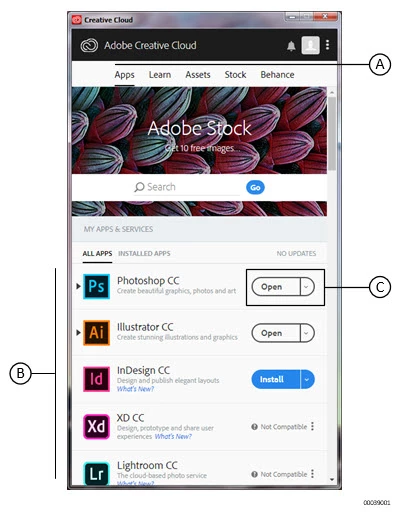
The SVG image is created by combing a screenshot (SnagIt) with text callouts in a Visio file, then exporting to SVG.
This worked fine in FrameMaker 2017.
Now when I import the SVG, almost all the text and lines I added are moved to the right of where they are in the Visio file. The only exception to this is a small piece of text that is not directly on the screenshot. Instead of being on the far right, where I placed it, it is now on the extreme LEFT.
I have created two screenshots using a screen capture of Adobe's Creative Cloud desktop app that is doing the same thing. If anyone has any advice, I'd appreciate it.
BAD:
Original:
 AdChoices