


Inspiring
December 8, 2016
Answered

How can I move anchored images?

  • December 8, 2016
  • 1 reply
  • 460 views

Hi there,

I've got a framemaker file with lots of images. I accidently modified the master pages when I updated a framemaker book file.  now I'm having to go back and revise the individual master pages back to the format from the previous publication.

how can I get the images to shift back one (1) page so the page count reverts back to the original count?

thanks,

matt
    This topic has been closed for replies.
    Correct answer mattb9716549

    Hi Barb,

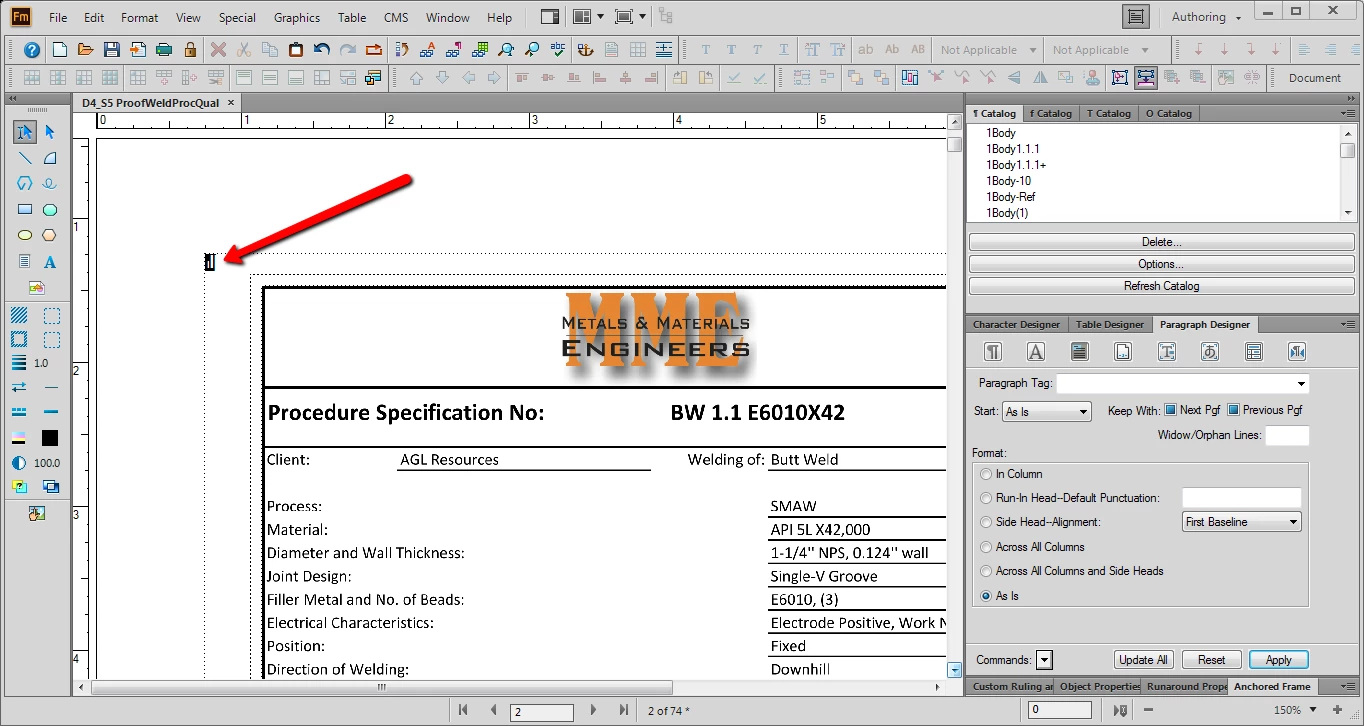
    I think my anchors are in the upper left hand corner...


    Thanks Barb.  I had to tinker with it a bit, but I eventually got it figured out.

    you're very helpful.

    regards,

    matt

    1 reply

    Barb Binder
    Community Expert
    December 8, 2016

    Set the frames to Floating in the Anchored Frame panel. And make sure there is room for the first frame to fit on page one. It looks close, so if it doesn't, you can tweak it.

    ~Barb at Rocky Mountain Training
    Barb Binder
    Community Expert
    December 8, 2016

    You know what, Matt? Your text symbols aren't showing so I can't tell where the anchors are. I'd anchor all of them to the end of line where your cursor is blinking, separated by a non printing em space.

    ~Barb at Rocky Mountain Training
    Inspiring
    December 8, 2016

    Hi Barb,

    I think my anchors are in the upper left hand corner...