Hi Apurva,
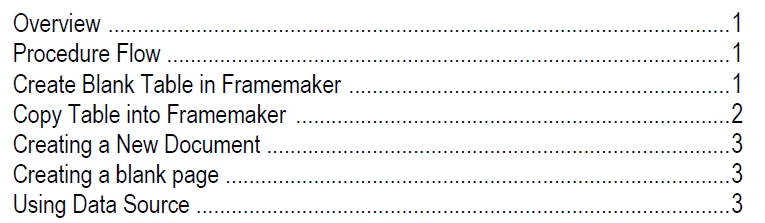
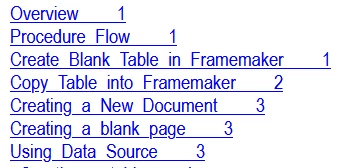
When you just want to remove the page numbers, then check the online help.
There is a section about mini-TOCs and also how to remove the page numbers for certain output formats.
The page numbers (and tab stops) are set on one of the reference pages, similar to the regular TOC.
https://help.adobe.com/en_US/framemaker/2019/using/using-framemaker-2019/frm_books_bk-table-of-contents-and-other-lists.html?rhhlterm=mini%20toc&rhsyns=%20#topic_minitoc__section_introduction
Best regards
Winfried
---
From the FrameMaker online help:
You can also update the look and feel of the mini TOC by changing the paragraph formats used to generate the mini TOC. You can simply open the paragraph tag (with MTOC suffix) in the paragraph designer, make the required changes, and update the paragraph tag definition. You can also use the reference page (MTOC) to make the required changes.
If you do not want the page numbers in the mini TOC, then you can use any one of the following two approaches:
Remove page numbers from all output formats
Open the reference page and remove all occurrences of <$pagenum> variable from the MTOC page. Once you have removed the variable, save the document and update the mini TOC. The page numbers would not be shown in the source document as well as in any published output.
Remove page numbers from output formats supported by Publish pod
Create a new character format and apply it on all occurrences of <$pagenum> variable in the MTOC page. Open the Publish Settings (in Publish pod > Settings > Edit Settings), open the Style Mapping tab, and select the character format from the list. Enable the Exclude From Output option for the character format that you have applied on the <$pagenum> variable. The page numbers would be visible in the source document, but they will not be published in any output format supported by the Publish pod.




 AdChoices