This topic has been closed for replies.
Correct answer Jeff_Coatsworth

Create a paragraph tag with the defined margins you want to have applied.
You don't seem to be very familiar with FM - maybe you should invest in a FM reference book like Matt R. Sullivan's Publishing Fundamentals?

6 replies

Inspiring
May 29, 2023

Finally I have succeeded to create a paragraph tag with these settings (with an offset of 2 cm) :


Inspiring
May 29, 2023

Meanwhile, I have deleted this document and created a new FM document by importing the same Word file inside, and it worked (I can modify again the file).

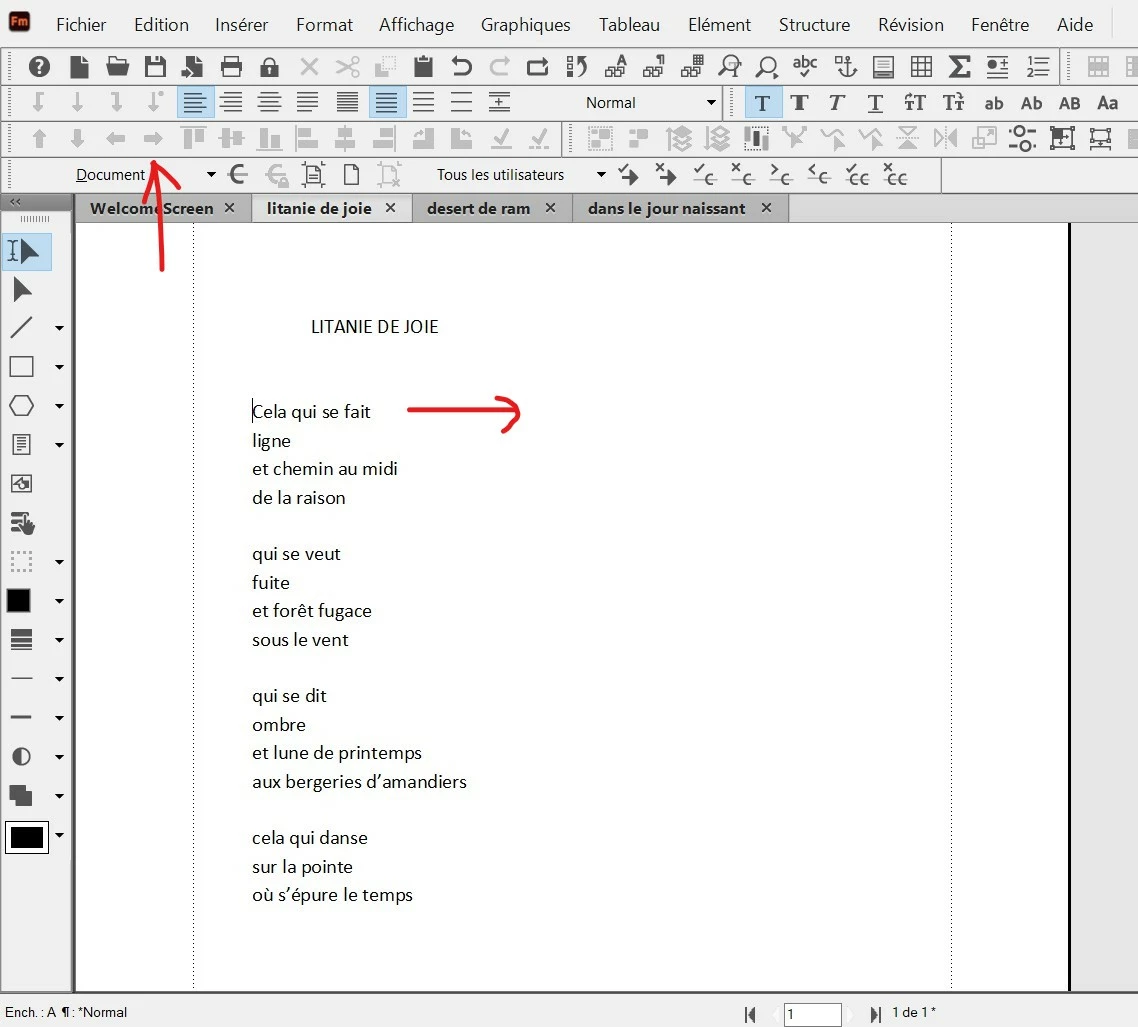
But I have always the problem of adding an offset to the text (move the selected text to the right). How to set the paragraph (see red arrow) in order to have this offset ?

Jeff_Coatsworth
Jeff_CoatsworthCorrect answer
Community Expert
May 29, 2023

Create a paragraph tag with the defined margins you want to have applied.
You don't seem to be very familiar with FM - maybe you should invest in a FM reference book like Matt R. Sullivan's Publishing Fundamentals?

Inspiring
May 29, 2023

It seems to be unlocked :


Jeff_Coatsworth
Community Expert
May 29, 2023

Did you check in File Explorer? Are you using Structured or Unstructured FM?

Inspiring
May 29, 2023

If I try to modify something, FrameMaker says me : "modification impossible. Document for consultation only".


Jeff_Coatsworth
Community Expert
May 29, 2023

Is the file read-only or locked in some way?

Inspiring
May 29, 2023

This text was coming from a Microsoft Word document.

Sorry but I don't understand what button to use ?

Bob_Niland
Community Expert
May 29, 2023

That heavy right arrow (🡆) is for Object alignment, not paragraphs.

You need to use the right para align button 1 row above and 2 icons to the right, or shortcut ␛jr

But this is not ideal document stewardship, as it merely applies an override to all the paragraphs, which will vanish when any of the formats are updated by various means.