Participant
April 11, 2017
Question

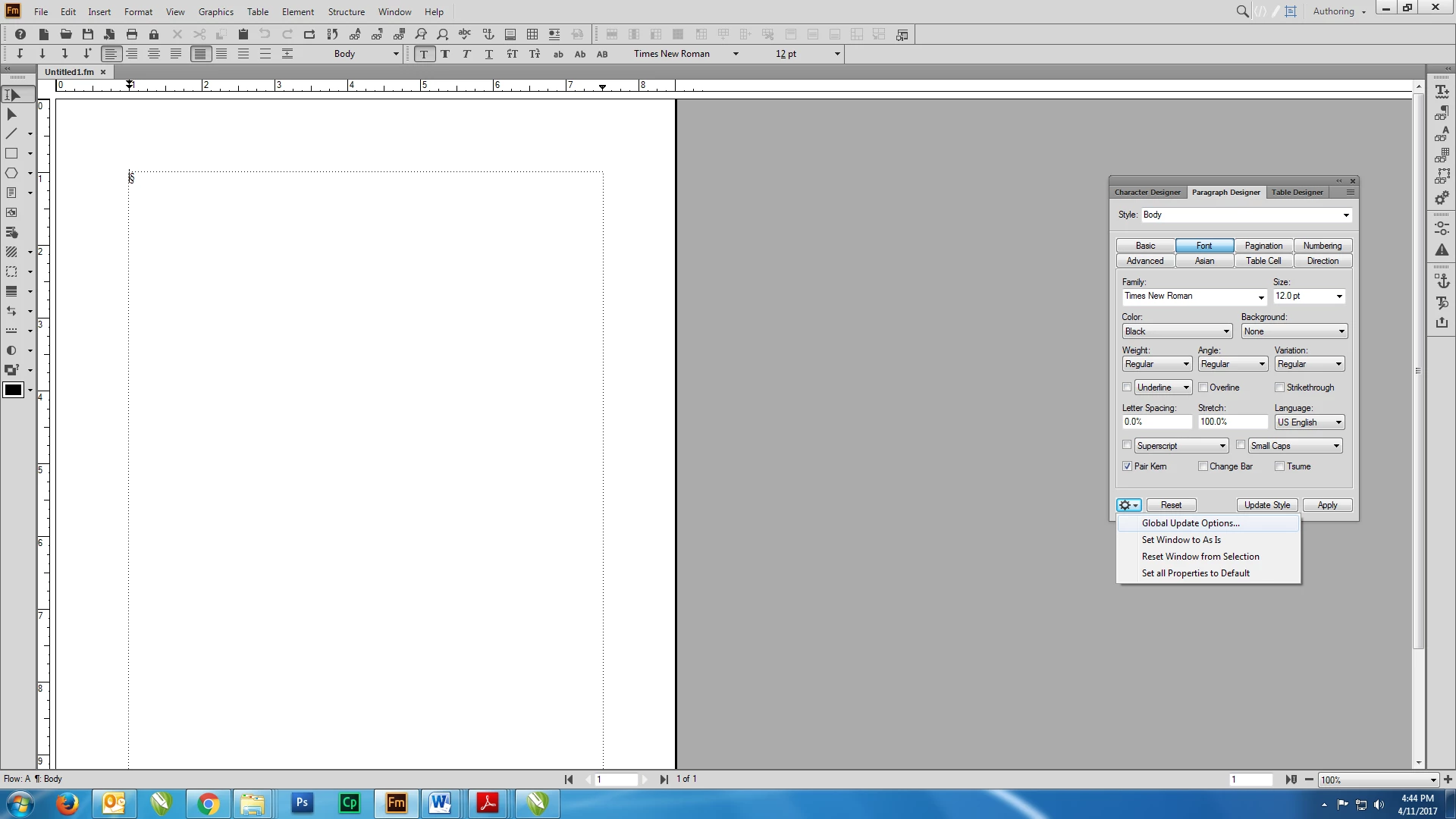
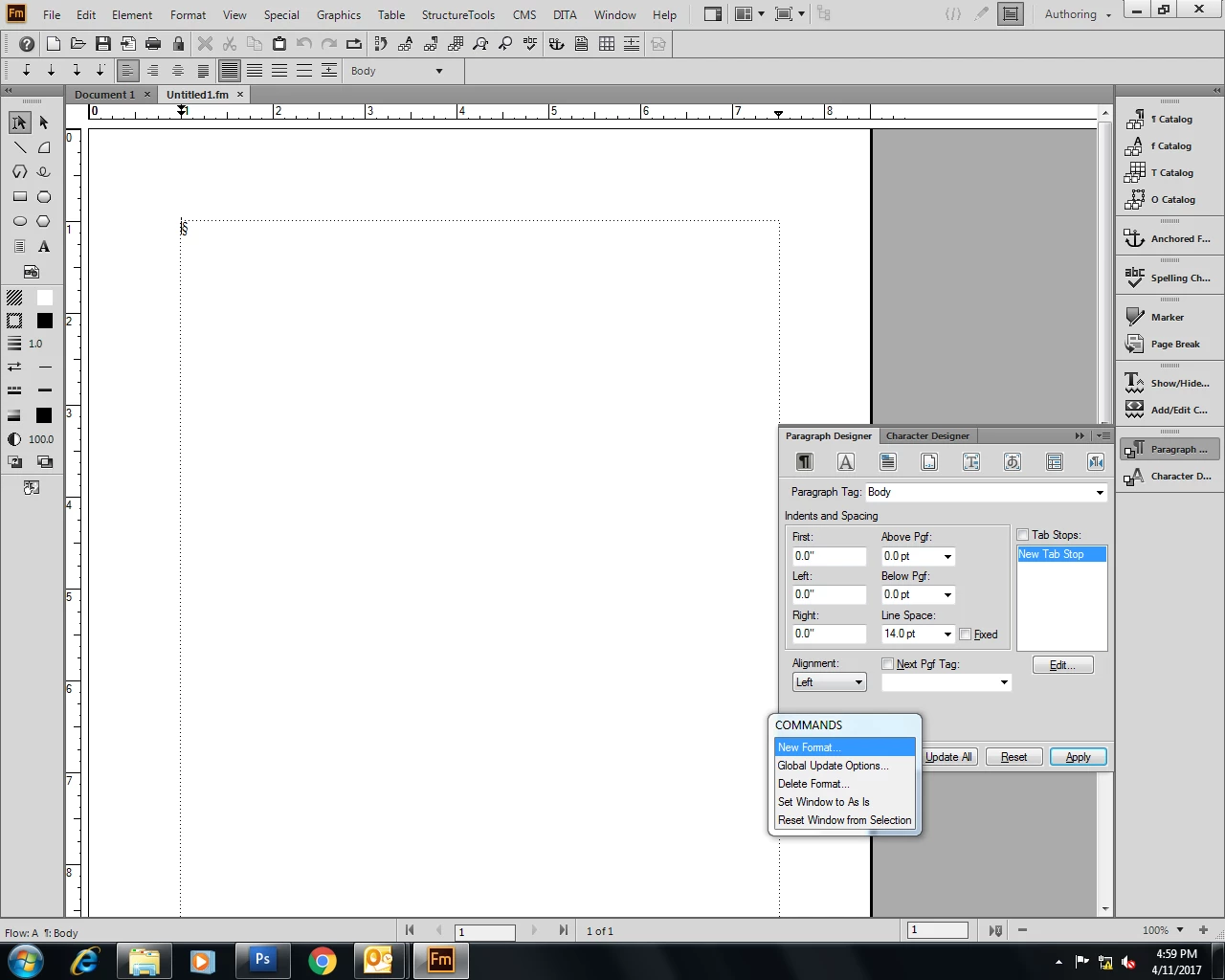
How to save new format in (Paragraph/Character/Table) Designer in FrameMaker 2017?? Was easy in FrameMaker 2015...

  • April 11, 2017
  • 1 reply
  • 1085 views

Hi all...

I am facing difficulty in finding the "New Format" in Commands Pod in Paragraph Designer. It was easy to save my custom formats and apply the same in all my docs in FM 2015 Version. I updated to FM 2017 and I am finding it difficult to find the "New Format" in Commands. I recently updated to 2017 version. Also, I am not able to move the graphics tools horizontaly.  Please help.
Thank in advance

Bharath

[Moved from the Forum Comments forum (which is for issues with these forums themselves) to a product-specific support forum - moderator]

    This topic has been closed for replies.

    1 reply

    Community Manager
    April 11, 2017

    Hi Bharat,

    just type in the new paragraph style name in the paragraph designer style field. The "Update Style" button will magically turn into a "Create Style" button. That's it ;-)

    The graphic toolbar can be docked in only vertically. We will provide horizontal docking with Update 1 for FrameMaker 2017 which will be released very soon.

    Kind regards,

    Stefan Gentz

    Participant
    July 10, 2018

    I tried this but I wanted a style based on an existing style (Body Content) and all the entries disappeared when I created the new style. I had to create it from scratch. please fix this. I was able to create the new style based on Body Content by changing the name of Body Content instead of using your method. 

    Barb Binder
    Community Expert
    Community Expert
    July 10, 2018

    Hi Adele:

    In 2017, first assign Body Content to the paragraph you want to format—either click Body Content in the ¶ Catalog or choose Body Content from the Styles list in the ¶ Designer and click Apply—then change the name, then click Create Style.

    ~Barb

    ~Barb at Rocky Mountain Training