


New Participant
January 22, 2021
Question

I can not import .cgm files into FrameMaker

  • January 22, 2021
  • 2 replies
  • 904 views

Hello,

I am working with FrameMaker 11.0.2.384.

I am having trouble when importing a .cgm and .svg file from IsoDraw to FrameMaker. I have followed the steps in this post (https://community.adobe.com/t5/framemaker/why-are-the-vector-lines-from-the-cgm-images-in-fm11-document-exporting-to-pdf-very-jagged/td-p/10566204?page=1) but the error is not solved. I have checkd maker.ini file and everything looks correct.
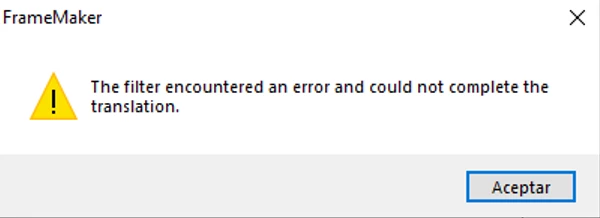
I can succesfully import .jpg, .png.


    This topic has been closed for replies.

    2 replies

    Community Manager
    January 22, 2021

    As FrameMaker 11 is very old (like in "really old") – have you tried if it works in the latest version of FrameMaker (Summer 2020 release)? There were a lot of updates in the filter framework especially in the 2019 release including the CGM and SVG filters (especially the SVG filter is compeltely new one).


    You can download a fully-functinonal 30-days free trial version of FrameMaker here:

    https://www.adobe.com/products/framemaker/download-trial/try.html


    Bob_Niland
    Braniac
    January 22, 2021

    If the intent is a workflow to HTML or XML, authors generally want SVG to be passed through as-is, and not rasterized. I'm pretty sure FM10 can't do that. It might require FM2015 or later. But that's an issue independent of rendering correctly on import.

    Community Manager
    January 26, 2021

    As far as I remember, FM 10 did not even have HTML5 Publishing. I forgot how it was in FM 2015 (to long ago), but in FM 2019 and 2020, SVGs are passed through in HTML5 output and do not get rasterized.

    Bob_Niland
    Braniac
    January 22, 2021

    Until some final resolution is reached, try exporting from IsoDraw as EPS (or PDF).

    New Participant
    January 25, 2021

    .EPS files exported from isoDraw can be succesfully imported into FrameMaker11.


    We require to import .CGM files into FrameMaker according to our workflow and requirements. 

    Bob_Niland
    Braniac
    January 25, 2021

    re: We require to import .CGM files into FrameMaker according to our workflow and requirements.

    Unless you work for Dilbert's company, where dogmatic process prevents progress by design, that would be worth a re-visit.

    I could see where CGM might make some sense as an interchange standard between applications that generate images, but it should be irrelevant at input to applications that only consume images. FM, after all, is converting CGM to something else, via its filters, at import, and it's rarely the case that anyone needs to extract an image back out of an FM document.

    CGM is also a fading format. Per the Wiki page for it, there are at least 8 versions. One of them (WebCGM 2.1) may have been finalized too late to have FM11 support. As we move forward in time, it's likely that not all of your enterprise apps will support all of them.