Inspiring
December 2, 2022
Answered

Lose autonumbering when converting word to framemaker

  • December 2, 2022
  • 2 replies
  • 1221 views

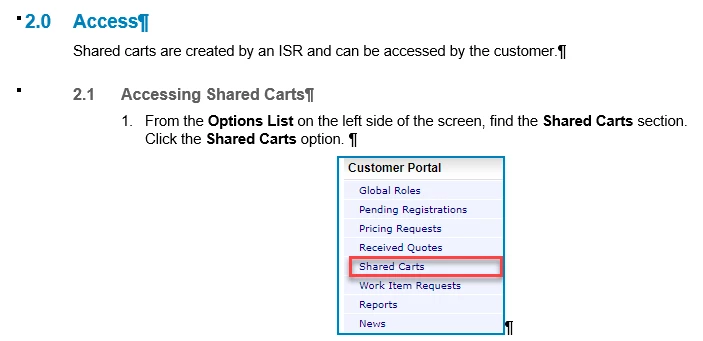
I am trying to convert a Word document with autonumbered headings (five levels).

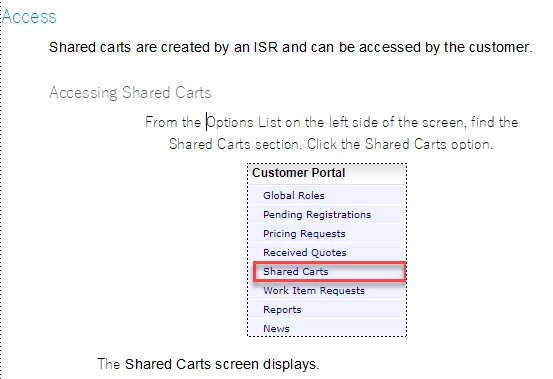
I save as RTF, then do the mapping to new frame style. The indents come in but there is no autonumbering.

I had selected the copy into document option.


    This topic has been closed for replies.
    Correct answer Ken27394707dkz1

    The default for the /Numbering\ properties in the auto-numbered Paragraph Format should be:
    Character Format: [ Default ¶ Format ]
    That mismatch suggests a problem somewhere, either in the Numbering, or in the base para format (such as a Character Format applied, or an override).


    Thanks for pointing me in the right direction!

    2 replies

    Community Expert
    December 2, 2022

    Afaik RTF is not preserving auto-numbering schemes.

    And the workflow when importing Word/RTF is:

    1) Define all the required paragraph formats in FrameMaker with the needed settings.

    2) When importing the Word document tell FrameMaker what FM document format - you defined already - should be used for what Word/RTF style.

    So "1 Bullet" (Word style) will be replaced by "xxx" (Framemaker format).

    And the auto-numbering will occur if defined in the Framemaker format.


    With the "<Add new format>" you end up with a list of Word/RTF styles in FrameMaker.

    If you prefer that you have rework the paragraph settings afterwards.


    Regards

    Stephan

    Inspiring
    December 2, 2022

    WOW! I converted a different file to RTF and the paragraph styles came in nicely! I appreciate all your help!

    However, how do I make the number on a heading be the same size font and color?

    Inspiring
    December 3, 2022

    Thanks for pointing me in the right direction!


    That was the ticket! I did not have the default font.

    If you can answer one more question please. What would the building blocks look like for a heading 1 style. Nothing fancy, see the attached. I think the <n=1> is part of the problem.

    Bob_Niland
    Community Expert
    December 2, 2022

    If you export from Word to a .rtf file, then open that in another RTF-aware app (such as LibreOffice Writer), are all the AN levels preserved?

    Inspiring
    December 2, 2022

    I used LibreOffice and yes the autonumbering is preserved in the RTF. The headings are using a multi level numbering in Word.