


Answered
Welcome screen not displaying in proper langauge
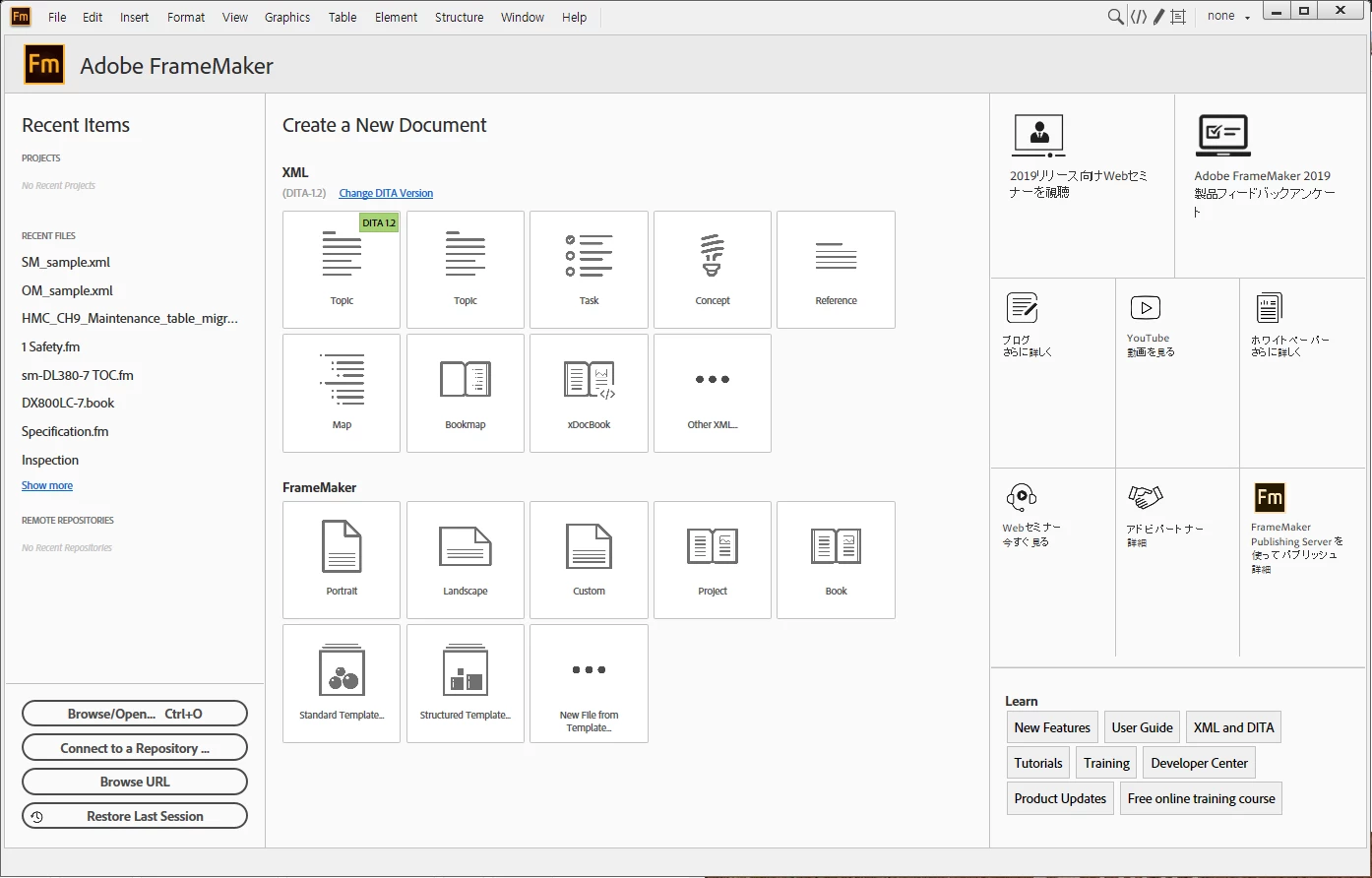
As you can see the above image, texts are displayed in two languages: English and Japanese. I want to see Welcome screen in only English.
Please, help me.

As you can see the above image, texts are displayed in two languages: English and Japanese. I want to see Welcome screen in only English.
Please, help me.
Hi,
I have installed FrameMaker with the English display language and my Windows system is German and I am in Germany. Your Japanese text is German when I start FrameMaker 2019.
Where are you located?
And what's the language of your Windows system?
And what's the language of your Internet Explorer (which is used for this welcome screen)?
I know that you can change the welcome screen yourself. More information in the online help:
Best regards
Winfried
Already have an account? Login
Enter your E-mail address. We'll send you an e-mail with instructions to reset your password.
 AdChoices