


Legend
May 13, 2020
Question

why is FM19 looking for a ditaval file?

  • May 13, 2020
  • 2 replies
  • 1213 views

"Applying transformation... DITAVAL file not found. Check if the DITAVAL file has been moved."

Of course it's not found: I've never asked for one.  I occasionally use .ditaval files in my usual DITA environment, but I'm pointing FM19 at a small set of clean files where no conditions have been set up or applied. Even the interface understands that.
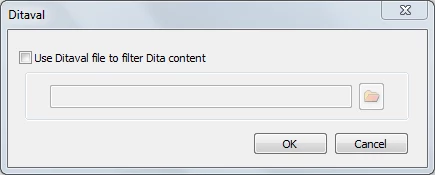
What do I do next/ what am I misunderstanding?

This topic has been closed for replies.

2 replies

Legend
May 14, 2020

No! I have a ditamap open, looking fairly like an FM book, so I've selected Publish – you know, a nice, easy, integrated approach :-} and an option available from the interface.
So thanks for the tip about Structure > DITA > Generate DITA-OT output. No error messages, which is something … just a new folder containing a log file that starts

BUILD FAILED
C:\Program Files\Adobe\Adobe FrameMaker 2019\fminit\ditafm\DITA-OT\build.xml:49: The following error occurred while executing this line:
C:\Program Files\Adobe\Adobe FrameMaker 2019\fminit\ditafm\DITA-OT\plugins\org.dita.base\build_init.xml:99: java.lang.UnsupportedClassVersionError: org/dita/dost/invoker/ExtensibleAntInvoker : Unsupported major.minor version 51.0


Legend
May 25, 2020

Anyone?


Adobe Employee
May 13, 2020

Are you using Structure -> Generate DITA-OT output?


Thanks

Amitoj Singh