


Participant
November 6, 2019
Answered

Cant finish install Fresco via Cloud desktop

  • November 6, 2019
  • 1 reply
  • 3385 views

Hi forgive me


i've tried to install Fresco into my surface pro 6. Creative cloud app took fresco till the 82% of the installation and than stopped.

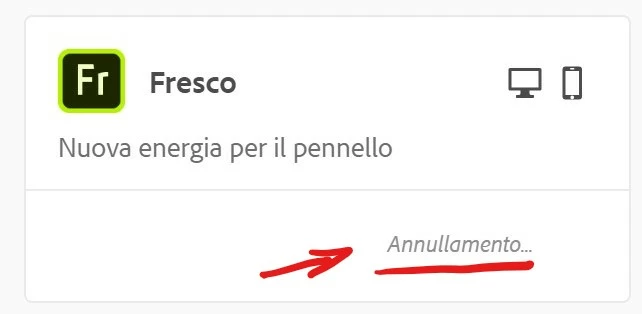
I have cancelled but it remains there with the conceling ongoing but nothing happens and i cant continue to reinstall it.


Thank you if you can give some hints

Andrea
This topic has been closed for replies.
Correct answer Rohit Guglani

As shown by the picture, i cant either uninstall or re install fresco.


Hello Andrea,


We review the log file and it seems the installer got hung and never was able to complete. Have you tried machine restart and checked if Fresco shows an option for installation in Creative Cloud Application. 

Let us know if it fixes the issue. 


Thanks,

Rohit

1 reply

RohitGuglani
Adobe Employee
Adobe Employee
November 7, 2019

Hello Andrea,


We would need some logs from your system to debug the issue. Kindly follow these instructions for log collection and share with us:

https://helpx.adobe.com/in/creative-cloud/kb/cc-log-collector.html.


Regards,

Rohit


nanospaAuthor
Participant
November 7, 2019

Hi, 


upload done

AdobeLogs_20191107_055022_141-win.zip

this is the file name ,


Regards, 

Andrea.

nanospaAuthor
Participant
November 9, 2019

As shown by the picture, i cant either uninstall or re install fresco.