

Mikell_
New Participant
October 29, 2022
Answered

Custom Shapes CC Libraries

  • October 29, 2022
  • 1 reply
  • 495 views

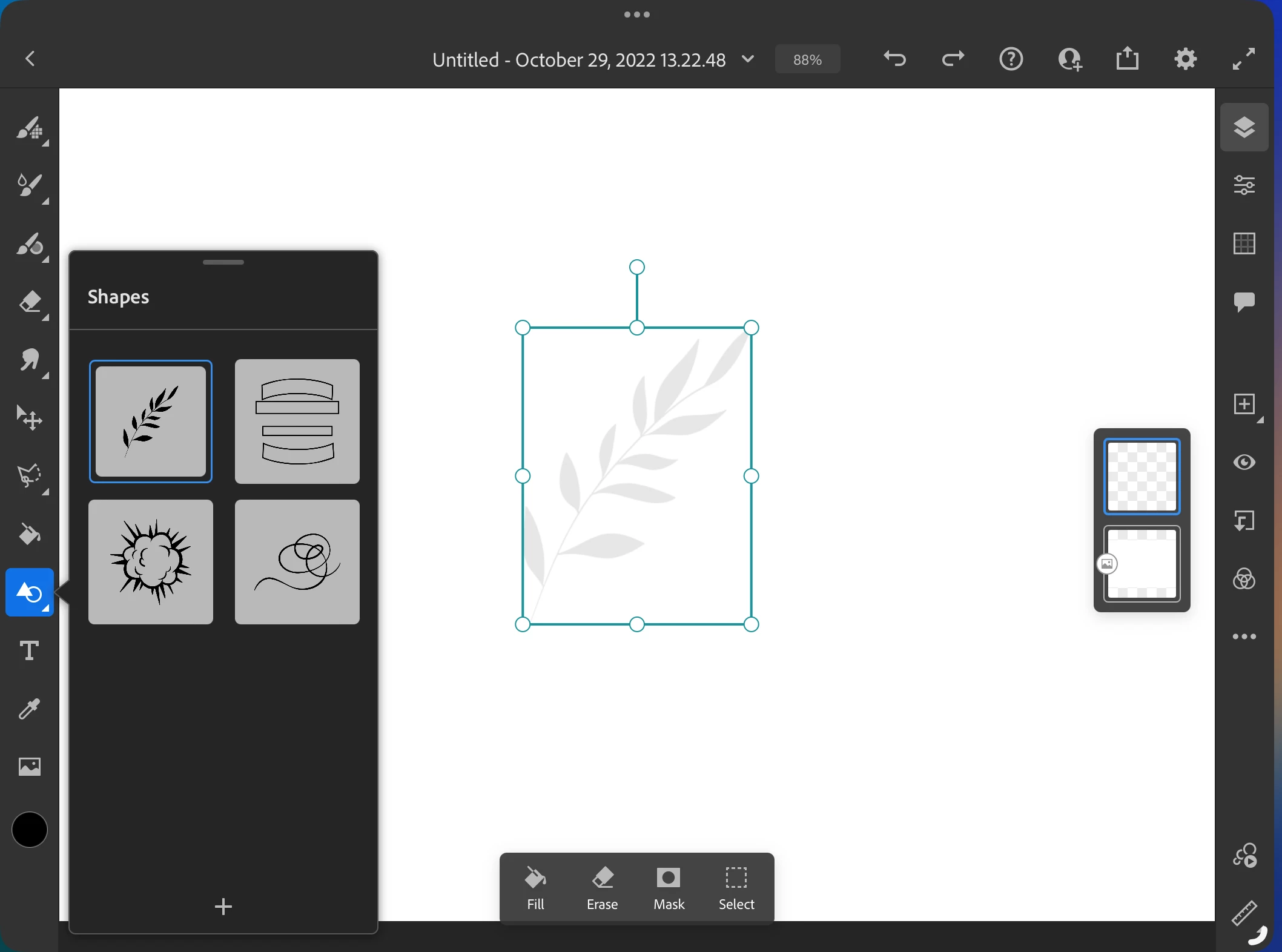
Is it still possible to upload custom shapes from your cc library? 
 

This topic has been closed for replies.
Correct answer Anshul_Saini

Hi @Mikell_,


Thanks for reaching out. It is possible to add more shapes from the CC library to Fresco using the black-and-white color mode in the Adobe Capture app.


Please feel to reach out if you need further assistance.


Thanks,
Anshul Saini

1 reply

Anshul_Saini
Community Manager
Anshul_SainiCommunity ManagerCorrect answer
Community Manager
November 4, 2022

Hi @Mikell_,


Thanks for reaching out. It is possible to add more shapes from the CC library to Fresco using the black-and-white color mode in the Adobe Capture app.


Please feel to reach out if you need further assistance.


Thanks,
Anshul Saini

New Participant
March 9, 2024

Can you please elaborate on the steps. I have black and whit images saved in Adobe Capture in a library and my cloud is synced, but when I'm in fresco, and I select the tools shapes, there are only the basic three libraries and I'm unable to utilize the shapes or library from capture. Is it a glitch in my app? I've restarted my iPad. I've closed all the apps I've looked for updates in the apps, I'm very confused as a new user of the app. 

Wideopenthrottle
New Participant
August 7, 2024

Have you made any progress with this yet? I've been fighting with the same issue. None of my CC Libraries are showing up in Fresco on both ipad and PC. I've even backed up, deleted, and reuploaded the libraries, reinstalled CC and all of its apps on both devices, cleared my cache, etc. 


This is an absolute deal breaker if Adobe can't figure this out. Makes my usual workflow double in time.
