Participant
April 13, 2022
Answered

Fix for "high performance" setting prompt in Windows 11?

  • April 13, 2022
  • 2 replies
  • 4529 views

Every time I open Fresco on my Windows 11 desktop, I get a popup that says:

Change your power plan
Fresco runs optimally using the "high performance" setting. Tap OK to change your power plan while using Fresco.
[ ] Do not show again
[ cancel ] [ ok ]
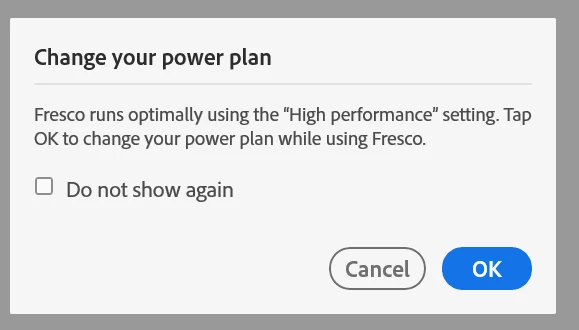


I have been clicking [ok] every time, but I'm starting to wonder if this isn't taking full advantage of my hardware. (Also note: It doesn't do anything when I click OK. No settings dialog pop up, etc.)

I recently stumbled across the Windows 11 app-specific power settings and/or the NVIDIA Control Panel app specific 3D settings because of an issue with the Project Blue Beta (by Astropad.) While that software isn't in play here, it did open my eyes to the settings that Fresco may or may not be referring to.

HOWEVER, since Fresco is a UWP app, I couldn't find the exe which is required to set an app specific power plan. (Note: The really frustrating thing about this is that I think I am using a high performance setting in general - or at least - I cannot figure how to give it "more power" in Windows 11.)

Here are my current windows power settings:
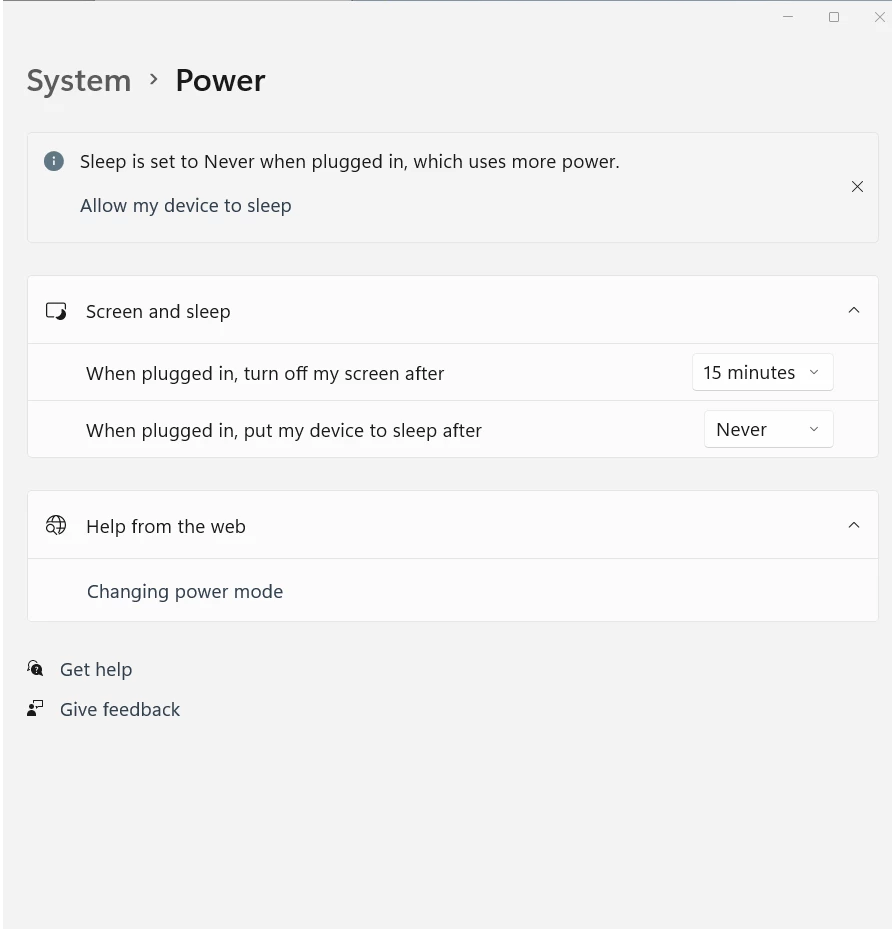

And here are the app specific power settings - where I imagine I would want the override.
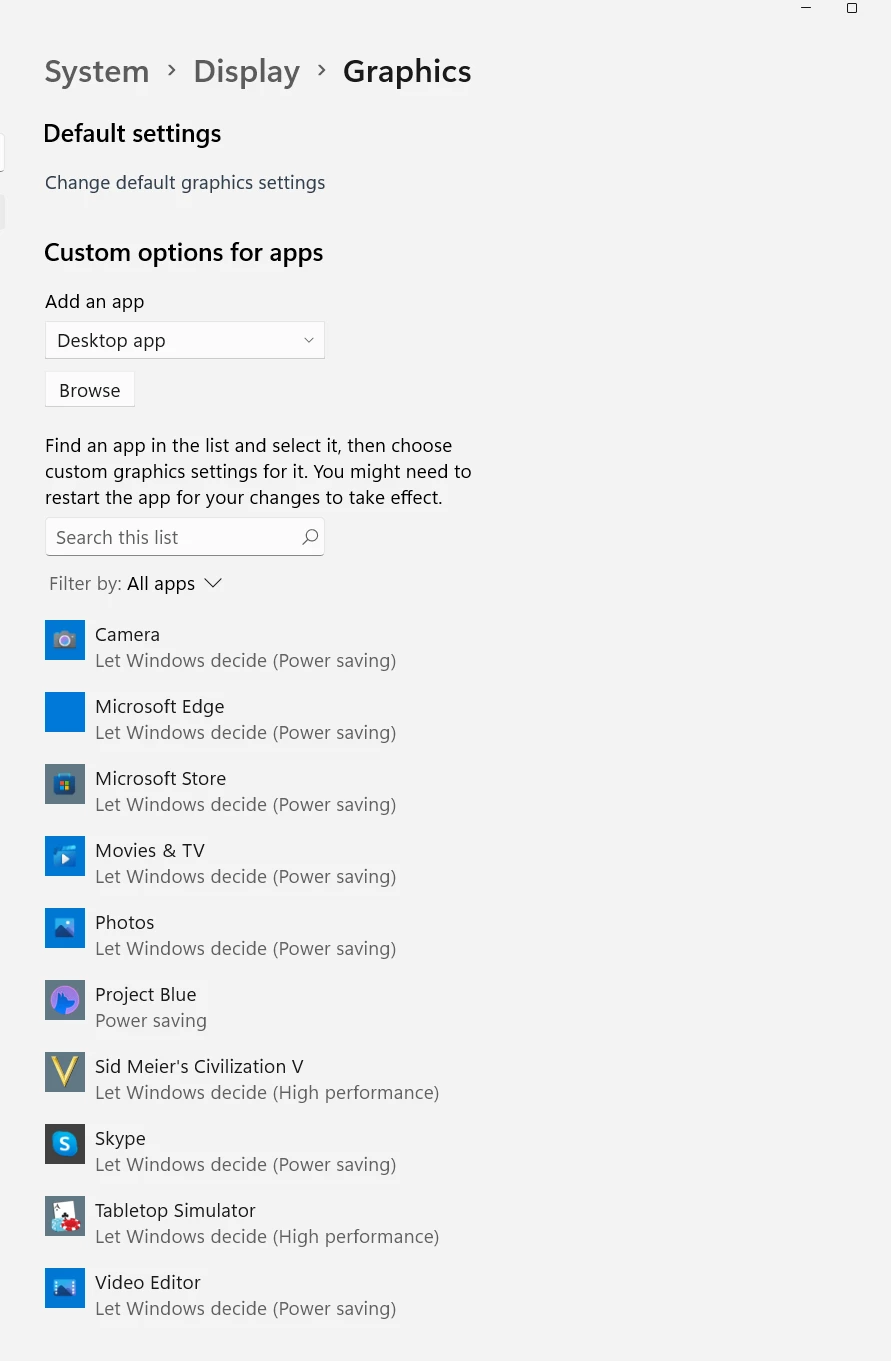

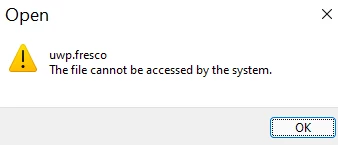
Howevere, when I try to add Fresco via the path  mentioned in other posts C:\Users\COMPUTERNAME\AppData\Local\Microsoft\WindowsApps ) it gives the "file cannot be accesssed by system" error.
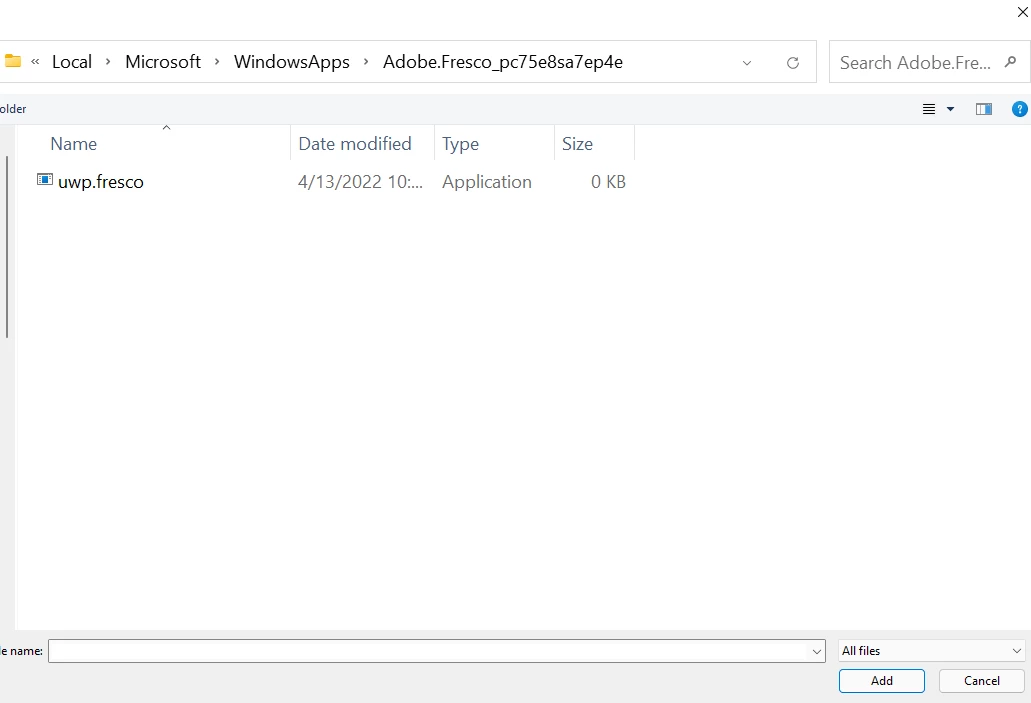
I don't know much about UWP apps so I'm in the dark on how to further troubleshoot this, and since Fresco works, I'm not sure I really care, but it is annoying and it's a bad customer experience all around.

From a quick google, it looks like the only way to set the power setting for UWP apps is via a Microsoft API. This makes me wonder if Fresco is trying to set the power setting for me when I click [ok] but it keeps failing to set it on a permanent basis.  Given that it doesn't show up in the list of app overrides under system > display > graphics, I kinda doubt it?

Or worse - is the "do not show me again" checkbox the one I need to click to actually set this permanently? I just assumed this was more of a "ignore" message.

What - if anything - am I missing here?
Thanks in advance for your time!
This topic has been closed for replies.
Correct answer kotastrophy

I had this incessant pop-up on both my Surface Studio 2 Plus and Surface Pro 8, both Windows 11. It was driving me crazy, so I took a second look after seeing this article, and think I've solved the question of how to find UWP apps here. A late reply, but I wanted to share the info in case anybody else on this Internet benefits. 🙂 

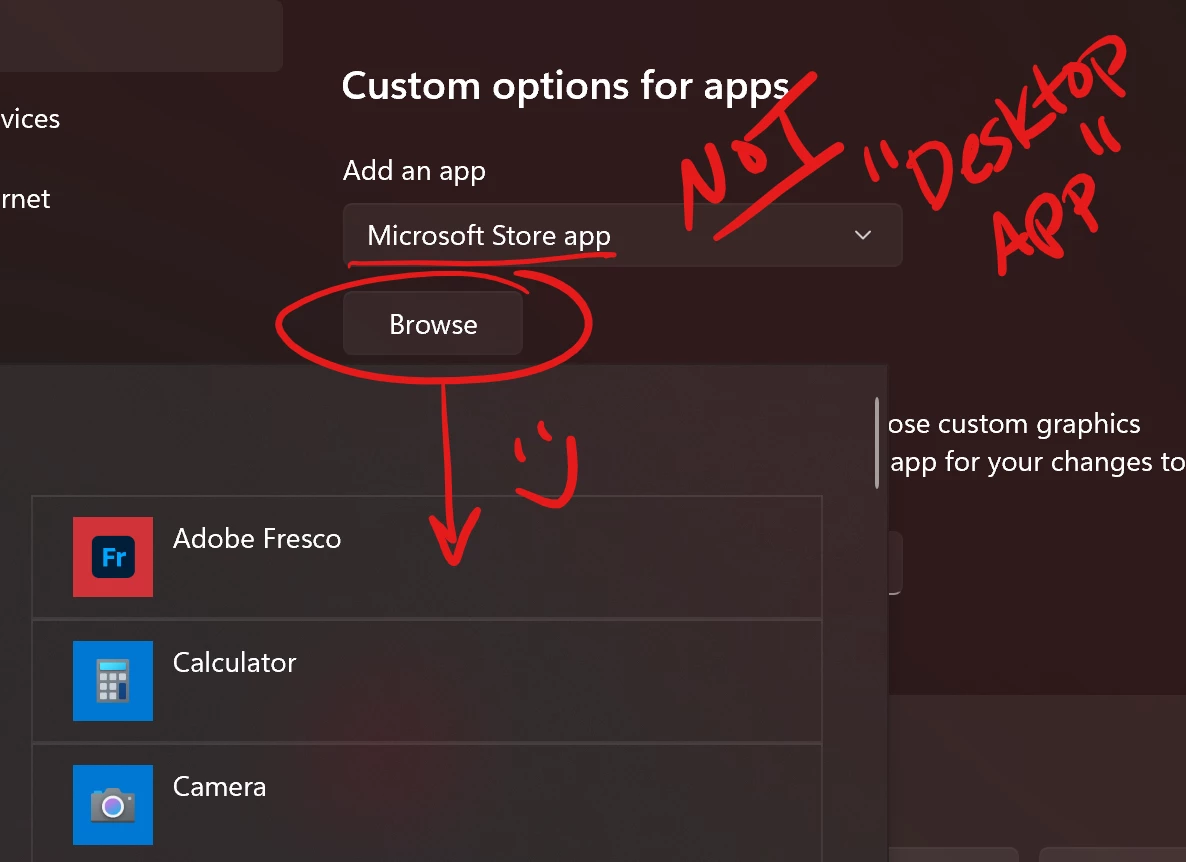
Where it says "Desktop App" (as seen in OP's screenshot) there is another option if you use the drop-down- "Microsoft Store app". This seems to be code for all UWP apps coz I chose it, clicked Browse, and Fresco was right there. Select it and change its settings however you like. ✌️✨

2 replies

kotastrophyCorrect answer
Participant
April 17, 2023

I had this incessant pop-up on both my Surface Studio 2 Plus and Surface Pro 8, both Windows 11. It was driving me crazy, so I took a second look after seeing this article, and think I've solved the question of how to find UWP apps here. A late reply, but I wanted to share the info in case anybody else on this Internet benefits. 🙂 

Where it says "Desktop App" (as seen in OP's screenshot) there is another option if you use the drop-down- "Microsoft Store app". This seems to be code for all UWP apps coz I chose it, clicked Browse, and Fresco was right there. Select it and change its settings however you like. ✌️✨

Imaginerie
Community Expert
Community Expert
April 17, 2023

Thank you so much for this insight, I genuinely never looked at it closely. And while I never had this pop up (I guess Fresco was comfortable with the basic settings) I changed it "high performance" ... Just because I can 🙂

Thanks!

Community Manager
April 26, 2024

Hi, thanks for your reply!

I am the only user on my Windows PC and I think I'm the only admin. How could I do that?


Hello @cheerful_cause06517,

Thanks for sharing the details. Kindly follow the steps shared here (https://adobe.ly/4aHxKu4) and let us know if it helps.

Looking forward to hearing from you.


Thanks,

Anubhav

Sjaani
Community Expert
Community Expert
April 13, 2022

I went with the "Check the do not show me again" checkbox option. Everything seems to be working fine.
I'm on Windows 10, so it's not a Win11 specific thing you're seeing.

juliano66479165
Participant
April 20, 2022

I'm getting this constantly too. Not sure how to fix it.