

Inspiring
May 26, 2023
Answered

Getting Rid of a Color in a Single Layer
  • May 26, 2023
  • 1 reply
  • 682 views

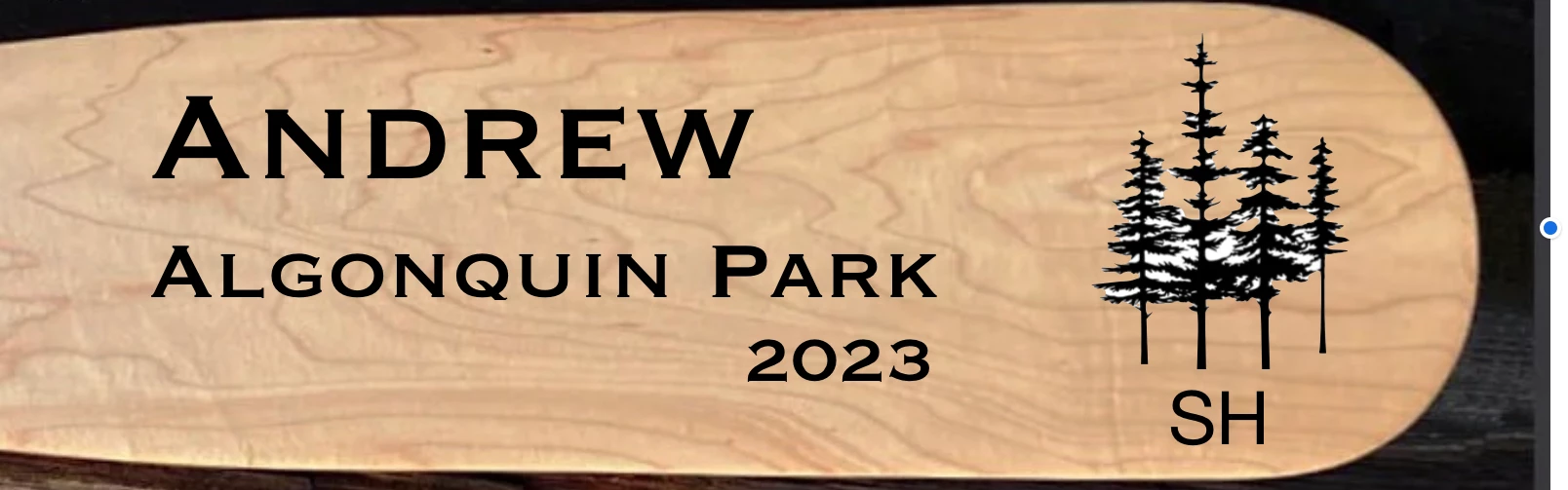
So this time the problem is a bit different. I still want to get rid of the white in the trees but this time everything is on a single layer. Is this possible?

This topic has been closed for replies.
Correct answer thejanebradbury

With a little bit of fiddling and using the same methods @Imaginerie gave before. 

  • Make a duplicate of the whole layer.
  • Draw around the all the trees roughly.
  • Invert the selection, and delete the part of the image not needed.
  • Clear that selection. 
  • Now use the magic wand to select all the black pixels of the trees.
  • Inver the selection and delete.

This should remove all the pixels not needed. 

1 reply

thejanebradbury
Community Expert
thejanebradburyCommunity ExpertCorrect answer
Community Expert
May 27, 2023

With a little bit of fiddling and using the same methods @Imaginerie gave before. 

  • Make a duplicate of the whole layer.
  • Draw around the all the trees roughly.
  • Invert the selection, and delete the part of the image not needed.
  • Clear that selection. 
  • Now use the magic wand to select all the black pixels of the trees.
  • Inver the selection and delete.

This should remove all the pixels not needed.