



Copy link to clipboard
Copied
I'm transitioning to Fresco from Procreate. One of the things I really like in Procreate is that if you draw a line and hold it, it smooths out. Fresco does this well for straight lines, but not for arcs. Consequently, I'm having difficulty getting smooth arcs (with no jitter) in Fresco. I've tried to use the shared feature to trace an arc over an ellipse, but the darned shape wants to snap to the canvas. There's also no pen tool for static drawings (ironically, the pen tool appears for animations). All of this makes it really difficult to draw smooth arcs where i need them on the screen with vector layers. Is there a simple way to draw smooth arcs and set the endpoints in vector layers in Adobe Fresco?
[Renamed by Mod]
Hello,
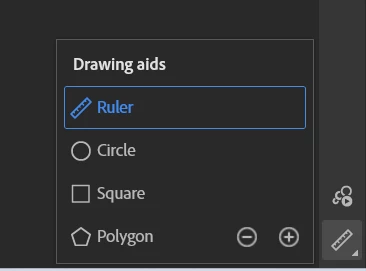
As far as I know the only way would be to use the drawing aids, that you seem to have tried
Now, it would be a great addition to Fresco, so feel free to log on a feature request!
go here and open a new thread (or search to see if it has been suggested before), and then you can post the link here so we can all vote for it 🙂
https://adobefresco.uservoice.com/
Copy link to clipboard
Copied
Hello,
As far as I know the only way would be to use the drawing aids, that you seem to have tried
Now, it would be a great addition to Fresco, so feel free to log on a feature request!
go here and open a new thread (or search to see if it has been suggested before), and then you can post the link here so we can all vote for it 🙂
https://adobefresco.uservoice.com/
Get ready! An upgraded Adobe Community experience is coming in January.
Learn more