


Answered
How to set canvas to square in 300ppi
New to Adobe Fresco .... have not been able to set up my canvas to perfect square at 300ppi before getting started ....as this was a format I regularly used on Adobe draw ....

New to Adobe Fresco .... have not been able to set up my canvas to perfect square at 300ppi before getting started ....as this was a format I regularly used on Adobe draw ....
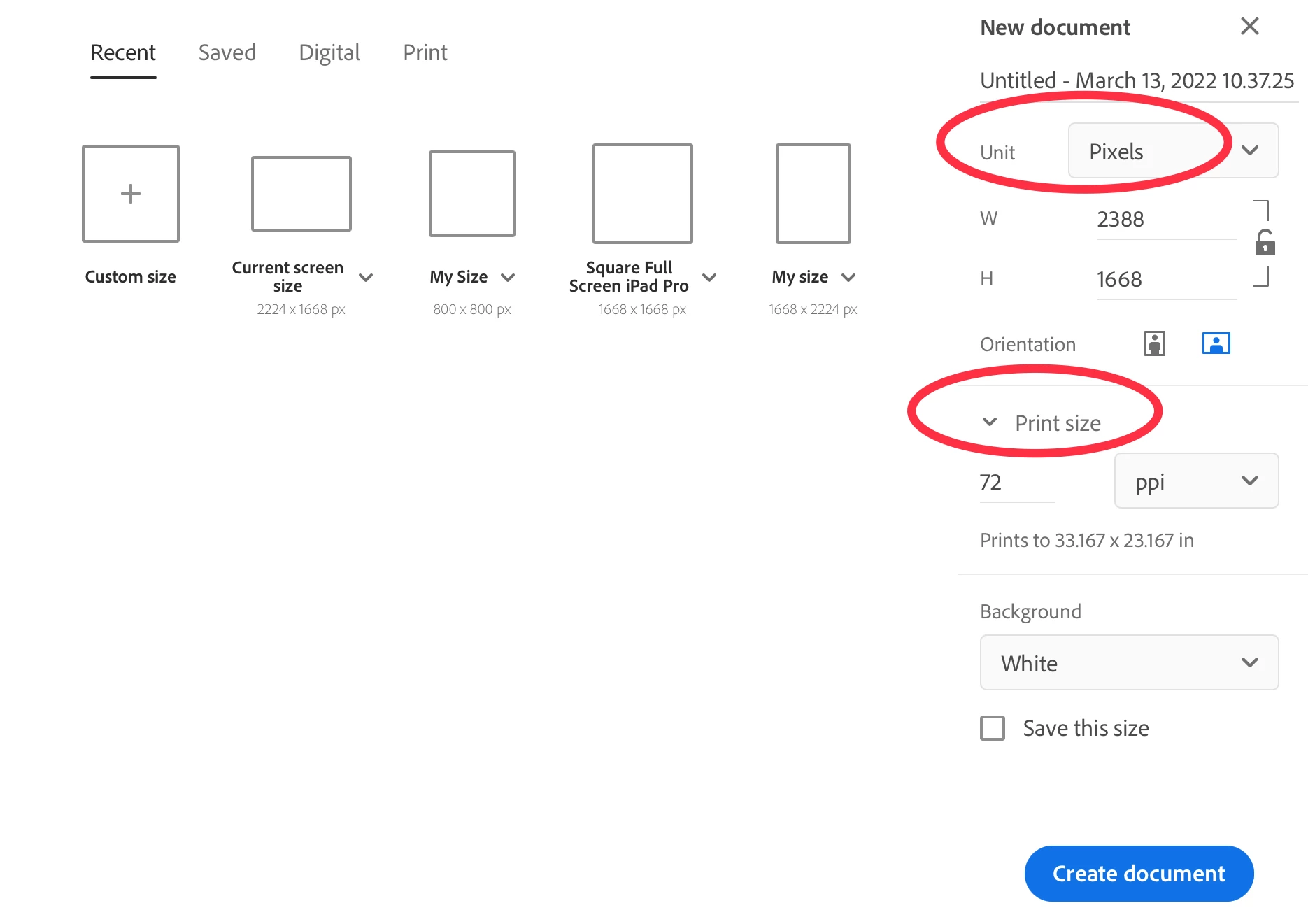
From the Home screen, just tap on "Custom Size." In the dialog box, you can change the pixel dimensions and the DPI to whatever you wish (within the limits of what is supported, of course). Additionally, you can check "Save this size" so it will be available as a template on your home screen from now on.
Already have an account? Login
Enter your E-mail address. We'll send you an e-mail with instructions to reset your password.
 AdChoices