Participant
August 15, 2023
Answered

How to use layer folders in Fresco

  • August 15, 2023
  • 2 replies
  • 1279 views

Hi, I was wondering how we could put layers into folders in Adobe Fresco. 

This topic has been closed for replies.
Correct answer Sjaani

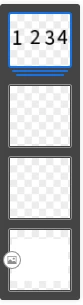
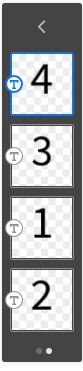
You can group layers by dragging one on top of another.

Then to view the individual layers within a group you can double tap to open the group.



2 replies

Imaginerie
Community Expert
Community Expert
August 19, 2023

What @Sjaani Said!. You can also click on the folder icon in the right bar, that will appear AFTER you've selected multiple layers.
To select multiple layers, either click on the 3 dots at the bottom of the right bar, choose "select multiple layers" and then click on all the layers you want selected in the layer stack, or even easier, click on the touch shortcut once to get the inner circle set in blue, and you'll be able to select multiple layers in the layer stack to group them.

Sjaani
Community Expert
SjaaniCommunity ExpertCorrect answer
Community Expert
August 17, 2023

You can group layers by dragging one on top of another.

Then to view the individual layers within a group you can double tap to open the group.