



Matthew550
Participating Frequently
September 26, 2019
Answered

Loading Brushes to fresco from import turning grey in menu after restarting ap

  • September 26, 2019
  • 6 replies
  • 3896 views

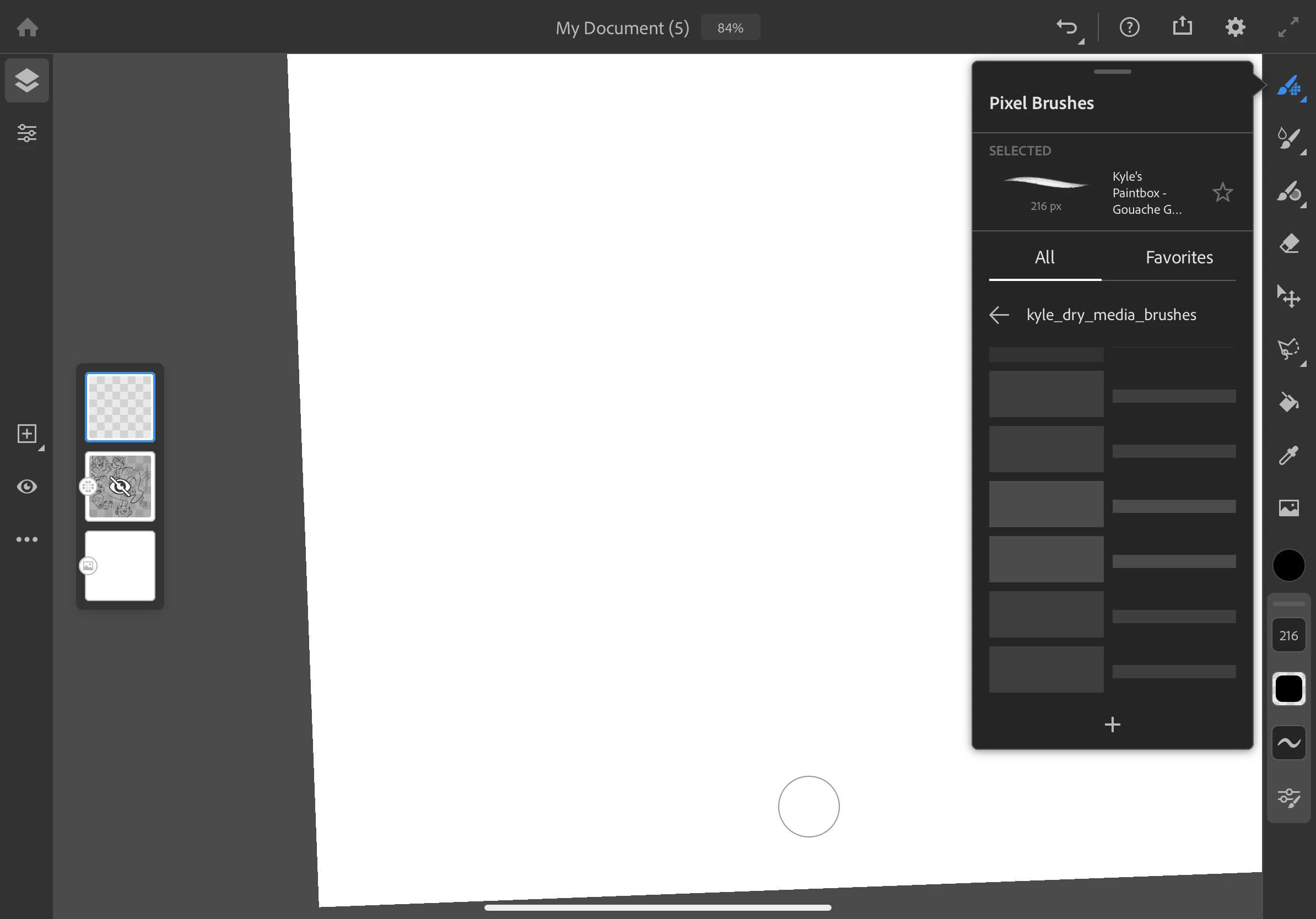
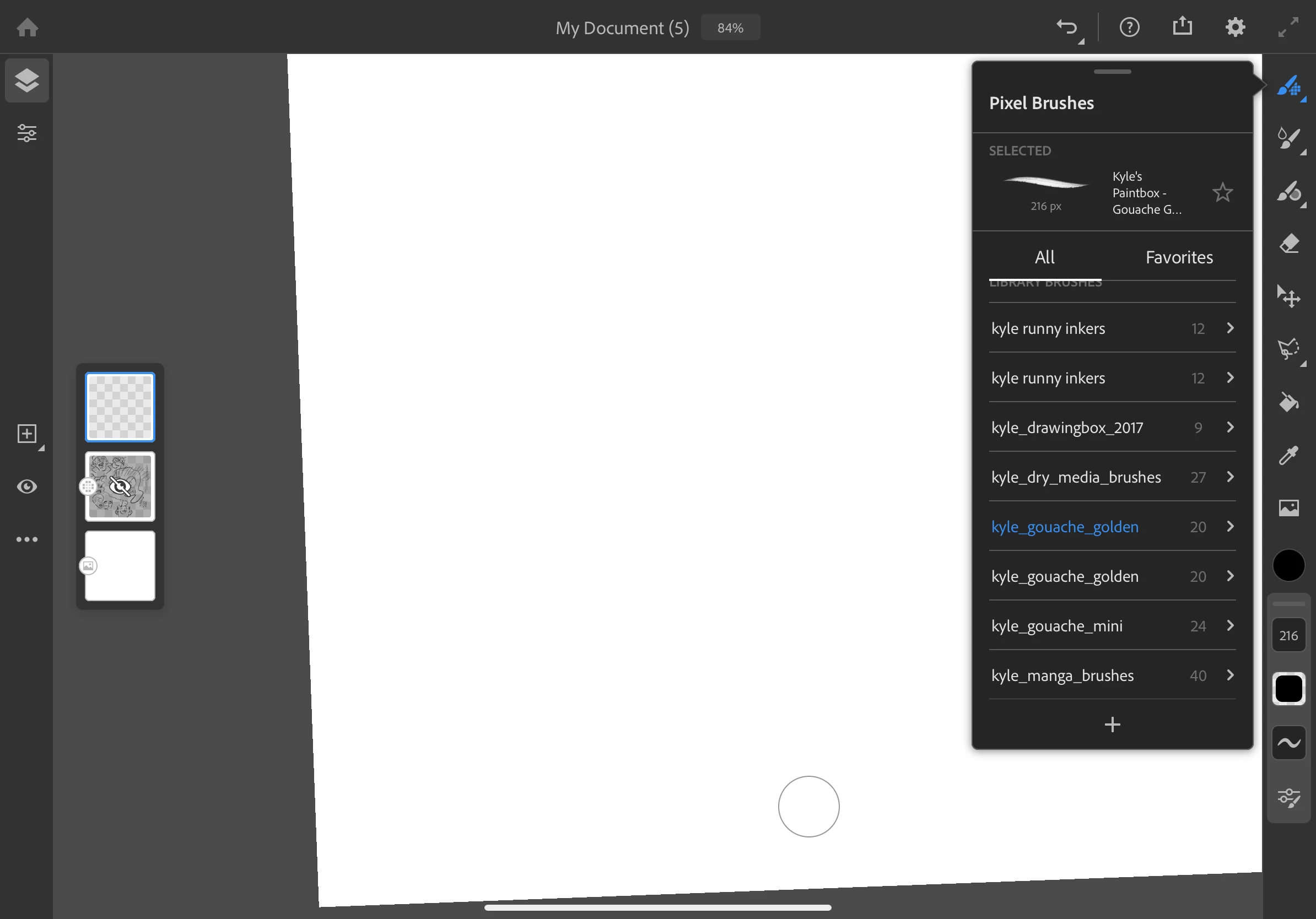
I was loading brushes from an external file to the fresco brush menu. After I closed and re-opened the application the loaded files for the brushes had become gray. I cannot delete the existing brush list and when I reload the brushes continue to be gray in the brush list I will attach a screenshot
This topic has been closed for replies.
Correct answer Sheena Kaul
Well as I mentioned earlier, they seem to be taking time to load because they're huge and if you're on a high speed network they should load quickly. Maybe try connecting on some other network and check. It should work!

6 replies

Participating Frequently
November 16, 2019

I downloaded the Kyle mega pack from Adobe's own website and installed it into Fresco. It installs, but all the brushes are just grey boxes that cannot be selected. Come on Adobe, this is poor.

Participating Frequently
November 16, 2019

Same issue. All my brushes are grayed out and I cannot select any of them. This is really really annoying, and makes Fresco useless until the brushes stop being greyed out. Never had these kinds of issues in Procreate or other apps.

Sheena Kaul
Community Manager
Community Manager
September 27, 2019

Hi All,


I'm suspecting that the greying out is happening because of the brush sets being huge and might take time to load. If it isn't loading at all even after switching to high speed internet, let me know and I can check with the Fresco engineers here to work on a fix. 


Regards,

Sheena

Matthew550
Participating Frequently
September 27, 2019
Sheena-- there is some loading issue. Sometimes they load sometimes not. Again im on an ipad pro 11" iPadOS 13.1
Participant
September 27, 2019
Well as I mentioned earlier, they seem to be taking time to load because they're huge and if you're on a high speed network they should load quickly. Maybe try connecting on some other network and check. It should work!
Can I ask - will this be something that needs to happen every time the app is opened? Our internet is pretty speedy here and I’m still seeing a lot of greyed out brushes, even after the app has been open a while. Should I be more selective in the number of brushes I want to hold on the app?
andreamaestri
Participating Frequently
September 26, 2019

Hi everyone I can see that the brushes are greyed out as it takes few minutes to load some brushes, if you can confirm that it doesn't load at all that would be a bug

andreamaestri
Participating Frequently
September 26, 2019

Hi! I'll investigate this issue today, also if I can ask you about what version of iOS are you using?

Matthew550
Participating Frequently
September 26, 2019
The latest version iPadOS 13.1 on a iPad Pro 11 inch with Apple Pencil
MarkGould
Participating Frequently
September 26, 2019

same here...