


New Participant
November 17, 2022
Question

[Performance] Fresco on iPad - Problem with some brushes

  • November 17, 2022
  • 2 replies
  • 364 views

Hello everyone, I need help ! I am having problem with some bushes that only work when I set the size very large , this happens with almost al the sketch pencils . I don't know how to solve it .  Thanxs in advance ! 
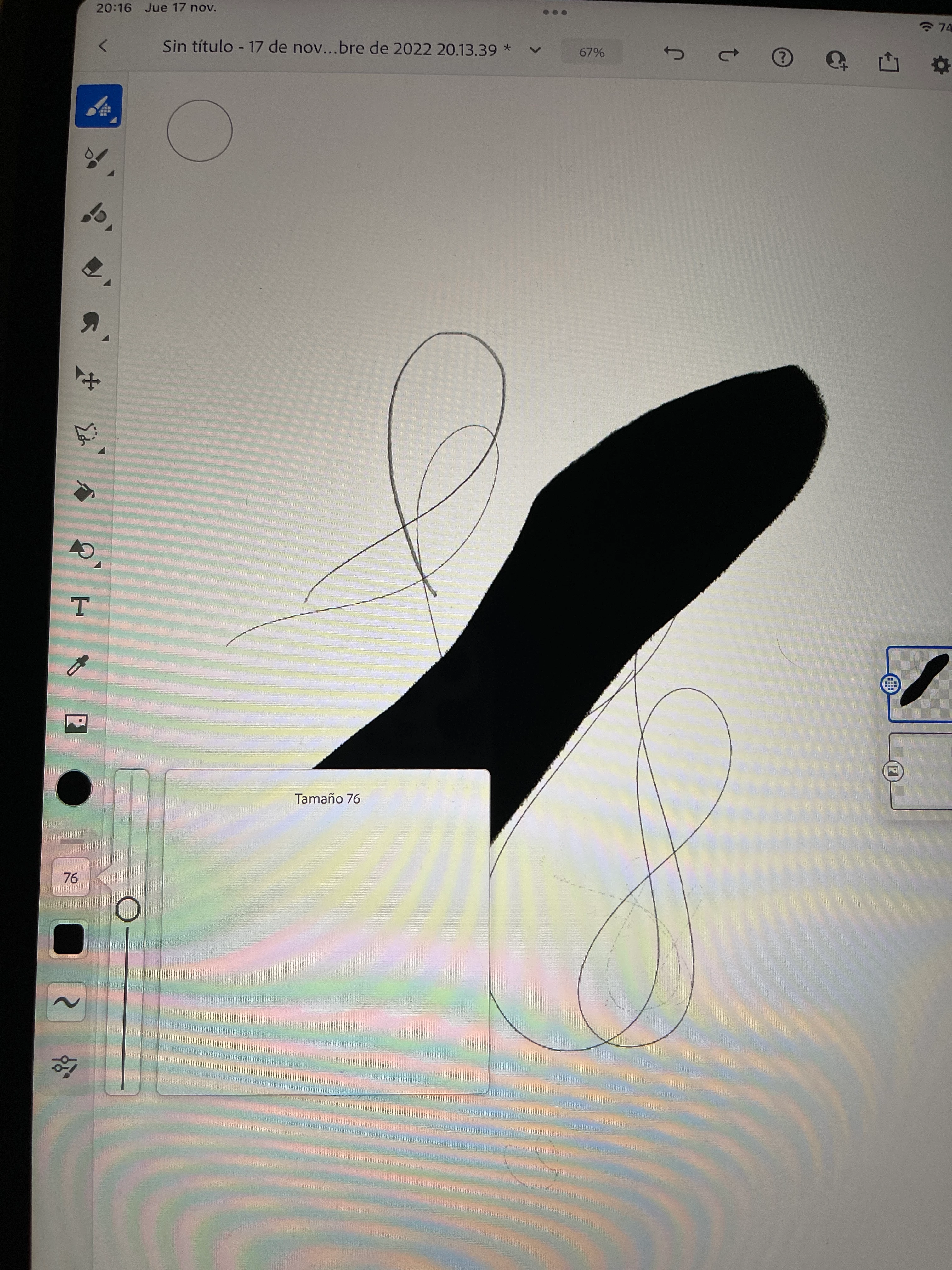

[Renamed by Mod]

This topic has been closed for replies.

2 replies

Imaginerie
Community Expert
November 18, 2022

Does it also fail if you go to the brush settings and tweak things like the shape dynamics and Scattering? (sometimes the scattering is set so high that it looks like nothing is drawing)
also have you tried to tweak the Stylus pressure? it's in the input section of the App settings. (you can also access it when you open the brush setting, at the bottom)


But if it happens only with certain brushes and not all, that is likely either a bug, or my first idea.

Sjaani
Community Expert
November 17, 2022

What device are you using?

For me this only happens with Graphite Flow on a Windows system. If I try to draw a single line nothing shows, but if I scribble it will leave  marks.

All Sketch Pencils are fine on the iPad for me.

New Participant
November 18, 2022

I am using and iPad Pro with the pencil. 🤷🏻‍♀️