


Participating Frequently
November 22, 2022
Answered

[Performance] Fresco on Windows - An Error Has Occurred Please Restart To Continue

  • November 22, 2022
  • 1 reply
  • 1086 views

I Have Restarted The App Many times And Seen if There Was An Update Knowing If There Was It Would Fix It, There wasn't Sadly And I Have Tried Restarting my Laptop ( Windows Levovo Laptop x13 yoga 1st gen ) and i have shut down my laptop aswell nothing seems to work could u Please Help Out Thanks 
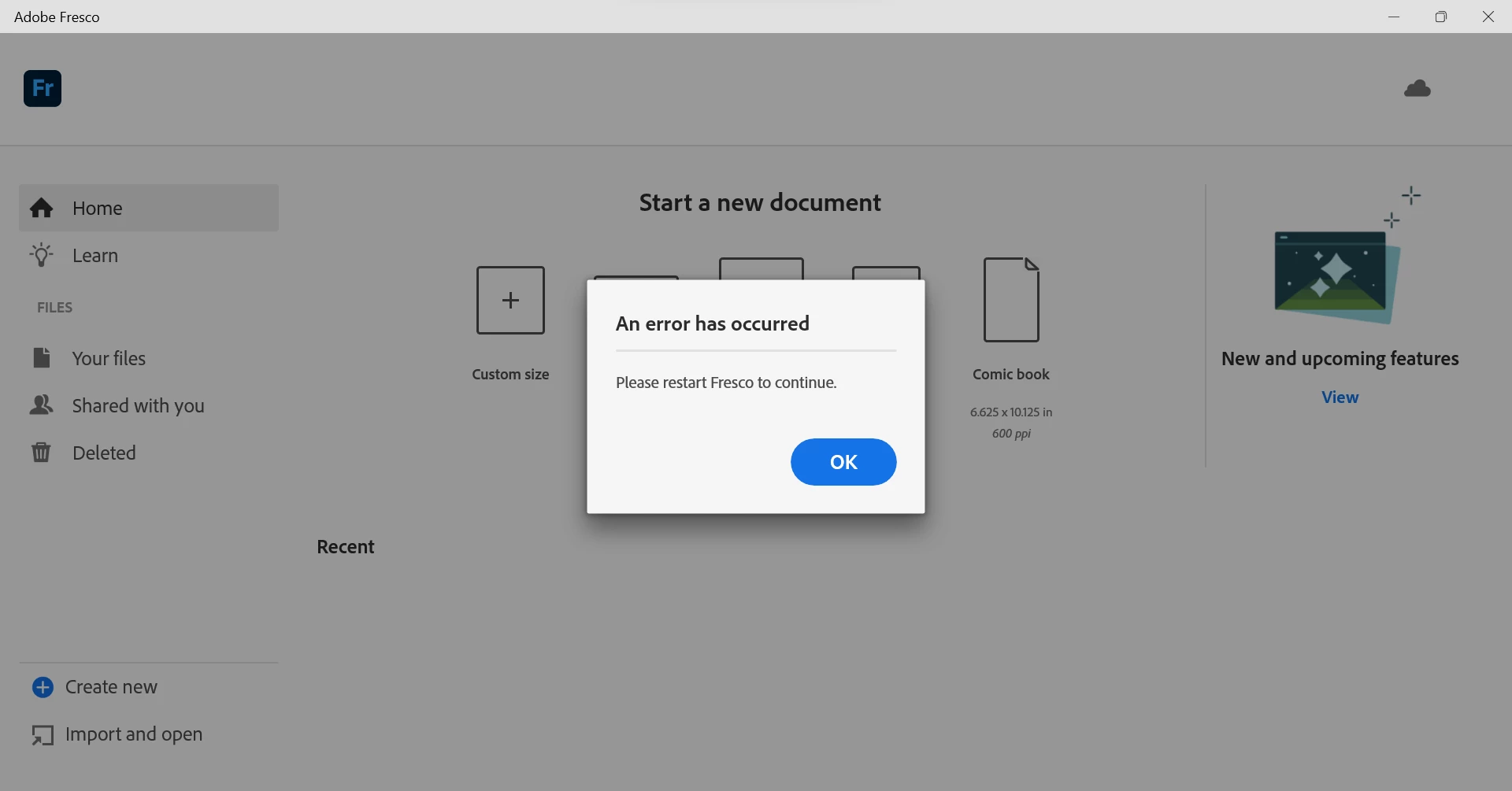

[Renamed by Mod]

This topic has been closed for replies.
Correct answer Anubhav M

It It Possible If Adobe Employees Or A Adobe Update General or Smth I Don't Know What They Are Called If They Could Send Out A Update For Adobe Apps From Adobe Creative Cloud To Fix The App Or Smth idk Sorry For The Hassel For All This I just gotta Do my Art Work


Hello @Kade272505012c06,


Thanks for sharing the details. It seems you have an Enterprise Account. You will need to ask your school's IT admin to contact our Enterprise Support through the Admin Console (https://helpx.adobe.com/enterprise/using/support-for-enterprise.html) to get help.

Kindly update this thread if you need further assistance. We'd be happy to help.


Regards


Note: Marking correct for visibility

1 reply

Community Manager
November 22, 2022

Hello @Kade272505012c06,


Sorry to hear about this experience. Would you mind trying to reset Fresco by following the steps shared in this help article (https://support.microsoft.com/en-us/windows/repair-apps-and-programs-in-windows-e90eefe4-d0a2-7c1b-dd59-949a9030f317) and checking if it helps?


Looking forward to your response.


Thanks,

Anubhav

Participating Frequently
November 22, 2022

hi .@AnubhaMajumder 

I Have Tried Resetting And Repairing Adobe Fresco But It is still showing that same restart thing any tips to fix it would be great

Anubhav MCommunity ManagerCorrect answer
Community Manager
November 25, 2022

It It Possible If Adobe Employees Or A Adobe Update General or Smth I Don't Know What They Are Called If They Could Send Out A Update For Adobe Apps From Adobe Creative Cloud To Fix The App Or Smth idk Sorry For The Hassel For All This I just gotta Do my Art Work


Hello @Kade272505012c06,


Thanks for sharing the details. It seems you have an Enterprise Account. You will need to ask your school's IT admin to contact our Enterprise Support through the Admin Console (https://helpx.adobe.com/enterprise/using/support-for-enterprise.html) to get help.

Kindly update this thread if you need further assistance. We'd be happy to help.


Regards


Note: Marking correct for visibility