

Answered
Problems with eyedropper tool in Fresco
Whenever I try to grab a color using the eyedropper tool, it becomes a lighter color when I add it onto the drawing, and I don't know why.
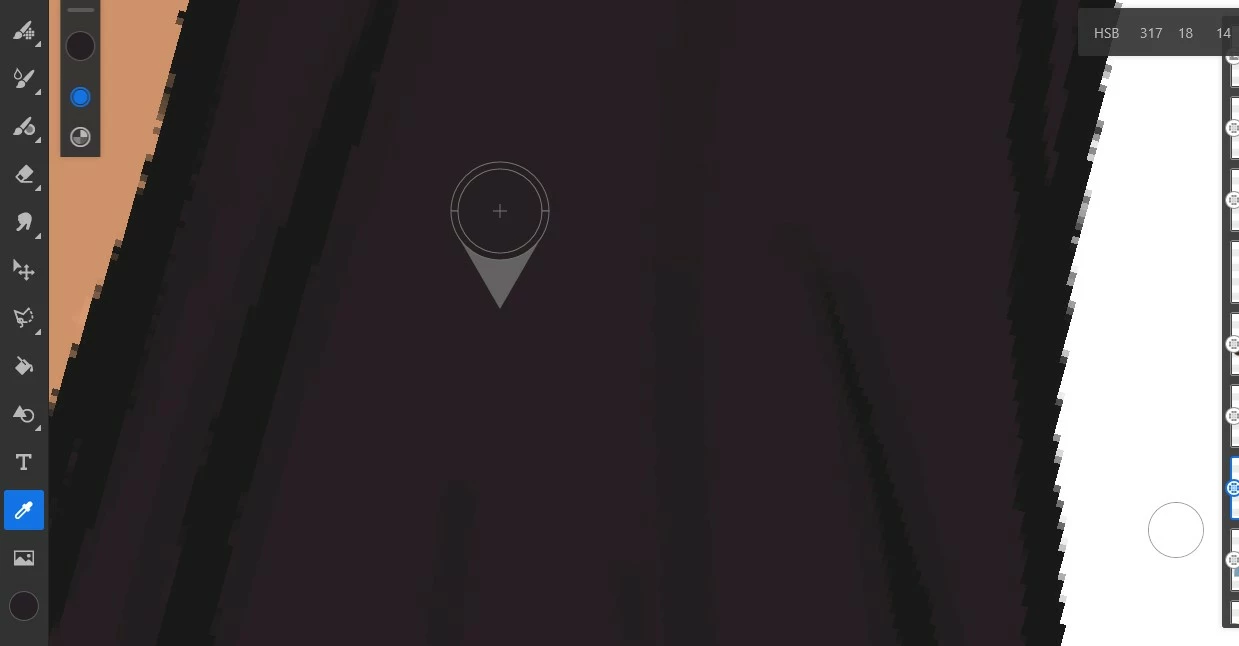
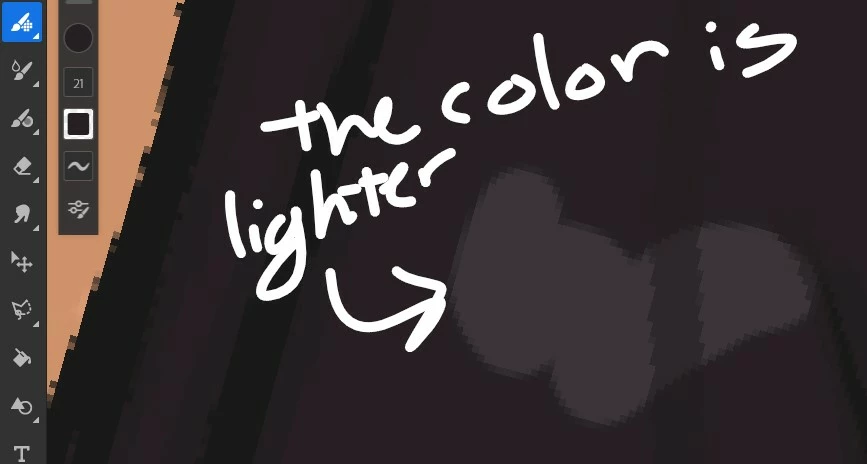

Whenever I try to grab a color using the eyedropper tool, it becomes a lighter color when I add it onto the drawing, and I don't know why.
Thanks @ari-- will it be possible for you to outline steps in detail, the only puzzling thing for me in your snapshot is color chip is showing correct color. Steps I tried:
1. Draw stroke with a Pixel brush, I used Dry Media> Hard Pastel
2. Long press on Canvas to switch to Eyedropper tool to sample color in the drawn area
3. Draw stroke with same brush/different brush
If I sample color from outside the drawn area the color changes. Are you using some adjustment layer causing the above issue?
Regards,
Rohit
@Rohit Guglani nevermind! It's working for me again!
Already have an account? Login
Enter your E-mail address. We'll send you an e-mail with instructions to reset your password.
 AdChoices